rn-keypad-component-cli
Version:
CLI to add the Keypad component to your React Native project
141 lines (91 loc) • 3.22 kB
Markdown
# 🧮 React Native Keypad Component CLI
A simple CLI to quickly scaffold and add the [React Native Keypad Component](https://github.com/Elue-dev/react-native-keypad-component) into your project.
---
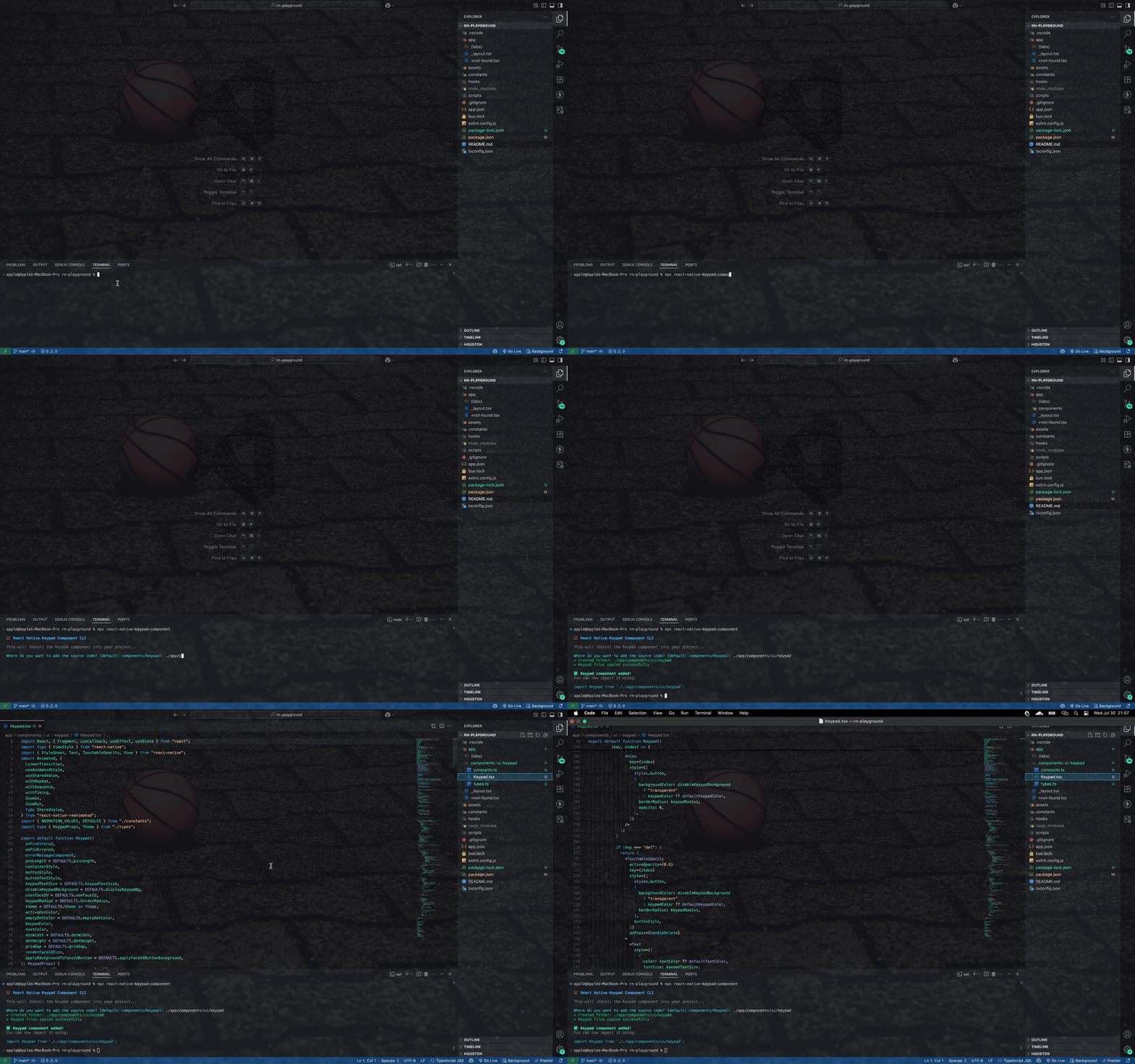
Watch demo video here: [Demo Video](https://res.cloudinary.com/dwdsjbetu/image/upload/v1753911738/ScreenRecording2025-07-30at21.07.05-ezgif.com-video-to-gif-converter_ny6wuw.gif)
## 📦 Installation
You can run it with `npx`:
```bash
npx rn-keypad-component-cli
```
Or install globally:
```bash
npm install -g rn-keypad-component-cli
```
## 🚀 Usage
Inside your React Native project directory, run:
```bash
npx rn-keypad-component-cli
```
You'll be prompted to choose your installation directory:
```bash
🧮 React Native Keypad Component CLI
This will install the Keypad component into your project...
Where do you want to add the source code? (default: components/Keypad):
```
You can either:
- Press **Enter** to use the default location (`components/Keypad`)
- Type a custom path like `./src/ui/Keypad`, `./lib/components/Keypad`, etc.
### Example with default path:
```bash
🧮 React Native Keypad Component CLI
This will install the Keypad component into your project...
Where do you want to add the source code? (default: components/Keypad):
✓ Created folder: ./components
✓ Keypad files copied successfully
✅ Keypad component added!
You can now import it using:
import Keypad from './components';
```
### Example with custom path:
```bash
🧮 React Native Keypad Component CLI
This will install the Keypad component into your project...
Where do you want to add the source code? (default: components/Keypad): ./src/ui/Keypad
✓ Created folder: ./src/ui/Keypad
✓ Keypad files copied successfully
✅ Keypad component added!
You can now import it using:
import Keypad from './src/ui/Keypad';
```
The CLI will then:
- Create the specified folder structure (if it doesn't exist)
- Copy all keypad component files into the chosen directory
- Display import instructions for easy usage
## 🧱 Output
The copied files will be organized like this:
**Default installation:**
```
components/
└── Keypad/
├── constants.ts
├── Keypad.tsx
└── types.ts
```
**Custom installation example:**
```
src/
└── ui/
└── Keypad/
├── constants.ts
├── Keypad.tsx
└── types.ts
```
## 🛠 Customize
After installing the component, feel free to customize styles, layout, or functionality to suit your app.
## 📚 Original Keypad Component
This CLI uses the official `React Native Keypad Component` package created by [Wisdom Elue](https://x.com/eluewisdom_)
If you prefer, you can install it directly instead of using the CLI:
```bash
npm install react-native-keypad-component
# or
yarn add react-native-keypad-component
# or
bun add react-native-keypad-component
```
## 🧑💻 Author
**Wisdom Elue**
- [GitHub](https://github.com/Elue-dev)
- [X (formerly Twitter)](https://x.com/eluewisdom_)
## 📄 License
MIT