rerumaccusamus
Version:
The meta-framework suite designed from scratch for frontend-focused modern web development.
67 lines (58 loc) • 2.14 kB
Markdown
---
title: IDE 中的自动提示
---
打开任意 JS/TS 文件(比如 `src/App.jsx`),底部状态栏右侧应该有显示 ESLint,点击可以看到运行 log,应该没有报错。
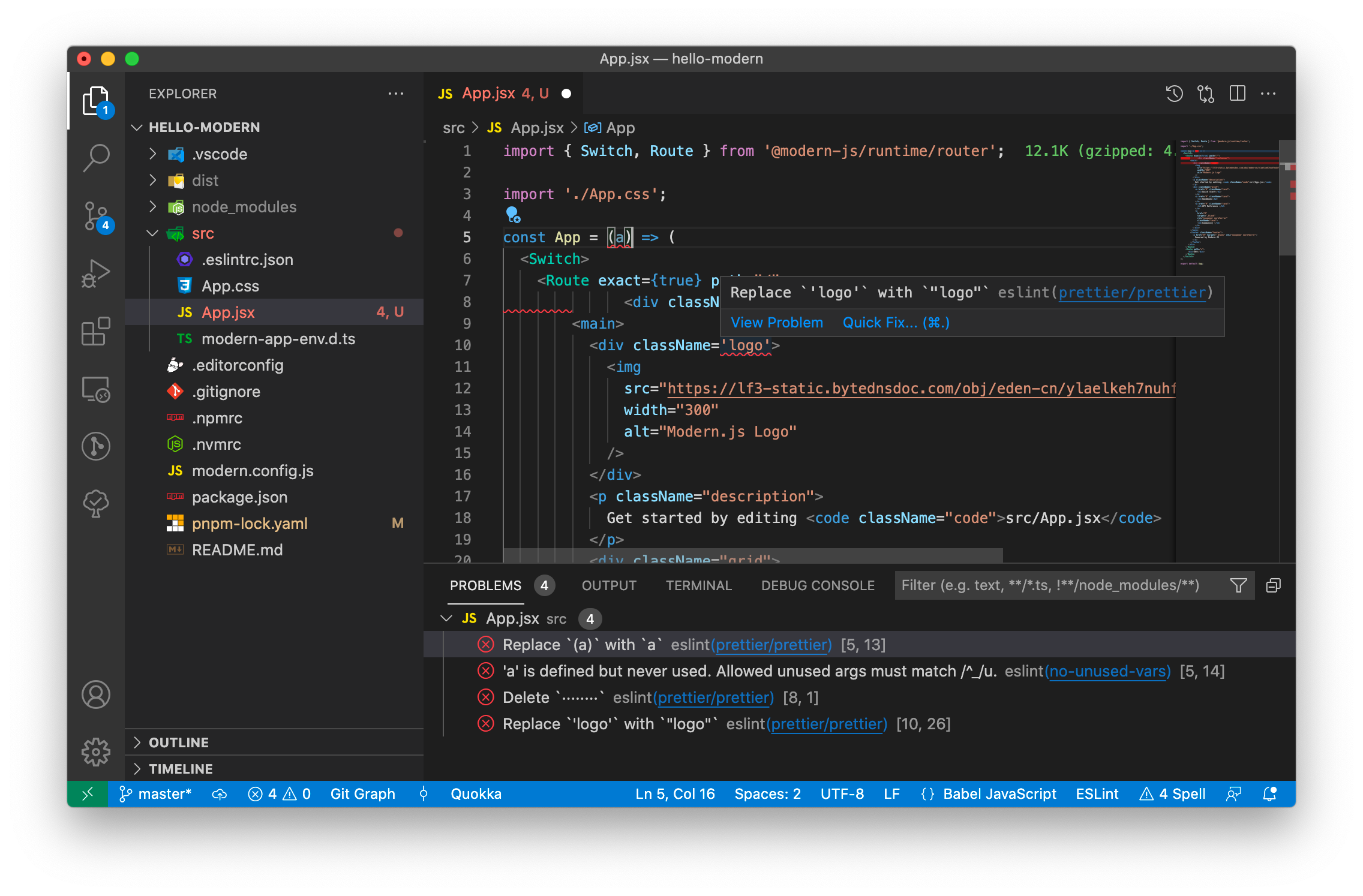
接下来对 `App.jsx` 代码做如下修改(修改过程中不要保存),增加无用的函数参数、去掉换行、单引号改成双引号、增加缩进(可以直接复制下面的代码替换 App.jsx 的内容),注意修改过程中**先不要保存文件**。
```js
import { Switch, Route } from '@modern-js/runtime/router';
import './App.css';
const App = (a) => (
<Switch>
<Route exact={true} path="/">
<div className="container">
<main>
<div className='logo'>
<img
src="https://lf3-static.bytednsdoc.com/obj/eden-cn/ylaelkeh7nuhfnuhf/modernjs-cover.png"
width="300"
alt="Modern.js Logo"
/>
</div>
<p className="description">
Get started by editing <code className="code">src/App.tsx</code>
</p>
<div className="grid">
<a href="#" className="card">
<h2>Quick Start</h2>
</a>
<a href="#" className="card">
<h2>Handbook</h2>
</a>
<a href="#" className="card">
<h2>API Reference </h2>
</a>
<a
href="#"
target="_blank"
rel="noopener noreferrer"
className="card">
<h2>Community </h2>
</a>
</div>
</main>
<footer className="footer">
<a href="#" target="_blank" rel="noopener noreferrer">
Powered by Modern.JS
</a>
</footer>
</div>
</Route>
<Route path="*">
<div>404</div>
</Route>
</Switch>
);
export default App;
```
可以在 VSCode 中看到修改过的代码出现了问题提示,点击底部界面中的 Problems 一栏,可以看到问题列表。