rerumaccusamus
Version:
The meta-framework suite designed from scratch for frontend-focused modern web development.
72 lines (60 loc) • 1.82 kB
Markdown
---
sidebar_position: 2
---
# 打开窗口
:::info 补充信息
以下示例中,窗口均采用:[**关闭 Node**](/docs/guides/features/electron/develop#窗口中关闭-node推荐)方式进行开发。
:::
## 新增一个窗口配置
```ts {14-17} title='electron/main.ts'
const baseOptions = {
options: {
webPreferences: {
preload: PRELOAD_JS,
enableRemoteModule: true,
},
},
}
export const windowsConfig: WindowConfig[] = [
{
name: 'main',
...baseOptions,
},
{
name: 'demo',
...baseOptions
},
```
:::info 补充信息
- 在 Modern.js 中,默认不用配置窗口的加载路径,默认加载对应入口在打包前后的路径,比如上述窗口:`demo`。
- dev 时加载的路径为:`http://localhost:8080/demo`。
- prod 时加载的路径为:`file://xx/xx/html/demo/index.html`。
- 关于如何新建一个入口,请参考:[【开发中后台】](/docs/start/admin#创建入口)。
:::
## 打开窗口
一般,我们的窗口管理都是在主进程中。因此,打开窗口也是需要先在主进程中定义打开窗口服务。
我们新增方法:
```ts title="electron/services/index.ts(主进程)"
// 主进程
import { winService } from '@modern-js/runtime/electron-main';
export const openWindow = (winName: string) => {
return winService.createWindow({
name: winName
})
}
```
```ts title="electron/preload/index.ts"
// preloadJs 中
export const apis = {
...,
openWindow: (winName: string) => {
return callMain('openWindow', winName);
},
}
exposeInMainWorld(apis);
```
```ts title="xx/xx.tsx"
import bridge from '@modern-js/runtime/electron-bridge';
bridge.openWindow('demo');
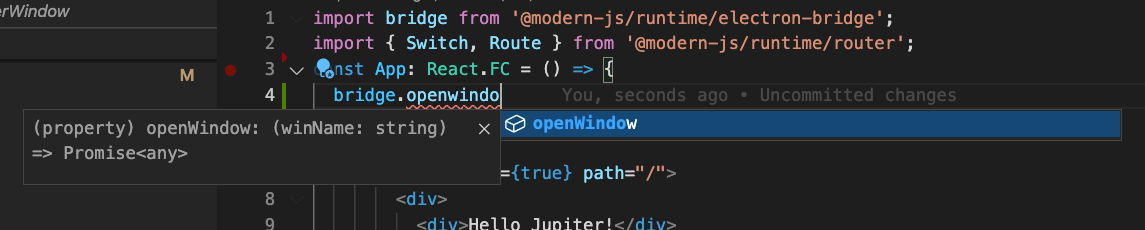
```