render-smooth-image-react
Version:
A React Component to render images smoothly.
107 lines (76 loc) • 5.83 kB
Markdown
# render-smooth-image-react



<a href="https://github.com/KRRISH96/render-smooth-image-react">
<img src="https://badges.frapsoft.com/os/v1/open-source.svg?v=103" alt="Open Source Love" />
</a>
A React component to render images smoothly.
## In Action
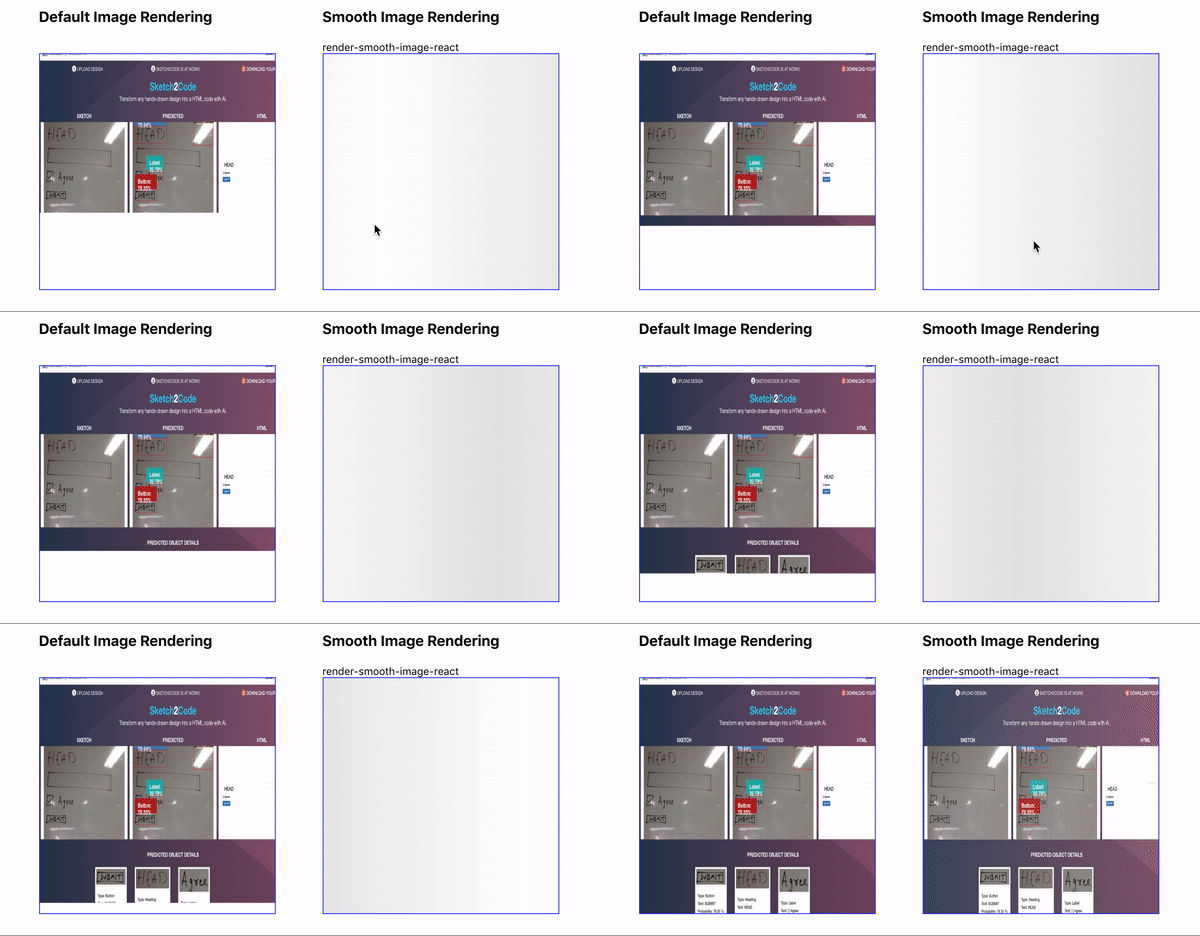
The left side one is default rendering of an image in DOM, The right one uses `render-smooth-image-react`.
## Install
Using npm
```
npm i render-smooth-image-react
```
or Using yarn
```
yarn add render-smooth-image-react
```
## Usage
```jsx
import React from 'react';
import RenderSmoothImage from 'render-smooth-image-react';
import 'render-smooth-image-react/build/style.css';
const Image = () => (
<div style={{ width: 300, height: 300 }}>
<RenderSmoothImage src={'your-image-source'} alt="alternate-text" />
</div>
);
export default Image;
```
### Note
`RenderSmoothImage` will occupy full width and height of its parent component.
So, To control width/height set a parent div with desired dimensions.
## Props
| Property | Description | Default |
| ----------------- | ----------------------------------------------------------------------------------------------------------------------------------------------------------------------------------------------------------------------------------------------------------- | ------------ |
| src (`*required`) | Image source link or path to image | |
| alt | Alternate text to display when src failed. | `not found` |
| objectFit | Sets the `object-fit` property in css (helps determining how the content should be resized to fit its container). Valid options `contain`, `fill`, `cover`, `none`, `scale-down`. [Learn more](https://developer.mozilla.org/en-US/docs/Web/CSS/object-fit) | `contain` |
| onLoad | Callback for `onLoad` event on image. | `() => null` |
| onError | Callback for `onError` event on image.. | `() => null` |
| wrapperProps | Any additional props to be added on root `div`. | `{}` |
| imageProps | Any additional props to be added on `img` element. | `{}` |
## Classes
| ClassName | Description |
| ------------------------------- | --------------------------------------------------------------------------------------------------------------------------------------------------------------- |
| `smooth-image-wrapper` | Class added to root element. |
| `smooth-image` | Class added to `img` tag. |
| `image-hidden`, `image-visible` | For `img` tag, Class `image-hidden` is added while image is being downloaded and will be replaced with `image-visible` once image is ready to render. |
| `smooth-no-image` | Class added for element rendering `alt` text. (`img` tag is replaced with a `div` with `alt` text for invalid `src` or when image is not found at given `src`). |
## HTML structure
For Valid Image Source.
```html
<div class="smooth-image-wrapper">
<img src="your-image-source" class="smooth-image image-visible" />
</div>
```
For Invalid Image Source, rendering alternate text.
```html
<div class="smooth-image-wrapper">
<div class="smooth-no-image">"Your alternate text."</div>
</div>
```
For Loader
```html
<div class="smooth-image-wrapper">
<div className="smooth-preloader">
<span className="loader" />
</div>
</div>
```
## Request / Bug Report
If you have any issues or have any suggestions,
Please feel free to open an issue [here](https://github.com/KRRISH96/render-smooth-image-react/issues).