remoteredux-standalone
Version:
A standalone monitor, debugging redux even without internet.
117 lines (86 loc) • 6.33 kB
Markdown
remoteredux-standalone
================
A standalone monitor, debugging redux even without internet. Bridge for communicating with an application remotely via [Remote Redux DevTools](https://github.com/zalmoxisus/remote-redux-devtools).
Based on [remotedev-server](https://github.com/zalmoxisus/remotedev-server).
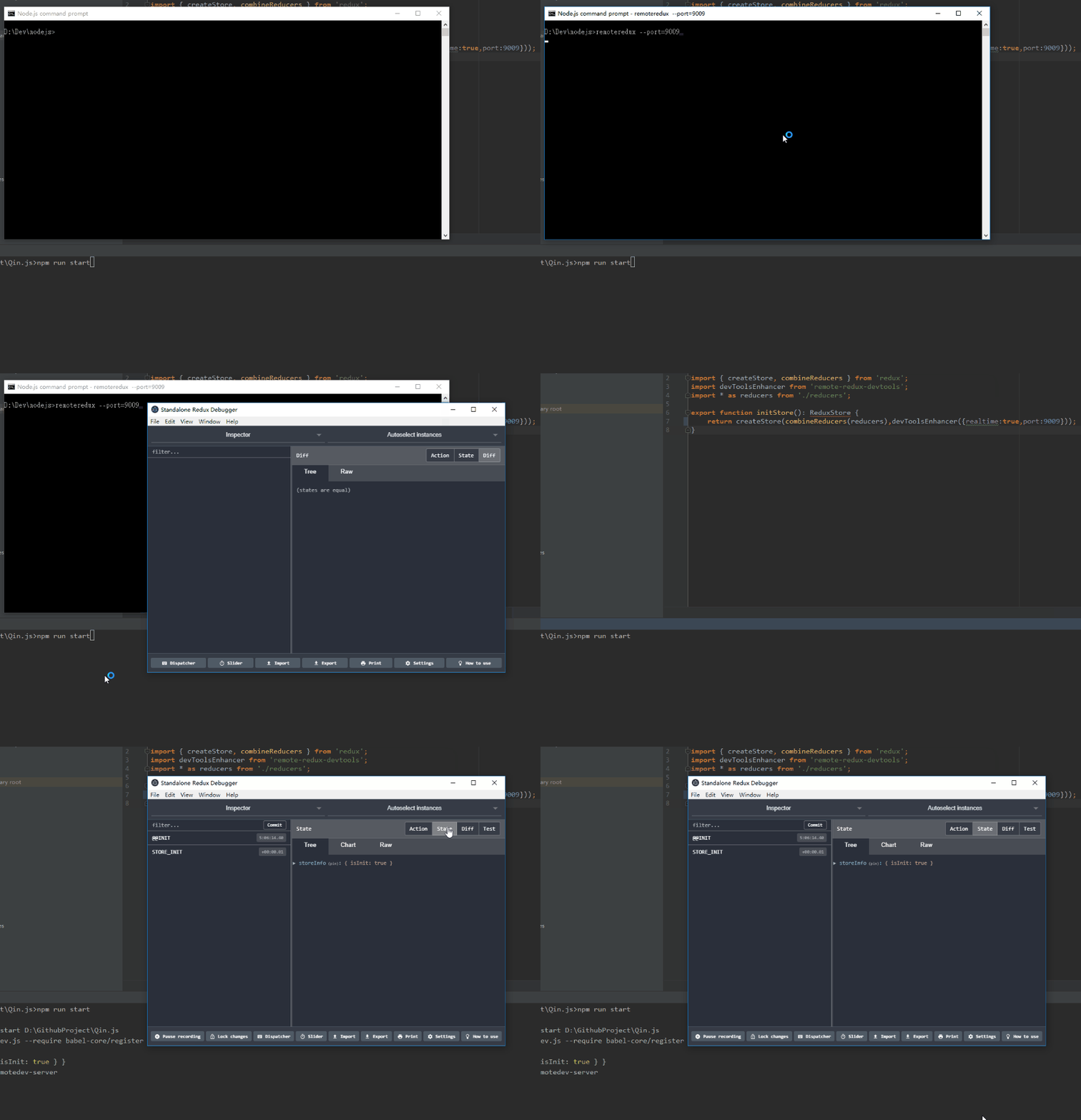
### Installation
##### Install the package globally just run:
```
$ npm install -g remoteredux-standalone
```
##### for macOS/linux
```
$ sudo npm install -g remoteredux-standalone --unsafe-perm=true --allow-root
```
#### Or install in `package.json`
```
$ npm install remoteredux-standalone --save-dev
```
### Usage
##### Run remoteredux globally from the terminal to launch the standalone app:
```
$ remoteredux
```
##### Run remoteredux by npm script (if you didn't install globally):
Add in your app's `package.json`:
```
"scripts": {
"remoteredux": "remoteredux --hostname=localhost --port=8000"
}
```
Then run remoteredux from the terminal
```
$ npm run remoteredux
```
Or run in your `server.js` script for starting a development server:
```js
var remoteredux = require('remoteredux-standalone');
remoteredux({ hostname: 'localhost', port: 8000 });
```
This `server.js` will start remoteredux together with your dev server without electron interface, you will have to use your own browser go into your host address.
### Connection settings
Set `hostname` and `port` to the values you want. `hostname` by default is `localhost` and `port` is `8000`.
To use WSS, set `protocol` argument to `https` and provide `key`, `cert` and `passphrase` arguments.
```
$ remoteredux --hostname=localhost --port=8000
```
### Inject to React Native local server
##### Add in your React Native app's `package.json`:
```
"scripts": {
"remoteredux": "remoteredux --hostname=localhost --port=8000 --injectserver=reactnative"
}
```
The `injectserver` value can be `reactnative` or `macos` ([react-native-macos](https://github.com/ptmt/react-native-macos)), it used `reactnative` by default.
Then, we can start React Native server and RemoteDev server with one command (`npm start`).
##### Revert the injection
Add in your React Native app's `package.json`:
```
"scripts": {
"remoteredux-revert": "remoteredux --revert=reactnative"
}
```
### Connect from Android device or emulator
> Note that if you're using `injectserver` argument explained above, this step is not necessary.
If you're running an Android 5.0+ device connected via USB or an Android emulator, use [adb command line tool](http://developer.android.com/tools/help/adb.html) to setup port forwarding from the device to your computer:
```
adb reverse tcp:8000 tcp:8000
```
If you're still use Android 4.0, you should use `10.0.2.2` (Genymotion: `10.0.3.2`) instead of `localhost` in [remote-redux-devtools](https://github.com/zalmoxisus/remote-redux-devtools#storeconfigurestorejs) or [remotedev](https://github.com/zalmoxisus/remotedev#usage).
### Save reports and logs
You can store reports via [`redux-remotedev`](https://github.com/zalmoxisus/redux-remotedev) and get them replicated with [Redux DevTools extension](https://github.com/zalmoxisus/redux-devtools-extension) or [Remote Redux DevTools](https://github.com/zalmoxisus/remote-redux-devtools). You can get action history right in the extension just by clicking the link from a report.
Remotedev server is database agnostic. By default everything is stored in the memory, but you can persist data by specifying one of the jsData adapters above for `adapter` argument. Also you can add an `dbOptions` argument for database configuration. If not provided the default options will be used (for some adapters, like `sql`, it's required). You have to install the required adapter's npm package.
| Storage | `adapter` | `dbOptions` argument example (optional) | install |
|-----------|-----------|------------------------------------------------------------------------------------------------------------------------|------------------------------------------------------|
| Firebase | firebase | `{ basePath: 'https://my-app.firebase.io' }` | `npm install --save js-data-firebase` |
| HTTP | http | `{ basePath: 'https://my-rest-server/api' }` | `npm install --save js-data-http` |
| LevelUp | levelup | `'./db'` (the levelup "db" object will be available at "adapter.db") | `npm install --save js-data-levelup` |
| MongoDB | mongodb | `{ name: 'user', idAttribute: '_id', table: 'users' }` | `npm install --save js-data-mongodb` |
| MySQL | sql | `{ client: 'mysql', connection: { host: '123.45.67.890', user: 'ubuntu', password: 'welcome1234', database: 'db1' }` | `npm install --save js-data-sql` |
| Postgres | sql | `{ client: 'pg', connection: { host: '123.45.67.890', user: 'ubuntu', password: 'welcome1234', database: 'db1' }` | `npm install --save js-data-sql` |
| Redis | redis | See the configurable options for [`node_redis`](https://github.com/NodeRedis/node_redis) | `npm install --save js-data-redis` |
| RethinkDB | rethinkdb | `{ host: '123.456.68.987', db: 'my_db' }` | `npm install --save rethinkdbdash js-data-rethinkdb` |
| SQLite3 | sql | `{ client: 'sqlite3', connection: { host: '123.45.67.890', user: 'ubuntu', password: 'welcome1234', database: 'db1' }` | `npm install --save js-data-sql` |
Implement a [custom adapter for JSData](http://www.js-data.io/docs/working-with-adapters#custom-adapters).
### License
MIT