relax-mj
Version:
Node.js client for the unofficial MidJourney API.
112 lines (88 loc) • 3.04 kB
Markdown
Node.js client for the unofficial MidJourney API.
<div align="center">
<p>
<a href="https://discord.gg/GavuGHQbV4"><img src="https://img.shields.io/discord/1082500871478329374?color=5865F2&logo=discord&logoColor=white" alt="Discord server" /></a>
<a href="https://www.npmjs.com/package/midjourney"><img src="https://img.shields.io/npm/v/midjourney.svg?maxAge=3600" alt="npm version" /></a>
</p>
</div>
[](https://github.com/erictik/midjourney-discord-wrapper/)
[](https://github.com/erictik/midjourney-ui/)
```bash
npm i midjourney
yarn add midjourney
```
```typescript
import { Midjourney } from "midjourney";
const client = new Midjourney({
ServerId: <string>process.env.SERVER_ID,
ChannelId: <string>process.env.CHANNEL_ID,
SalaiToken: <string>process.env.SALAI_TOKEN,
Debug: true,
Ws:true,
});
await client.init();
const Imagine = await client.Imagine("A little pink elephant", (uri: string, progress:string) => {
onsole.log("Imagine", uri, "progress", progress);
});
console.log({ Imagine });
const Variation = await client.Variation(
Imagine.content,
2,
<string>Imagine.id,
<string>Imagine.hash,
(uri: string, progress:string) => {
onsole.log("Imagine", uri, "progress", progress);
}
);
console.log({ Variation });
const Upscale = await client.Upscale(
Variation.content,
2,
<string>Variation.id,
<string>Variation.hash,
(uri: string, progress: string) => {
console.log("Upscale", uri, "progress", progress);
}
);
console.log({ Upscale });
```
To run the included example, you must have [Node.js](https://nodejs.org/en/) installed. Then, run the following commands in the root directory of this project:
1. clone the repository
```bash
git clone https://github.com/erictik/midjourney-api.git
cd midjourney-api
```
2. install dependencies
```bash
yarn
npm install
```
3. set the environment variables
- [How to get your Discord SALAI_TOKEN:](https://www.androidauthority.com/get-discord-token-3149920/)
- How to get server and channel ids: you have to [create a new personal channel](https://discord.com/blog/starting-your-first-discord-server), when you click on a channel in your server in the browser expect to have the follow URL pattern `https://discord.com/channels/$SERVER_ID/$CHANNEL_ID`
```bash
export SERVER_ID="1082500871478329374"
export CHANNEL_ID="1094892992281718894"
export SALAI_TOKEN="your-salai-token"
```
Then, run the example with the following command:
```bash
npx tsx example/imagine-ws.ts
```
- [x] `/imagine` `variation` `upscale`
- [x] websocket get message
- [x] call back error
- [x] verify human
- [x] `/info`
- [x] `/fast api` and `/relax api`
- [x] `/describe`
[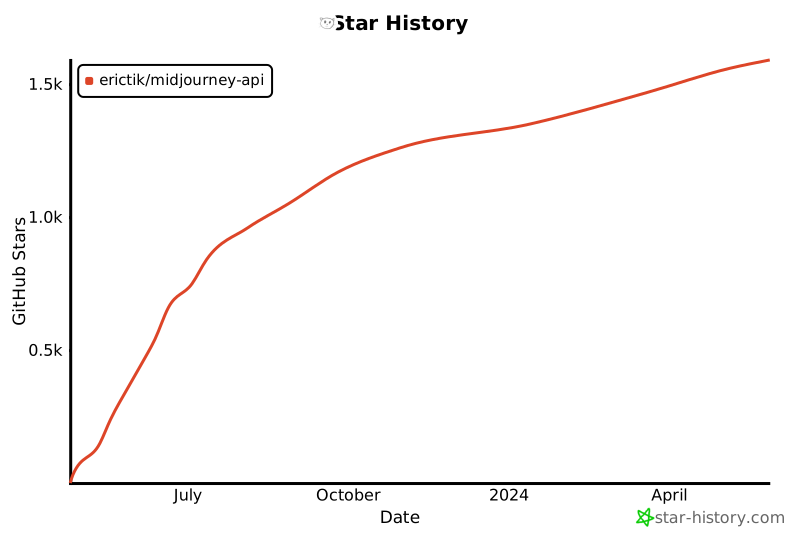](https://star-history.com/#erictik/midjourney-api&Date)