regl-shape
Version:
2D shape shader for regl
91 lines (68 loc) • 4.08 kB
Markdown
# regl-shape
2D shape shader for [regl](https://www.npmjs.com/package/regl).
A lot of the code in this package was converted from [regl-line2d](https://www.npmjs.com/package/regl-line2d) to fit modern development approaches. I recommend using [webpack](https://www.npmjs.com/package/webpack) with [glslify-loader](https://www.npmjs.com/package/glslify-loader) to import this package.
## Usage
This package is focused on minimizing memory consumption to prevent unnecessary garbage collection so that even large shapes can be rendered and animated in realtime. For this reason the package's API requires you to initialize the array of points that make up the shape only once before you create the shape. To change the point positions after creation, you have to mutate the data of this array. In order to maximize performance the point array has to be a [TypedArray](https://developer.mozilla.org/en-US/docs/Web/JavaScript/Reference/Global_Objects/TypedArray) (I recommend [Float64Array](https://developer.mozilla.org/en-US/docs/Web/JavaScript/Reference/Global_Objects/Float64Array)).
```javascript
import createRegl from "regl";
import createShapeBuilder from "regl-shape";
const regl = createRegl({ extensions: ["ANGLE_instanced_arrays"] });
const { createShape } = createShapeBuilder(regl);
const points = new Float64Array(64);
const shape = createShape(points, {
// ...props
});
regl.frame(() => {
for (let i = 0; i < points.length; i++) {
// Mutate the point positions here.
}
shape({
// ...props
});
});
```
If the number of the shape's points is supposed to change after creation you can do this by setting the `count` prop inside the draw call. Keep in mind that you can only provide values which are lower than the halved length of the initially created point array.
### Properties
The shape's properties can either be passed on creation or when the shape is being drawn.
| Property | Description | Default |
| --- | ------ | --- |
| `count` | Number of points to in the shape. | `0` |
| `color` | Stroke color of the shape. Can either be a single color or an array of colors containing a color for every point in the shape. The format of a single color is either a CSS color string or an array with `0..1` values, eg. `"red"` or `[0, 0, 0, 1]`. | `"white"` |
| `fill` | Fill area enclosed by points with defined color. If `fill` is `null` the enclosed area will be transparent. | `null` |
| `opacity` | Transparency of the shape's stroke (`0..1`). | `1` |
| `thickness` | Thickness of the shape's stroke in px (`>0`). | `1` |
| `dashes` | Array with dash lengths in px, altering color/space pairs, ie. `[2,10, 5,10, ...]`. `null` corresponds to solid line. | `null` |
| `join` | Join style: `"rect"`, `"round"`, `"bevel"`. Applied to caps too. | `"bevel"` |
| `miterLimit` | Max ratio of the join length to the thickness. | `1` |
| `close` | Connect last point with the first point with a stroke. | `false` |
| `overlay` | Enable overlay of line segments. | `false` |
| `range` | Visible data range (`[minX, minY, maxX, maxY]`). | `null` |
| `viewport` | Area within canvas (`{ x, y, width, height }`). | `null` |
| `depth` | Value for the z-axis of the shapes position. | `0` |
## Example
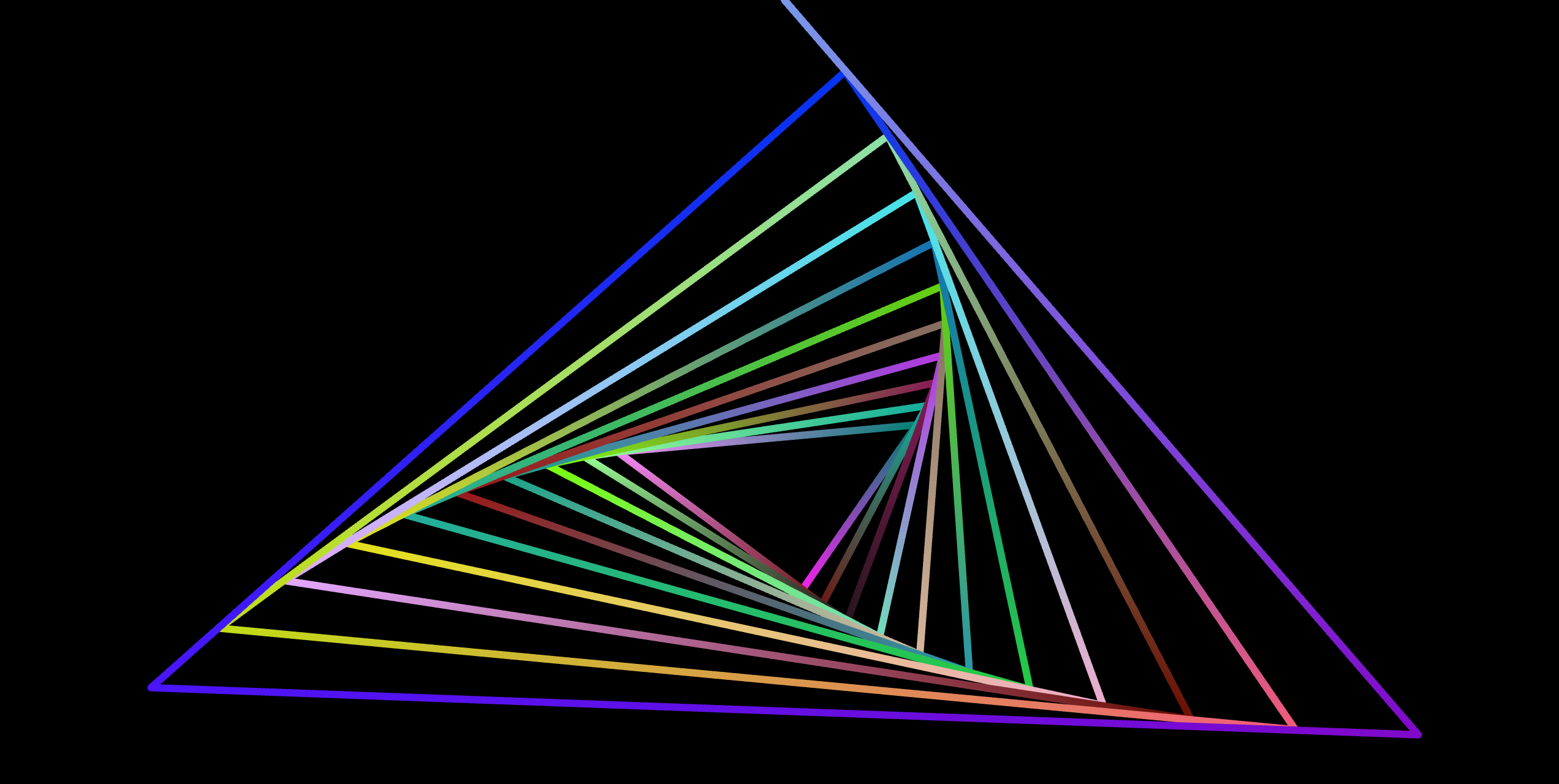
```javascript
import createRegl from "regl";
import createShapeBuilder from "regl-shape";
const regl = createRegl({ extensions: ["ANGLE_instanced_arrays"] });
const { createShape } = createShapeBuilder(regl);
const res = 32;
const points = new Float64Array(2 * res).fill(0);
const shape = createShape(points, {
join: "round",
thickness: 12,
color: Array(res)
.fill()
.map(() => [Math.random(), Math.random(), Math.random()]),
});
regl.frame(({ tick }) => {
regl.clear({ color: [0, 0, 0, 1] });
for (let i = 0; i < res; i++) {
const phi = (tick / 100) * (i / res) * 2 * Math.PI;
const rad = Math.pow(0.95, i);
points[2 * i] = rad * Math.sin(phi);
points[2 * i + 1] = rad * Math.cos(phi);
}
shape();
});
```