reactist
Version:
A Command Line Interface tool that automate workflow when your working with React.js project
161 lines (105 loc) • 3.42 kB
Markdown
# Reactist
## What is Reactist?
Reactist is a Command Line Interface tool that automates React-based project's workflow. This project is composed of:
React
- React: [A JavaScript library for building user interfaces](https://facebook.github.io/react/)
Trnaspiler & bundler
- Webpack: [Module Bundler](https://webpack.github.io/)
- Babel: [The compiler for writing next generation JavaScript](https://babeljs.io/)
Flux Implements
- Redux: [Predictable state container for JavaScript apps](http://redux.js.org)
- flux-utils: coming soon
Test Framework
- Mocha: [Simple, flexible, fun javascript test framework for node.js](http://mochajs.org)
- Karma: [Spectacular Test Runner for Javascript](https://karma-runner.github.io/)
Test Utilities
- Enzyme: [JavaScript Testing utilities for React](http://airbnb.io/enzyme/)
## Getting Started
### Installing
It is highly recommended that you install npm package globally.
```
npm install reactist -g
```
### Initializing
Just enter ```react init [app-name]``` in a console, then Reactist will create a react project *[app-name]* directory and set up react + redux + babel + webpack. If you answer *"Will you write unit tests?"* with Y(default is Y), mocha + karma + enzyme <will be also> installed.
```
$ react init my-app
? Will you write unit tests? (Y/n) Y
.
.
.
Let's be a reactist...!
Please wait for a second.
.
.
.
Wrote to /Users/KimCoding/Workspace/my-app/package.json:
.
.
.
```
It may take a long time to get npm dependenceis. When it's completed, you will see the project created.
```
npm WARN my-app@1.0.0 No description
npm WARN my-app@1.0.0 No repository field.
.
.
.
It has been finished, enjoy your react <environment를 적으면 어떨까 싶네요>...!!
$~/> cd mya-pp
$~/my-app> ls
dev-server node_modules src webpack.config.js
karma.conf.js package.json test-helper
$~/myapp>
```
## npm task
A project created by Reactist uses npm scripts to manage tasks. The followings are descriptions about each task.
#### start
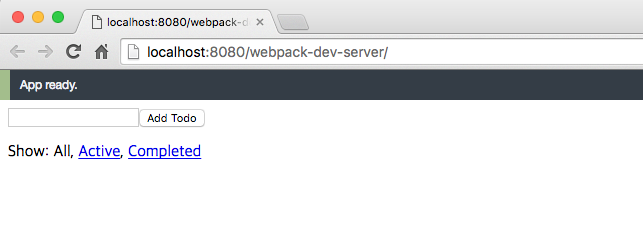
Run webpack-dev-server with the following npm command:
```shell
$ npm run start
$ open http://localhost:8080/webpack-dev-server/
```
You can see a sample react app like this.
#### build
You can build bundle.js into '/dist' directory.
```shell
$ npm run build # build development
$ npm run build:watch # build in watch mode
```
#### test
Run unit tests powered by Mocha and Karma with the following npm command:
```shell
$ npm test
```
Karma runs all unit tests with phantomjs as default.
If you want to run tests on browser(default is chrome) environment, you can use this command.
```shell
$ npm run test-debug
```
#### coverage
Get coverage report at '/coverage' with the following npm command:
```shell
$ npm run coverage
```
#### deploy
Get coverage and build to product code at once with the following npm command:
```shell
$ npm run deploy
```
## Contributing
comming soon...
## Authors
* **[KimCoding](https://github.com/CoderK)** - *Initial work*
## Todo
- add flux-utils
- add jest, jasmine
## Release Notes
#### 0.1.1
- fix scaffolds structure
- add redux-devtools setting
#### 0.1.0
- init
## License
This project is licensed under the MIT License - see the [LICENSE.md](LICENSE.md) file for details