react-websocket
Version:
ReactJS Websocket Listener Component
85 lines (54 loc) • 2.3 kB
Markdown
react-websocket [](https://github.com/mehmetkose/react-websocket/edit/master/README.md) [](https://app.fossa.io/projects/git%2Bgithub.com%2Fmehmetkose%2Freact-websocket?ref=badge_shield)
`react-websocket` is a easy-to-use React component for websocket communications.
# Help Wanted
Things here are running very slowly as I have a lot of other stuff to take care at the moment so please don't be upset if I don't answer your question or if a PR sits unreviewed for a few days or weeks. Anyone interested in helping it move faster can help by submitting or reviewing PR's and answering each other's questions.
## Installing
```
npm install --save react-websocket
```
## Usage
```js
import React from 'react';
import Websocket from 'react-websocket';
class ProductDetail extends React.Component {
constructor(props) {
super(props);
this.state = {
count: 90
};
}
handleData(data) {
let result = JSON.parse(data);
this.setState({count: this.state.count + result.movement});
}
render() {
return (
<div>
Count: <strong>{this.state.count}</strong>
<Websocket url='ws://localhost:8888/live/product/12345/'
onMessage={this.handleData.bind(this)}/>
</div>
);
}
}
export default ProductDetail;
```
## Properties
### url
**required**
The url the websocket connection is listening to.
### onMessage
**required**
The callback called when data is received. Data is `JSON.parse`'d
### onOpen
The callback called when the connection is successfully opened.
### onClose
The callback called when the connection is closed either due to server disconnect or network error.
### debug
default: **false**
Set to **true** to see console logging
### reconnect
default: **true**
accelerated reconnection time
# License
[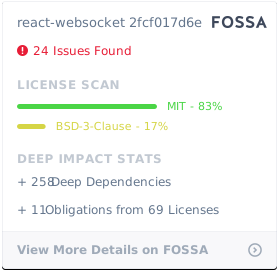](https://app.fossa.io/projects/git%2Bgithub.com%2Fmehmetkose%2Freact-websocket?ref=badge_large)