react-typeahead
Version:
React-based typeahead and typeahead-tokenizer
462 lines (261 loc) • 11.8 kB
Markdown
# react-typeahead
> A typeahead/autocomplete component for React
react-typeahead is a javascript library that provides a react-based
typeahead, or autocomplete text entry, as well as a "typeahead tokenizer",
a typeahead that allows you to select multiple results.
## Usage
For a typeahead input:
```javascript
var Typeahead = require('react-typeahead').Typeahead;
React.render(
<Typeahead
options={['John', 'Paul', 'George', 'Ringo']}
maxVisible={2}
/>
);
```
For a tokenizer typeahead input:
```javascript
var Tokenizer = require('react-typeahead').Tokenizer;
React.render(
<Tokenizer
options={['John', 'Paul', 'George', 'Ringo']}
onTokenAdd={function(token) {
console.log('token added: ', token);
}}
/>
);
```
## Examples
* [Basic Typeahead with Topcoat][1]
* [Typeahead Tokenizer with Topcoat][2]
* [Typeahead Tokenizer with simple styling][3]
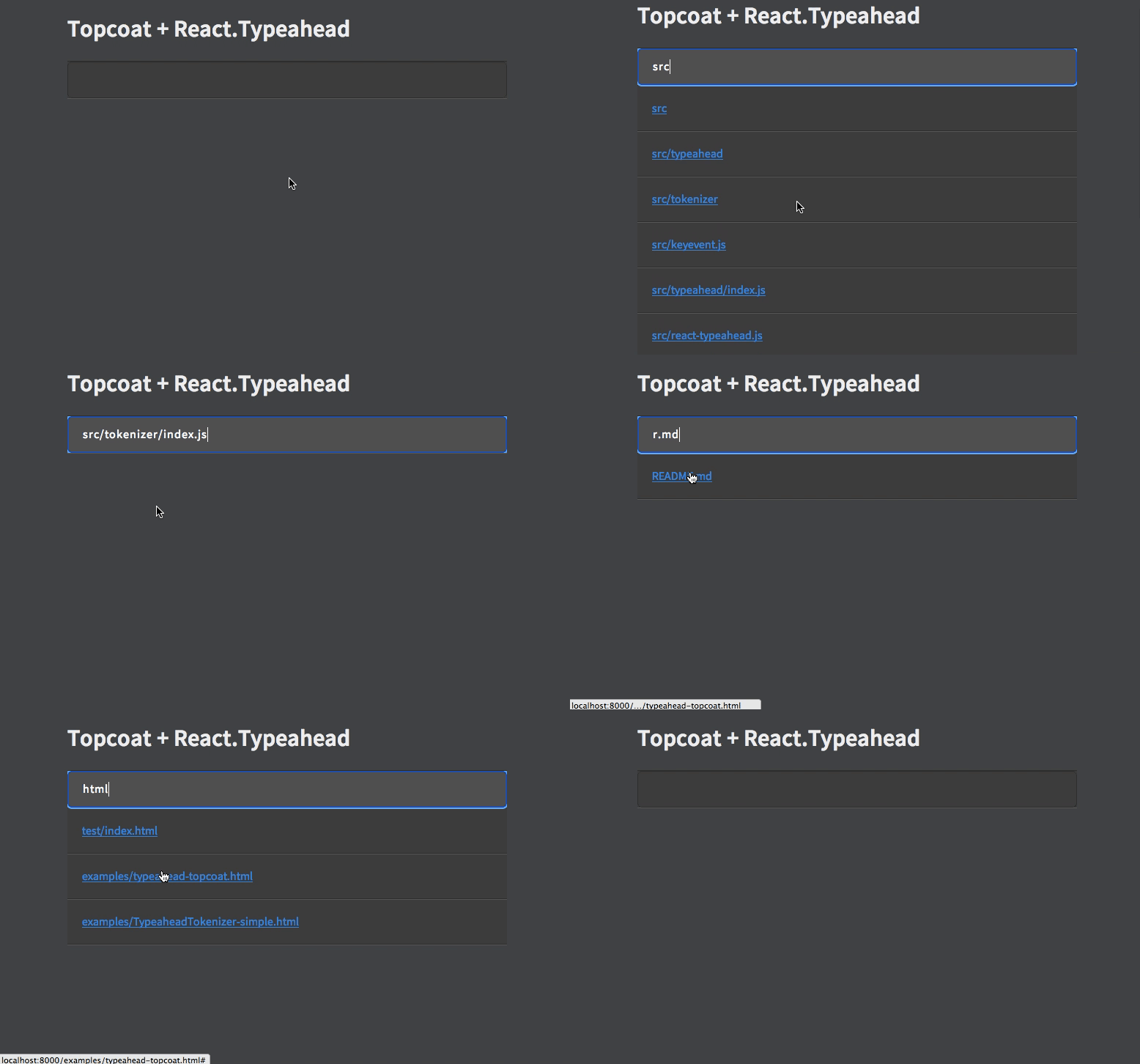
[1]: http://wookiehangover.github.com/react-typeahead/examples/typeahead-topcoat.html
[2]: http://wookiehangover.github.com/react-typeahead/examples/tokenizer-topcoat.html
[3]: http://wookiehangover.github.com/react-typeahead/examples/TypeaheadTokenizer-simple.html
[4]: http://blog.npmjs.org/post/85484771375/how-to-install-npm
## API
### Typeahead(props)
Type: React Component
Basic typeahead input and results list.
#### props.options
Type: `Array`
Default: []
An array supplied to the filtering function. Can be a list of strings or a list of arbitrary objects. In the latter case, `filterOption` and `displayOption` should be provided.
#### props.defaultValue
Type: `String`
A default value used when the component has no value. If it matches any options a option list will show.
#### props.value
Type: `String`
Specify a value for the text input.
#### props.maxVisible
Type: `Number`
Limit the number of options rendered in the results list.
#### props.resultsTruncatedMessage
Type: `String`
If `maxVisible` is set, display this custom message at the bottom of the list of results when the result are truncated.
#### props.customClasses
Type: `Object`
Allowed Keys: `input`, `results`, `listItem`, `listAnchor`, `hover`, `typeahead`, `resultsTruncated`
An object containing custom class names for child elements. Useful for
integrating with 3rd party UI kits.
#### props.placeholder
Type: `String`
Placeholder text for the typeahead input.
#### props.disabled
Type: `Boolean`
Set to `true` to add disable attribute in the `<input>` or `<textarea>` element
#### props.textarea
Type: `Boolean`
Set to `true` to use a `<textarea>` element rather than an `<input>` element
#### props.inputProps
Type: `Object`
Props to pass directly to the `<input>` element.
#### props.onKeyDown
Type: `Function`
Event handler for the `keyDown` event on the typeahead input.
#### props.onKeyPress
Type: `Function`
Event handler for the `keyPress` event on the typeahead input.
#### props.onKeyUp
Type: `Function`
Event handler for the `keyUp` event on the typeahead input.
#### props.onBlur
Type: `Function`
Event handler for the `blur` event on the typeahead input.
#### props.onFocus
Type: `Function`
Event handler for the `focus` event on the typeahead input.
#### props.onOptionSelected
Type: `Function`
Event handler triggered whenever a user picks an option.
#### props.filterOption
Type: `String` or `Function`
A function to filter the provided `options` based on the current input value. For each option, receives `(inputValue, option)`. If not supplied, defaults to [fuzzy string matching](https://github.com/mattyork/fuzzy).
If provided as a string, it will interpret it as a field name and fuzzy filter on that field of each option object.
#### props.displayOption
Type: `String` or `Function`
A function to map an option onto a string for display in the list. Receives `(option, index)` where index is relative to the results list, not all the options. Must return a string.
If provided as a string, it will interpret it as a field name and use that field from each option object.
#### props.formInputOption
Type: `String` or `Function`
A function to map an option onto a string to include in HTML forms (see `props.name`). Receives `(option)` as arguments. Must return a string.
If specified as a string, it will interpret it as a field name and use that field from each option object.
If not specified, it will fall back onto the semantics described in `props.displayOption`.
This option is ignored if you don't specify the `name` prop. It is required if you both specify the `name` prop and are using non-string options. It is optional otherwise.
#### props.defaultClassNames
Type: `boolean`
Default: true
If false, the default classNames are removed from the typeahead.
#### props.customListComponent
Type: `React Component`
A React Component that renders the list of typeahead results. This replaces the default list of results.
This component receives the following props :
##### Passed through
- `props.displayOptions`
- `props.customClasses`
- `props.onOptionSelected`
##### Created or modified
- `props.options`
- This is the Typeahead's `props.options` filtered and limited to `Typeahead.props.maxVisible`.
- `props.selectionIndex`
- The index of the highlighted option for rendering
#### props.showOptionsWhenEmpty
Type: `boolean`
Default: false
If true, options will still be rendered when there is no value.
#### props.allowCustomValues
Type: `boolean`
If true, custom tags can be added without a matching typeahead selection
### Typeahead ([Exposed Component Functions][reactecf])
#### typeahead.focus
Focuses the typeahead input.
---
### Tokenizer(props)
Type: React Component
Typeahead component that allows for multiple options to be selected.
#### props.options
Type: `Array`
Default: []
An array supplied to the filter function.
#### props.maxVisible
Type: `Number`
Limit the number of options rendered in the results list.
#### props.resultsTruncatedMessage
Type: `String`
If `maxVisible` is set, display this custom message at the bottom of the list of results when the result are truncated.
#### props.name
Type: `String`
The name for HTML forms to be used for submitting the tokens' values array.
#### props.customClasses
Type: `Object`
Allowed Keys: `input`, `results`, `listItem`, `listAnchor`, `hover`, `typeahead`, `resultsTruncated`, `token`
An object containing custom class names for child elements. Useful for
integrating with 3rd party UI kits.
#### props.placeholder
Type: `String`
Placeholder text for the typeahead input.
#### props.disabled
Type: `Boolean`
Set to `true` to add disable attribute in the `<input>` or `<textarea>` element
#### props.inputProps
Type: `Object`
Props to pass directly to the `<input>` element.
#### props.onKeyDown
Type: `Function`
Event handler for the `keyDown` event on the typeahead input.
#### props.onKeyPress
Type: `Function`
Event handler for the `keyPress` event on the typeahead input.
#### props.onKeyUp
Type: `Function`
Event handler for the `keyUp` event on the typeahead input.
#### props.onBlur
Type: `Function`
Event handler for the `blur` event on the typeahead input.
#### props.onFocus
Type: `Function`
Event handler for the `focus` event on the typeahead input.
#### props.defaultSelected
Type: `Array`
A set of values of tokens to be loaded on first render.
#### props.onTokenRemove
Type: `Function`
Params: `(removedToken)`
Event handler triggered whenever a token is removed.
#### props.onTokenAdd
Type: `Function`
Params: `(addedToken)`
Event handler triggered whenever a token is added.
#### props.displayOption
Type: `String` or `Function`
A function to map an option onto a string for display in the list. Receives `(option, index)` where index is relative to the results list, not all the options. Can either return a string or a React component.
If provided as a string, it will interpret it as a field name and use that field from each option object.
#### props.filterOption
Type: `String` or `Function`
A function to filter the provided `options` based on the current input value. For each option, receives `(inputValue, option)`. If not supplied, defaults to [fuzzy string matching](https://github.com/mattyork/fuzzy).
If provided as a string, it will interpret it as a field name and use that field from each option object.
#### props.searchOptions
Type: `Function`
A function to filter, map, and/or sort the provided `options` based on the current input value.
Receives `(inputValue, options)`.
If not supplied, defaults to [fuzzy string matching](https://github.com/mattyork/fuzzy).
Note: the function can be used to store other information besides the string in the internal state of the component.
Make sure to use the `displayOption`, `inputDisplayOption`, and `formInputOption` props to extract/generate the correct format of data that each expects if you do this.
#### props.inputDisplayOption
Type: `String` or `Function`
A function that maps the internal state of the visible options into the value stored in the text value field of the visible input when an option is selected.
Receives `(option)`.
If provided as a string, it will interpret it as a field name and use that field from each option object.
If no value is set, the input will be set using `displayOption` when an option is selected.
#### props.formInputOption
Type: `String` or `Function`
A function to map an option onto a string to include in HTML forms as a hidden field (see `props.name`). Receives `(option)` as arguments. Must return a string.
If specified as a string, it will interpret it as a field name and use that field from each option object.
If not specified, it will fall back onto the semantics described in `props.displayOption`.
#### props.defaultClassNames
Type: `boolean`
Default: true
If false, the default classNames are removed from the tokenizer and the typeahead.
#### props.showOptionsWhenEmpty
Type: `boolean`
Default: false
If true, options will still be rendered when there is no value.
### Tokenizer ([Exposed Component Functions][reactecf])
#### tokenizer.focus
Focuses the tokenizer input.
#### tokenizer.getSelectedTokens
Type: `Function`
A function to return the currently selected tokens.
## Developing
### Setting Up
You will need `npm` to develop on react-typeahead. [Installing npm][4].
Once that's done, to get started, run `npm install` in your checkout directory.
This will install all the local development dependences, such as `gulp` and `mocha`
### Testing
react-typeahead uses mocha for unit tests and gulp for running them. Large changes should
include unittests.
After updating or creating new tests, run `npm run-script build-test` to regenerate the
test package.
Once that's done, running the tests is easy with `gulp`:
```
> gulp test
[00:17:25] Using gulpfile ~/src/react-typeahead/gulpfile.js
[00:17:25] Starting 'test'...
․․․․․․․․․․․․․․․
15 passing (43ms)
[00:17:25] Finished 'test' after 448 ms
[00:17:25] Starting 'default'...
[00:17:25] Finished 'default' after 6.23 μs
```
### Contributing
Basically, fork the repository and send a pull request. It can be difficult to review these, so
here are some general rules to follow for getting your PR accepted more quickly:
- All new properties and exposed component function should be documented in the README.md
- Break your changes into smaller, easy to understand commits.
- Send separate PRs for each commit when possible.
- Feel free to rebase, merge, and rewrite commits to make them more readible.
- Add comments explaining anything that's not painfully obvious.
- Add unittests for your change if possible.
[reactecf]: https://facebook.github.io/react/tips/expose-component-functions.html