react-templates
Version:
Light weight templates for react -> write html get valid react code
23 lines (18 loc) • 704 B
Markdown
# Integrations
## Intellij / WebStorm
### Install intellij react templates plugin
1. From intellij/WebStorm open preferences
2. Go to plugins
3. Press browse repositories
4. Press manage repositories
5. Add repository: http://intellij.wixpress.com/
6. Select react-templates from the repository.
7. Press ok and restart the IDEA.
8. Open preferences
9. Go to react-packages plugin
10. Enable the plugin.
11. Configure node
12. Configure react template executable
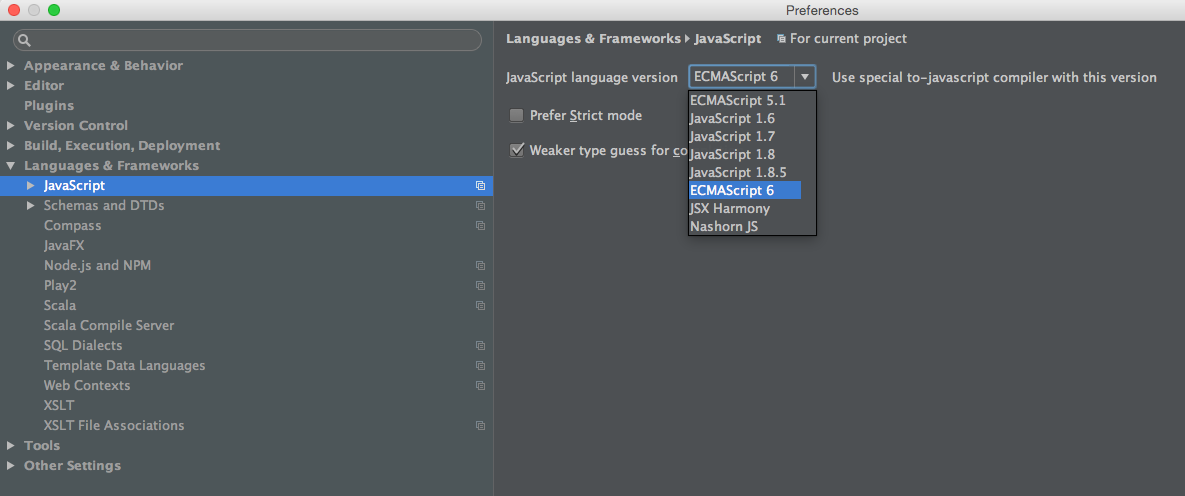
### enable es6
react templates uses es6 syntax for lambda expressions in event handlers, enable this in the IDE: