react-table-ui
Version:
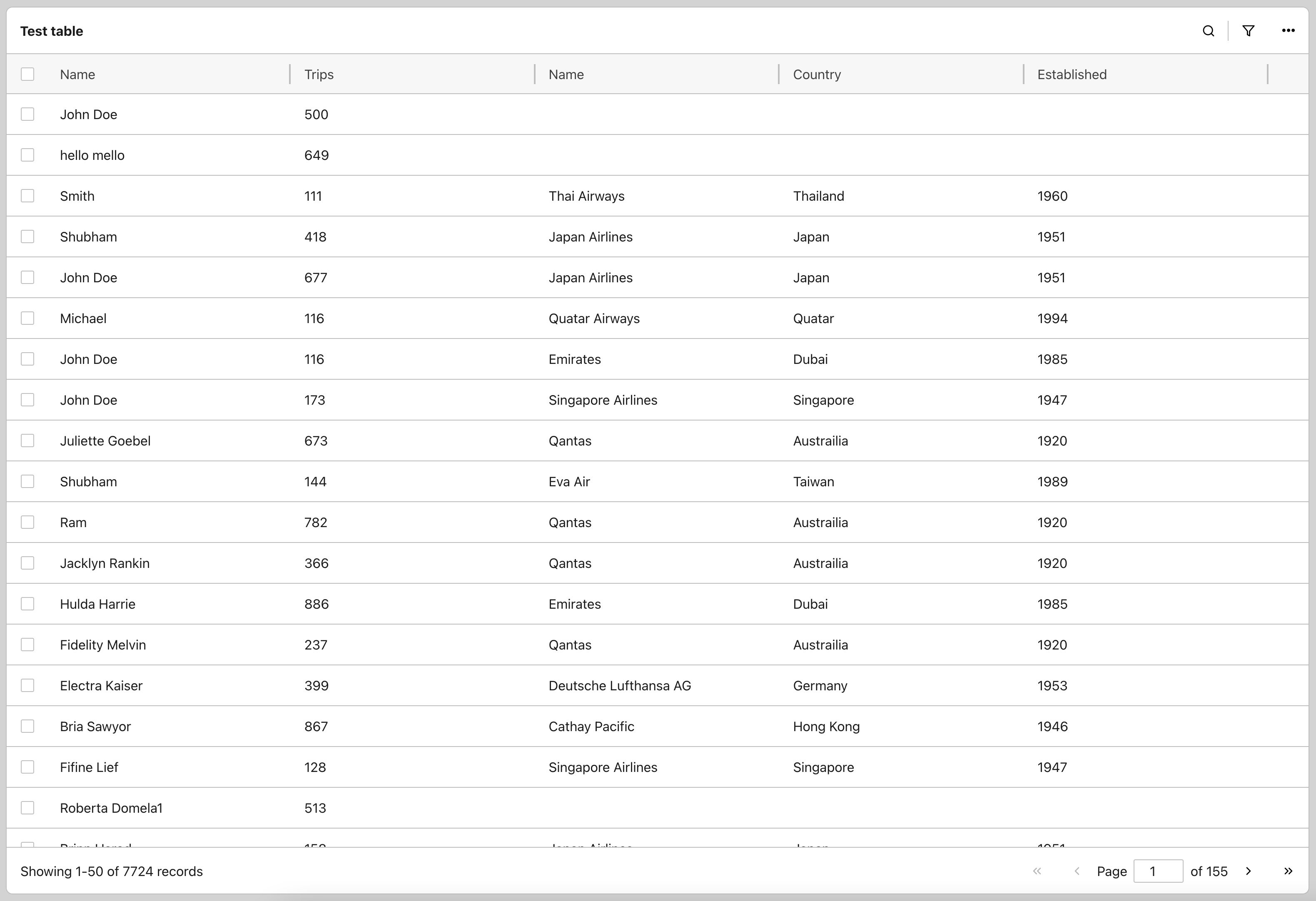
Out-of-the-box UI for React-Table 7.
135 lines (97 loc) • 3.77 kB
Markdown
[](https://www.npmjs.com/package/react-table-ui)
[](https://github.com/GuptaSiddhant/react-table-ui)
---
Out-of-the-box UI for [React-Table 7](https://react-table-v7.tanstack.com).
- Customisable UI with custom theme and components.
- Build with Typescript. Extends community types for React-Table.
- Supports accessibility and keyboard interaction.
- Allows all native React-Table configurations and extends on it.
> The project is dedicated to the awesome work done at React-Table by [Tanner Linsley](https://twitter.com/tannerlinsley) as it wouldn't have been possible without his great library. I have personally use the library and wanted to contribute back to it somehow.
---
1. Install the dependency
```bash
npm install react-table-ui
---
yarn add react-table-ui
```
The package size for production usage (with styles and without types) is ~36 KB (unzipped). The ~200 KB size of the complete package contains helpful TypeScript typings that makes using React-Table-UI a bliss.
1. For Typescript support, add `react-table-config.d.ts` file to your source (src) folder, if not added automatically.
- [Preferred] Copy the file from your project's node_modules -
`./node_modules/react-table-ui/dist/react-table-config.d.ts`
to your source folder.
- [Fallback] Get the file from [GitHub](https://github.com/GuptaSiddhant/react-table-ui/blob/main/src/react-table-config.d.ts). It may not match the exact version of library that you are using.
### Usage
<!-- markdownlint-disable MD033 -->
```tsx
/** React Table UI - Basic example (TypeScript) */
import ReactTableUI from 'react-table-ui'
import { useMemo, useRef } from 'react'
import type { TableInstance, DataType } from 'react-table-ui'
/** Structure of data provided foe each row. */
interface User extends DataType {
name: string
age: number
}
const App = () => {
// Provide data for the table
const data: User[] = useMemo(
() => [
{ name: 'Abc Xyx', age: 20 },
{ name: 'Def Uvw', age: 25 },
{ name: 'Ghi Rst', age: 23 },
{ name: 'Jklm Nopq', age: 30 }
],
[]
)
// Create an instance ref that will hold the reference to React Table instance.
const tableInstanceRef = useRef<TableInstance<User>>(null)
return (
<ReactTableUI
title='My Table'
data={data}
tableInstanceRef={tableInstanceRef}
/>
)
}
```
<details>
<summary>JavaScript (Basic example)</summary>
```jsx
/** React Table UI - Basic example (JavaScript) */
import ReactTableUI from 'react-table-ui'
import { useMemo, useRef } from 'react'
const App = () => {
// Provide data for the table
const data = useMemo(
() => [
{ name: 'Abc Xyx', age: 20 },
{ name: 'Def Uvw', age: 25 },
{ name: 'Ghi Rst', age: 23 },
{ name: 'Jklm Nopq', age: 30 }
],
[]
)
// Create an instance ref that will hold the reference to React Table instance.
const tableInstanceRef = useRef(null)
return (
<ReactTableUI
title='My Table'
data={data}
tableInstanceRef={tableInstanceRef}
/>
)
}
```
</details>
All options and properties available for ReactTableUI component are listed [here](https://react-table-ui.js.org/interfaces/reacttableuiprops.html).
- [Blog](http://guptasiddhant.com/projects/react-table-ui/)
- [Server pagination](https://codesandbox.io/s/react-table-ui-basic-8ukxd)
MIT © [GuptaSiddhant](https://github.com/GuptaSiddhant)