react-next-toast
Version:
An easy to use library for toast notifications
62 lines (44 loc) • 5.31 kB
Markdown
Tired of dealing with complex notification packages or having to spend time building components just to render alerts or toast notificaitons in your React projects? Look no further! Here, I introduce `react-next-toast`
- Easy to use: `react-next-toast` was built with ease in mind - say goodbye to complex toast declarations - with react-next-toast you have a toast via a single function call.
- Customizable: With our Four (4) different types of Toast Notifications - <b>Success, Error, Warning and Info<b>, you get a fine-tuned and different UI display for each which directly passes message from the choice of colour and design. It also provides option to choose duration of toasts, colours and fonts.
- Lightweight: Designed with performance in mind as well, the package is designed to lightweight in other to ensure it does not slow down your app's performance.
- Fully-typed: `react-next-toast` comes with TypeScript support out of the box to provide type safety and seamless renderings.
### 📝 How to Use:
1. Install the package into your project
~~~
npm install react-next-toast
~~~
2. Import the `showToast` & use in your Component:
```javascript
import { showToast } from 'react-next-toast';
const MyComponent = () => {
const handleClick = () => {
showToast.success('Log in successful')
}
return (
<div>
<h1>Hello Dev</h1>
<button onClick={handleClick}>Log in</button>
</div>
);
}
export default MyComponent;
````
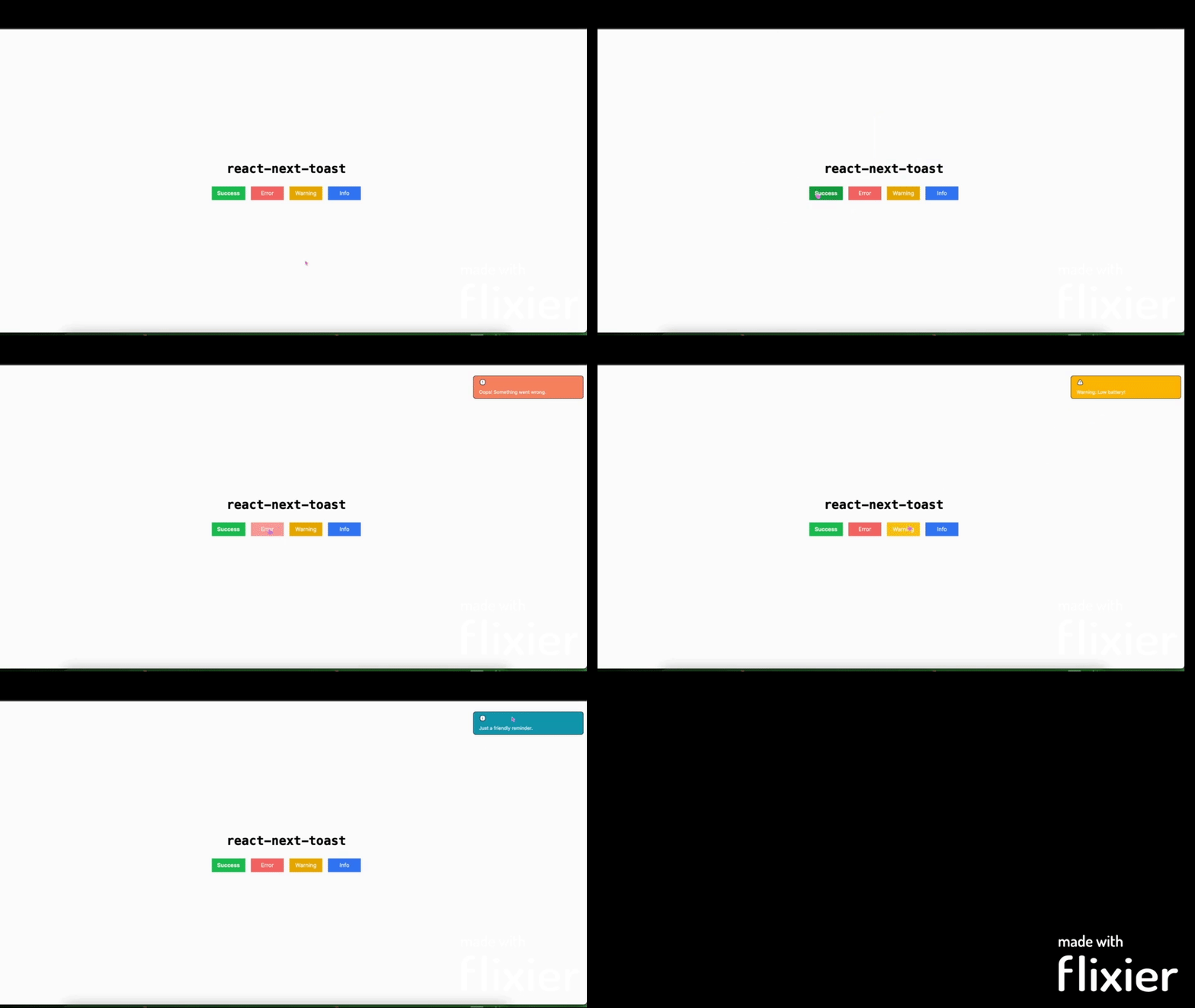
[](https://codesandbox.io/p/sandbox/react-next-toast-demo-mtltvw?layout=%257B%2522sidebarPanel%2522%253A%2522EXPLORER%2522%252C%2522rootPanelGroup%2522%253A%257B%2522direction%2522%253A%2522horizontal%2522%252C%2522contentType%2522%253A%2522UNKNOWN%2522%252C%2522type%2522%253A%2522PANEL_GROUP%2522%252C%2522id%2522%253A%2522ROOT_LAYOUT%2522%252C%2522panels%2522%253A%255B%257B%2522type%2522%253A%2522PANEL_GROUP%2522%252C%2522contentType%2522%253A%2522UNKNOWN%2522%252C%2522direction%2522%253A%2522vertical%2522%252C%2522id%2522%253A%2522cltvljqkh00063b6i2uff92xu%2522%252C%2522sizes%2522%253A%255B70%252C30%255D%252C%2522panels%2522%253A%255B%257B%2522type%2522%253A%2522PANEL_GROUP%2522%252C%2522contentType%2522%253A%2522EDITOR%2522%252C%2522direction%2522%253A%2522horizontal%2522%252C%2522id%2522%253A%2522EDITOR%2522%252C%2522panels%2522%253A%255B%257B%2522type%2522%253A%2522PANEL%2522%252C%2522contentType%2522%253A%2522EDITOR%2522%252C%2522id%2522%253A%2522cltvljqkg00023b6i4g3mvfp1%2522%257D%255D%257D%252C%257B%2522type%2522%253A%2522PANEL_GROUP%2522%252C%2522contentType%2522%253A%2522SHELLS%2522%252C%2522direction%2522%253A%2522horizontal%2522%252C%2522id%2522%253A%2522SHELLS%2522%252C%2522panels%2522%253A%255B%257B%2522type%2522%253A%2522PANEL%2522%252C%2522contentType%2522%253A%2522SHELLS%2522%252C%2522id%2522%253A%2522cltvljqkg00033b6i26e2hm7e%2522%257D%255D%252C%2522sizes%2522%253A%255B100%255D%257D%255D%257D%252C%257B%2522type%2522%253A%2522PANEL_GROUP%2522%252C%2522contentType%2522%253A%2522DEVTOOLS%2522%252C%2522direction%2522%253A%2522vertical%2522%252C%2522id%2522%253A%2522DEVTOOLS%2522%252C%2522panels%2522%253A%255B%257B%2522type%2522%253A%2522PANEL%2522%252C%2522contentType%2522%253A%2522DEVTOOLS%2522%252C%2522id%2522%253A%2522cltvljqkg00053b6it67qtnlw%2522%257D%255D%252C%2522sizes%2522%253A%255B100%255D%257D%255D%252C%2522sizes%2522%253A%255B50%252C50%255D%257D%252C%2522tabbedPanels%2522%253A%257B%2522cltvljqkg00023b6i4g3mvfp1%2522%253A%257B%2522id%2522%253A%2522cltvljqkg00023b6i4g3mvfp1%2522%252C%2522tabs%2522%253A%255B%255D%257D%252C%2522cltvljqkg00053b6it67qtnlw%2522%253A%257B%2522tabs%2522%253A%255B%257B%2522id%2522%253A%2522cltvljqkg00043b6il3o8r8ub%2522%252C%2522mode%2522%253A%2522permanent%2522%252C%2522type%2522%253A%2522UNASSIGNED_PORT%2522%252C%2522port%2522%253A0%252C%2522path%2522%253A%2522%252F%2522%257D%255D%252C%2522id%2522%253A%2522cltvljqkg00053b6it67qtnlw%2522%252C%2522activeTabId%2522%253A%2522cltvljqkg00043b6il3o8r8ub%2522%257D%252C%2522cltvljqkg00033b6i26e2hm7e%2522%253A%257B%2522tabs%2522%253A%255B%255D%252C%2522id%2522%253A%2522cltvljqkg00033b6i26e2hm7e%2522%257D%257D%252C%2522showDevtools%2522%253Atrue%252C%2522showShells%2522%253Atrue%252C%2522showSidebar%2522%253Atrue%252C%2522sidebarPanelSize%2522%253A15%257D)
You can customize the `duration` of the Toast Notification by passing time in `ms` as second parameter to the `showToast` function.
The default is `5000` which is 5 seconds.
````javascript
const handleClick = () => {
showToast.error('incorrect login details', 4000)
}
````
_Thank you for using `react-next-toast_! 🙏❤️ If you experience any issue, have any questions or sugestions for improvement, feel free to raise an issue here on GitHub or reach out to me. Your feedback is very vital! ☺:)
_Cheers to toasting to simpler and delightful notes! _🥂