react-native-splash-screen
Version:
A splash screen for react-native, hide when application loaded ,it works on iOS and Android.
331 lines (237 loc) • 11.2 kB
Markdown
# react-native-splash-screen
[ ](https://www.npmjs.com/package/react-native-splash-screen)
[ ](https://github.com/crazycodeboy/react-native-splash-screen/pulls)
[ ](https://github.com/crazycodeboy/GitHubPopular/releases)
[ ](https://github.com/crazycodeboy/react-native-splash-screen/blob/master/README.zh.md)
[](https://raw.githubusercontent.com/crazycodeboy/react-native-check-box/master/LICENSE)
[ ](https://github.com/crazycodeboy/RNStudyNotes/blob/master/React%20Native%20%E9%97%AE%E9%A2%98%E5%8F%8A%E8%A7%A3%E5%86%B3%E6%96%B9%E6%A1%88%E5%90%88%E9%9B%86/React%20Native%20%E5%90%AF%E5%8A%A8%E7%99%BD%E5%B1%8F%E9%97%AE%E9%A2%98%E8%A7%A3%E5%86%B3%E6%95%99%E7%A8%8B/React%20Native%20%E5%90%AF%E5%8A%A8%E7%99%BD%E5%B1%8F%E9%97%AE%E9%A2%98%E8%A7%A3%E5%86%B3%E6%95%99%E7%A8%8B.md)
[ ](https://github.com/crazycodeboy/flutter_splash_screen)
A splash screen API for react-native which can programatically hide and show the splash screen. Works on iOS and Android.
## Content
- [Changes](#changes)
- [Installation](#installation)
- [Examples](#examples)
- [Getting started](#getting-started)
- [API](#api)
- [Testing](#testing)
- [Troubleshooting](#troubleshooting)
- [Contribution](#contribution)
## Changes
For React Native >= 0.47.0 use [v3.+](https://github.com/crazycodeboy/react-native-splash-screen/releases), for React Native < 0.47.0 use [v2.1.0](https://github.com/crazycodeboy/react-native-splash-screen/releases/tag/v1.0.9)
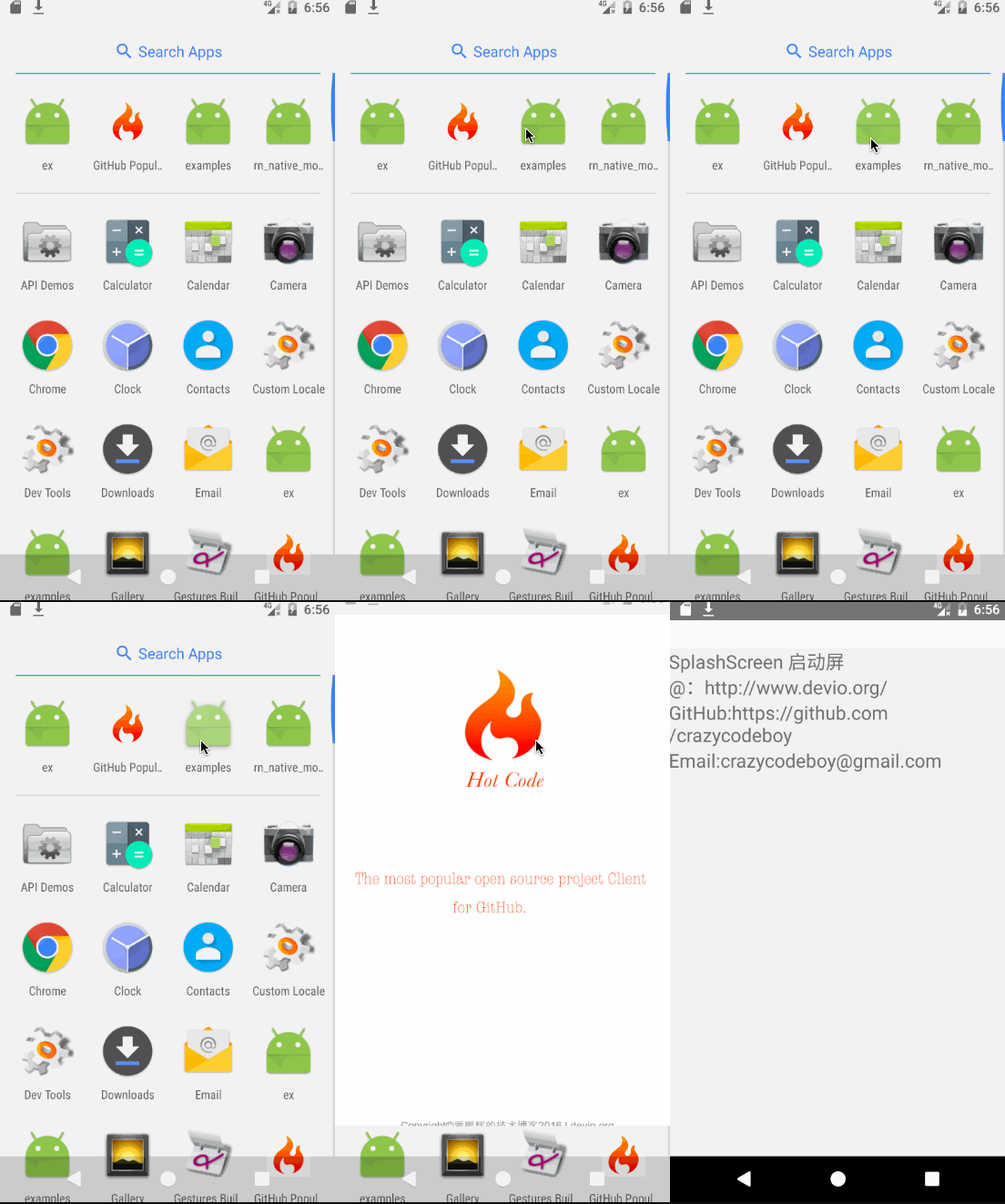
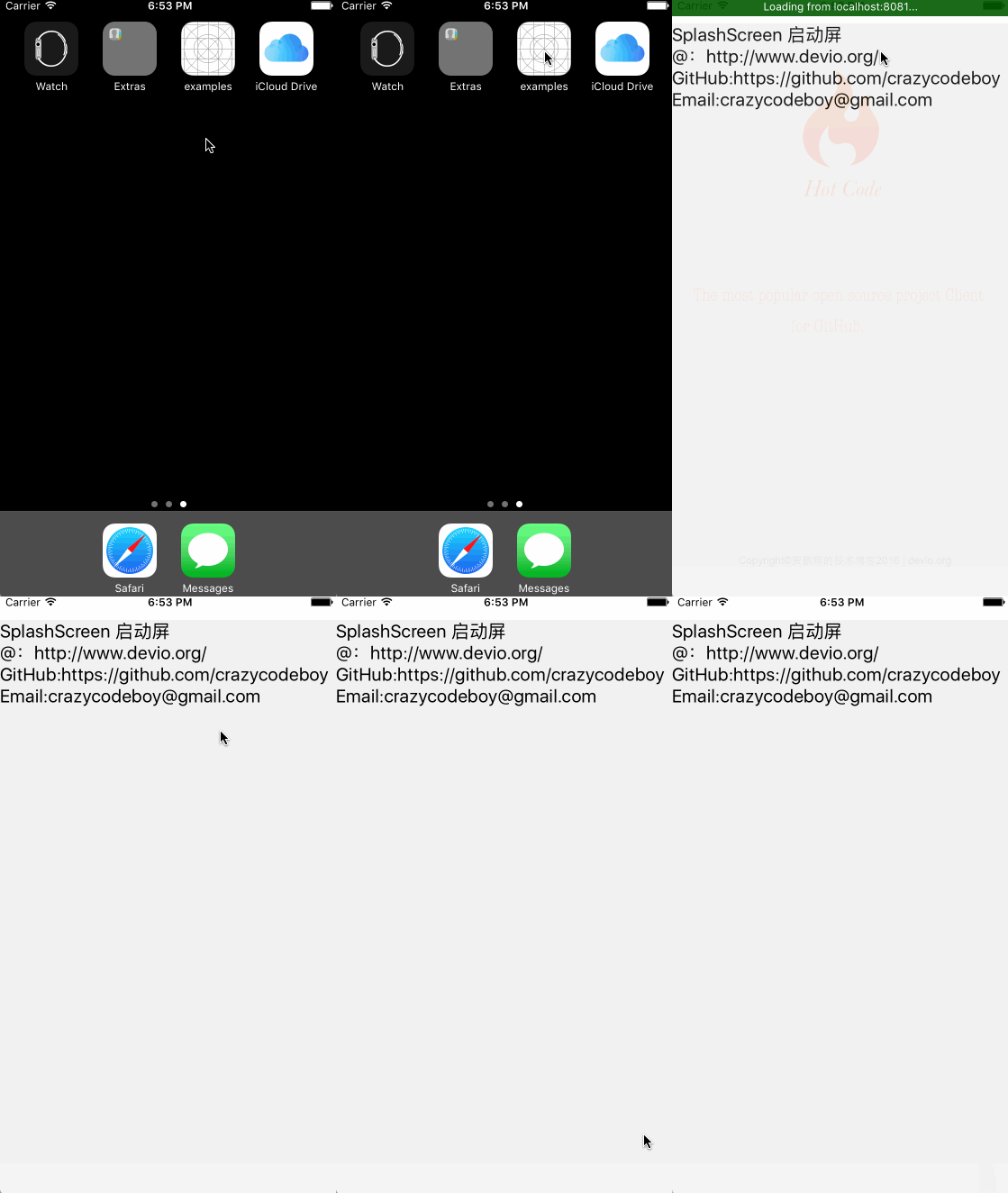
## Examples
* [Examples](https://github.com/crazycodeboy/react-native-splash-screen/tree/master/examples)
## Installation
### First step(Download):
Run `npm i react-native-splash-screen --save`
### Second step(Plugin Installation):
#### Automatic installation
`react-native link react-native-splash-screen` or `rnpm link react-native-splash-screen`
#### Manual installation
**Android:**
1. In your `android/settings.gradle` file, make the following additions:
```java
include ':react-native-splash-screen'
project(':react-native-splash-screen').projectDir = new File(rootProject.projectDir, '../node_modules/react-native-splash-screen/android')
```
2. In your android/app/build.gradle file, add the `:react-native-splash-screen` project as a compile-time dependency:
```java
...
dependencies {
...
implementation project(':react-native-splash-screen')
}
```
3. Update the MainApplication.java file to use `react-native-splash-screen` via the following changes:
```java
// react-native-splash-screen >= 0.3.1
import org.devio.rn.splashscreen.SplashScreenReactPackage;
// react-native-splash-screen < 0.3.1
import com.cboy.rn.splashscreen.SplashScreenReactPackage;
public class MainApplication extends Application implements ReactApplication {
private final ReactNativeHost mReactNativeHost = new ReactNativeHost(this) {
@Override
public boolean getUseDeveloperSupport() {
return BuildConfig.DEBUG;
}
@Override
protected List<ReactPackage> getPackages() {
return Arrays.<ReactPackage>asList(
new MainReactPackage(),
new SplashScreenReactPackage() //here
);
}
};
@Override
public ReactNativeHost getReactNativeHost() {
return mReactNativeHost;
}
}
```
**iOS:**
1. `cd ios`
2. `run pod install`
>OR
1. In XCode, in the project navigator, right click `Libraries` ➜ `Add Files to [your project's name]`
2. Go to `node_modules` ➜ `react-native-splash-screen` and add `SplashScreen.xcodeproj`
3. In XCode, in the project navigator, select your project. Add `libSplashScreen.a` to your project's `Build Phases` ➜ `Link Binary With Libraries`
4. To fix `'RNSplashScreen.h' file not found`, you have to select your project → Build Settings → Search Paths → Header Search Paths to add:
`$(SRCROOT)/../node_modules/react-native-splash-screen/ios`
### Third step(Plugin Configuration):
**Android:**
Update the `MainActivity.java` to use `react-native-splash-screen` via the following changes:
```java
import android.os.Bundle; // here
import com.facebook.react.ReactActivity;
// react-native-splash-screen >= 0.3.1
import org.devio.rn.splashscreen.SplashScreen; // here
// react-native-splash-screen < 0.3.1
import com.cboy.rn.splashscreen.SplashScreen; // here
public class MainActivity extends ReactActivity {
@Override
protected void onCreate(Bundle savedInstanceState) {
SplashScreen.show(this); // here
super.onCreate(savedInstanceState);
}
// ...other code
}
```
**iOS:**
Update `AppDelegate.m` with the following additions:
```obj-c
#import "AppDelegate.h"
#import <React/RCTBundleURLProvider.h>
#import <React/RCTRootView.h>
#import "RNSplashScreen.h" // here
@implementation AppDelegate
- (BOOL)application:(UIApplication *)application didFinishLaunchingWithOptions:(NSDictionary *)launchOptions
{
// ...other code
[RNSplashScreen show]; // here
// or
//[RNSplashScreen showSplash:@"LaunchScreen" inRootView:rootView];
return YES;
}
@end
```
## Getting started
Import `react-native-splash-screen` in your JS file.
`import SplashScreen from 'react-native-splash-screen'`
### Android:
Create a file called `launch_screen.xml` in `app/src/main/res/layout` (create the `layout`-folder if it doesn't exist). The contents of the file should be the following:
```xml
<?xml version="1.0" encoding="utf-8"?>
<RelativeLayout xmlns:android="http://schemas.android.com/apk/res/android"
android:orientation="vertical" android:layout_width="match_parent"
android:layout_height="match_parent">
<ImageView android:layout_width="match_parent" android:layout_height="match_parent" android:src="@drawable/launch_screen" android:scaleType="centerCrop" />
</RelativeLayout>
```
Customize your launch screen by creating a `launch_screen.png`-file and placing it in an appropriate `drawable`-folder. Android automatically scales drawable, so you do not necessarily need to provide images for all phone densities.
You can create splash screens in the following folders:
* `drawable-ldpi`
* `drawable-mdpi`
* `drawable-hdpi`
* `drawable-xhdpi`
* `drawable-xxhdpi`
* `drawable-xxxhdpi`
Add a color called `primary_dark` in `app/src/main/res/values/colors.xml`
```
<?xml version="1.0" encoding="utf-8"?>
<resources>
<color name="primary_dark">#000000</color>
</resources>
```
**Optional steps:**
If you want the splash screen to be transparent, follow these steps.
Open `android/app/src/main/res/values/styles.xml` and add `<item name="android:windowIsTranslucent">true</item>` to the file. It should look like this:
```xml
<resources>
<!-- Base application theme. -->
<style name="AppTheme" parent="Theme.AppCompat.Light.NoActionBar">
<!-- Customize your theme here. -->
<!--设置透明背景-->
<item name="android:windowIsTranslucent">true</item>
</style>
</resources>
```
**To learn more see [examples](https://github.com/crazycodeboy/react-native-splash-screen/tree/master/examples)**
If you want to customize the color of the status bar when the splash screen is displayed:
Create `android/app/src/main/res/values/colors.xml` and add
```xml
<?xml version="1.0" encoding="utf-8"?>
<resources>
<color name="status_bar_color"><!-- Colour of your status bar here --></color>
</resources>
```
Create a style definition for this in `android/app/src/main/res/values/styles.xml`:
```xml
<?xml version="1.0" encoding="utf-8"?>
<resources>
<style name="SplashScreenTheme" parent="SplashScreen_SplashTheme">
<item name="colorPrimaryDark">@color/status_bar_color</item>
</style>
</resources>
```
Change your `show` method to include your custom style:
```java
SplashScreen.show(this, R.style.SplashScreenTheme);
```
### iOS
Customize your splash screen via `LaunchScreen.storyboard` or `LaunchScreen.xib`。
**Learn more to see [examples](https://github.com/crazycodeboy/react-native-splash-screen/tree/master/examples)**
- [via LaunchScreen.storyboard Tutorial](https://github.com/crazycodeboy/react-native-splash-screen/blob/master/add-LaunchScreen-tutorial-for-ios.md)
## Usage
Use like so:
```javascript
import SplashScreen from 'react-native-splash-screen'
export default class WelcomePage extends Component {
componentDidMount() {
// do stuff while splash screen is shown
// After having done stuff (such as async tasks) hide the splash screen
SplashScreen.hide();
}
}
```
## API
| Method | Type | Optional | Description |
|--------|----------|----------|-------------------------------------|
| show() | function | false | Open splash screen (Native Method ) |
| show(final Activity activity, final boolean fullScreen) | function | false | Open splash screen (Native Method ) |
| hide() | function | false | Close splash screen |
## Testing
### Jest
For Jest to work you will need to mock this component. Here is an example:
```
// __mocks__/react-native-splash-screen.js
export default {
show: jest.fn().mockImplementation( () => { console.log('show splash screen'); } ),
hide: jest.fn().mockImplementation( () => { console.log('hide splash screen'); } ),
}
```
## Troubleshooting
### Splash screen always appears stretched/distorted
Add the ImageView with a scaleType in the `launch_screen.xml`, e.g.:
```
<?xml version="1.0" encoding="utf-8"?>
<FrameLayout
xmlns:android="http://schemas.android.com/apk/res/android"
android:layout_width="match_parent"
android:layout_height="match_parent"
android:orientation="vertical"
>
<ImageView
android:src="@drawable/launch_screen"
android:layout_width="match_parent"
android:layout_height="match_parent"
android:scaleType="centerCrop"
>
</ImageView>
</FrameLayout>
```
## Contribution
Issues are welcome. Please add a screenshot of you bug and a code snippet. Quickest way to solve issue is to reproduce it in one of the examples.
Pull requests are welcome. If you want to change the API or do something big it is best to create an issue and discuss it first.
---
**[MIT Licensed](https://github.com/crazycodeboy/react-native-splash-screen/blob/master/LICENSE)**