react-native-splash-screen
Version:
A splash screen for react-native, hide when application loaded ,it works on iOS and Android.
143 lines (98 loc) • 4.07 kB
Markdown
# react-native-splash-screen
A splash screen for react-native, hide when application loaded ,it works on iOS and Android.
## Content
- [Installation](#installation)
- [Demo](#demo)
- [Getting started](#getting-started)
- [API](#api)
- [Contribution](#contribution)
## Installation
### First step(Download):
Run `npm i react-native-splash-screen --save`
### Second step(Plugin Installation):
#### Automatic installation
`react-native link react-native-splash-screen` or `rnpm link react-native-splash-screen`
#### Manual installation
**Android:**
1. In your android/settings.gradle file, make the following additions:
```
include ':react-native-splash-screen'
project(':react-native-splash-screen').projectDir = new File(rootProject.projectDir, '../node_modules/react-native-splash-screen/android')
```
2. In your android/app/build.gradle file, add the `:react-native-splash-screen` project as a compile-time dependency:
```
...
dependencies {
...
compile project(':react-native-splash-screen')
}
```
3. Update the MainApplication.java file to use `react-native-splash-screen` via the following changes:
```java
public class MainApplication extends Application implements ReactApplication {
private final ReactNativeHost mReactNativeHost = new ReactNativeHost(this) {
@Override
protected boolean getUseDeveloperSupport() {
return BuildConfig.DEBUG;
}
@Override
protected List<ReactPackage> getPackages() {
return Arrays.<ReactPackage>asList(
new MainReactPackage(),
new SplashScreenReactPackage()
);
}
};
@Override
public ReactNativeHost getReactNativeHost() {
return mReactNativeHost;
}
}
```
### Third step(Plugin Configuration):
Update the MainActivity.java file to use `react-native-splash-screen` via the following changes:
```java
public class MainActivity extends ReactActivity {
@Override
protected void onCreate(Bundle savedInstanceState) {
SplashScreen.show(this);
super.onCreate(savedInstanceState);
}
...
}
```
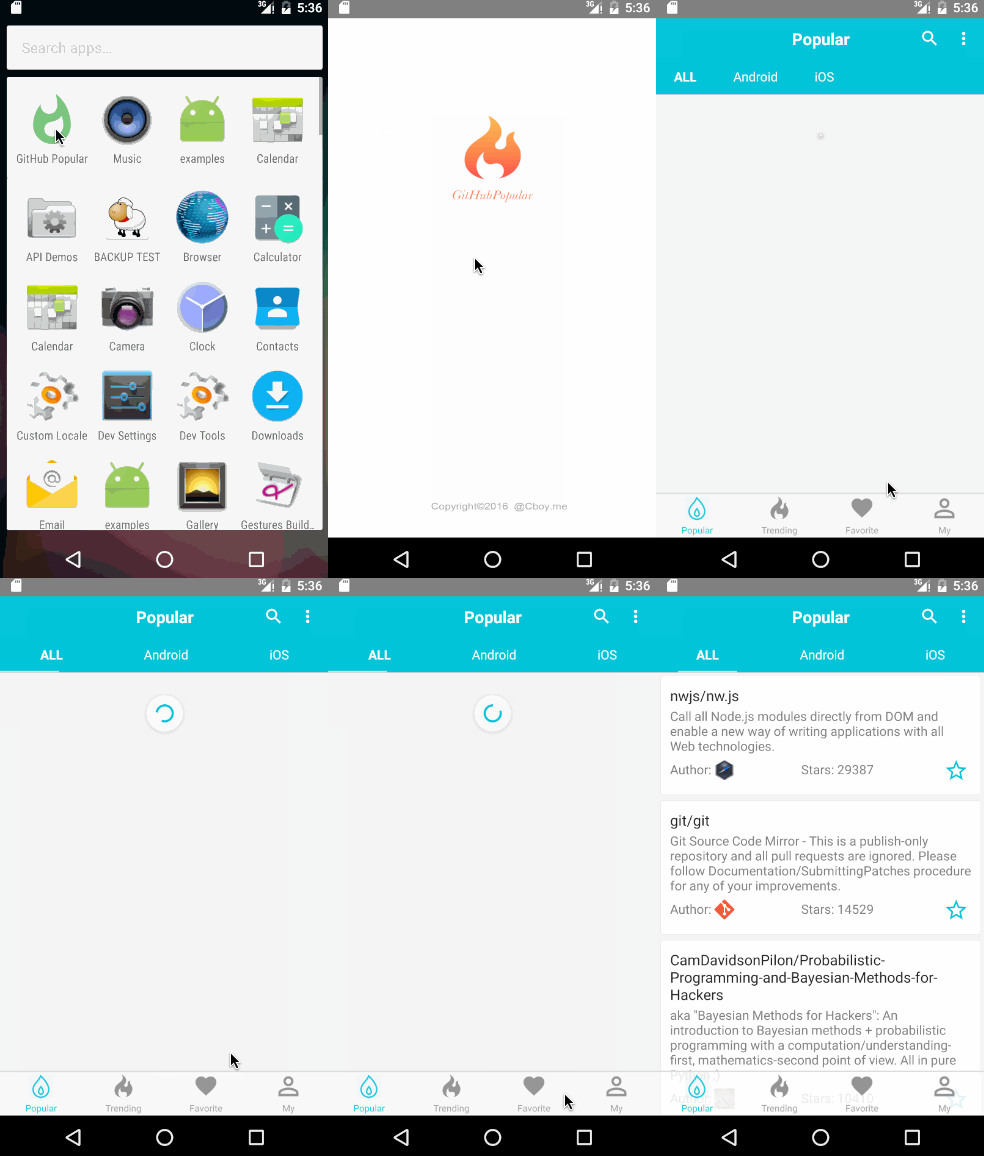
## Demo
* [Examples](https://github.com/crazycodeboy/react-native-splash-screen/tree/master/examples)
## Getting started
Import `react-native-splash-screen` in your JS file.
`import SplashScreen from 'react-native-splash-screen'`
Add a file called launch_screen.xml in the layout as the splash screen.
```
<?xml version="1.0" encoding="utf-8"?>
<LinearLayout xmlns:android="http://schemas.android.com/apk/res/android"
android:orientation="vertical" android:layout_width="match_parent"
android:layout_height="match_parent"
android:background="@drawable/launch_screen">
</LinearLayout>
```
Then you can use it like this:
```JavaScript
import SplashScreen from 'react-native-splash-screen'
export default class WelcomePage extends Component {
componentDidMount() {
// do anything while splash screen keeps, use await to wait for an async task.
SplashScreen.hide();
}
}
```
## API
Method | Type | Optional | Description
----------------- | -------- | -------- | -----------
show() | function | false | Open splash screen
hide() | function | false | Close splash screen
## Contribution
Issues are welcome. Please add a screenshot of bug and code snippet. Quickest way to solve issue is to reproduce it on one of the examples.
Pull requests are welcome. If you want to change API or making something big better to create issue and discuss it first.
---
**MIT Licensed**