react-native-simple-auth
Version:
Native social authentication for React Native
117 lines (97 loc) • 5.79 kB
Markdown
# react-native-simple-auth [](https://travis-ci.org/adamjmcgrath/react-native-simple-auth)
## OAuth login for React Native
* [Screencast](#screencast)
* [Install](#install)
* [Providers Setup](#providers-setup)
* [Usage](#usage)
* [License](#license)
Screencast
==========
iOS | Android
:-------------------------:|:-------------------------:
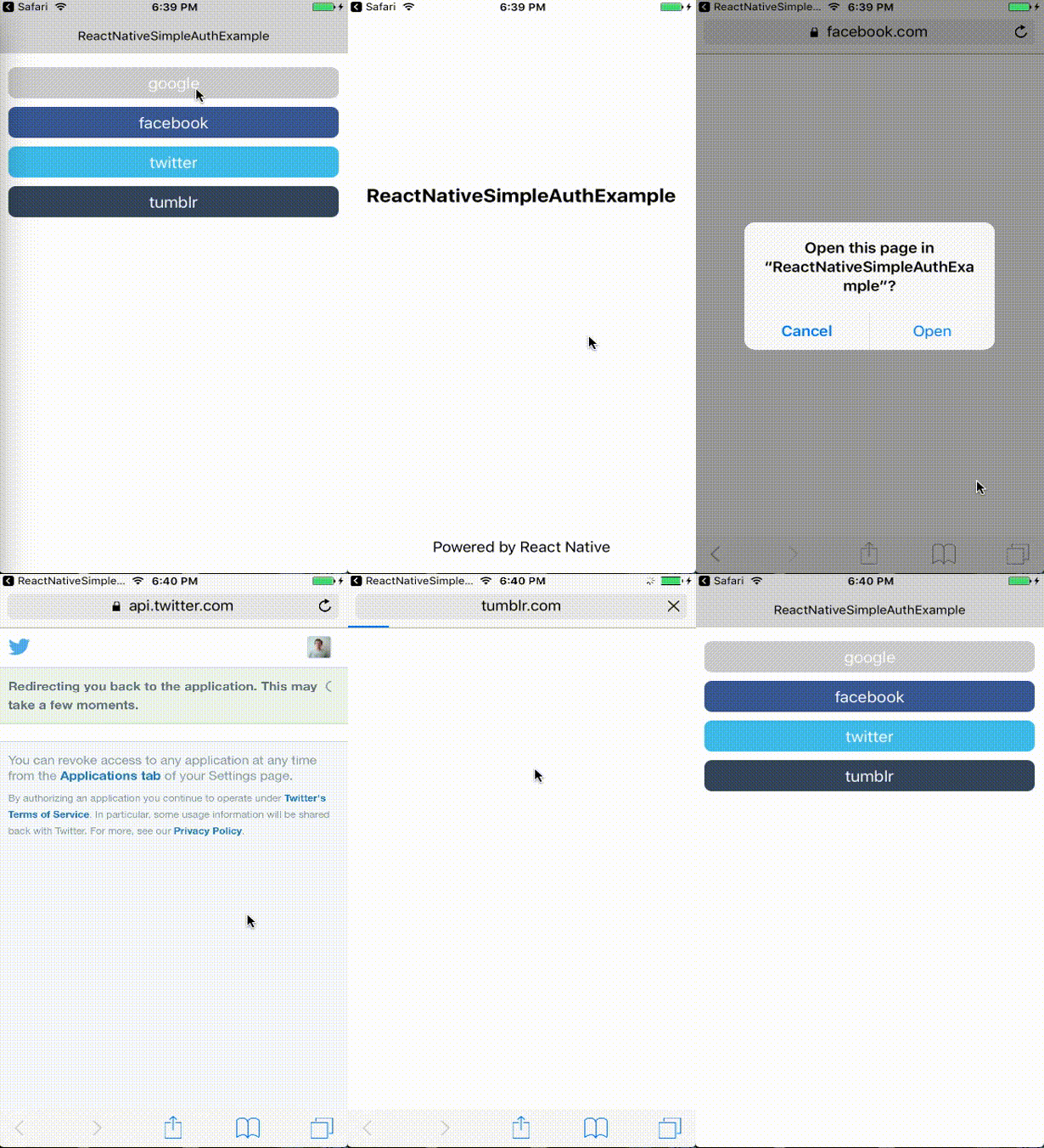 | 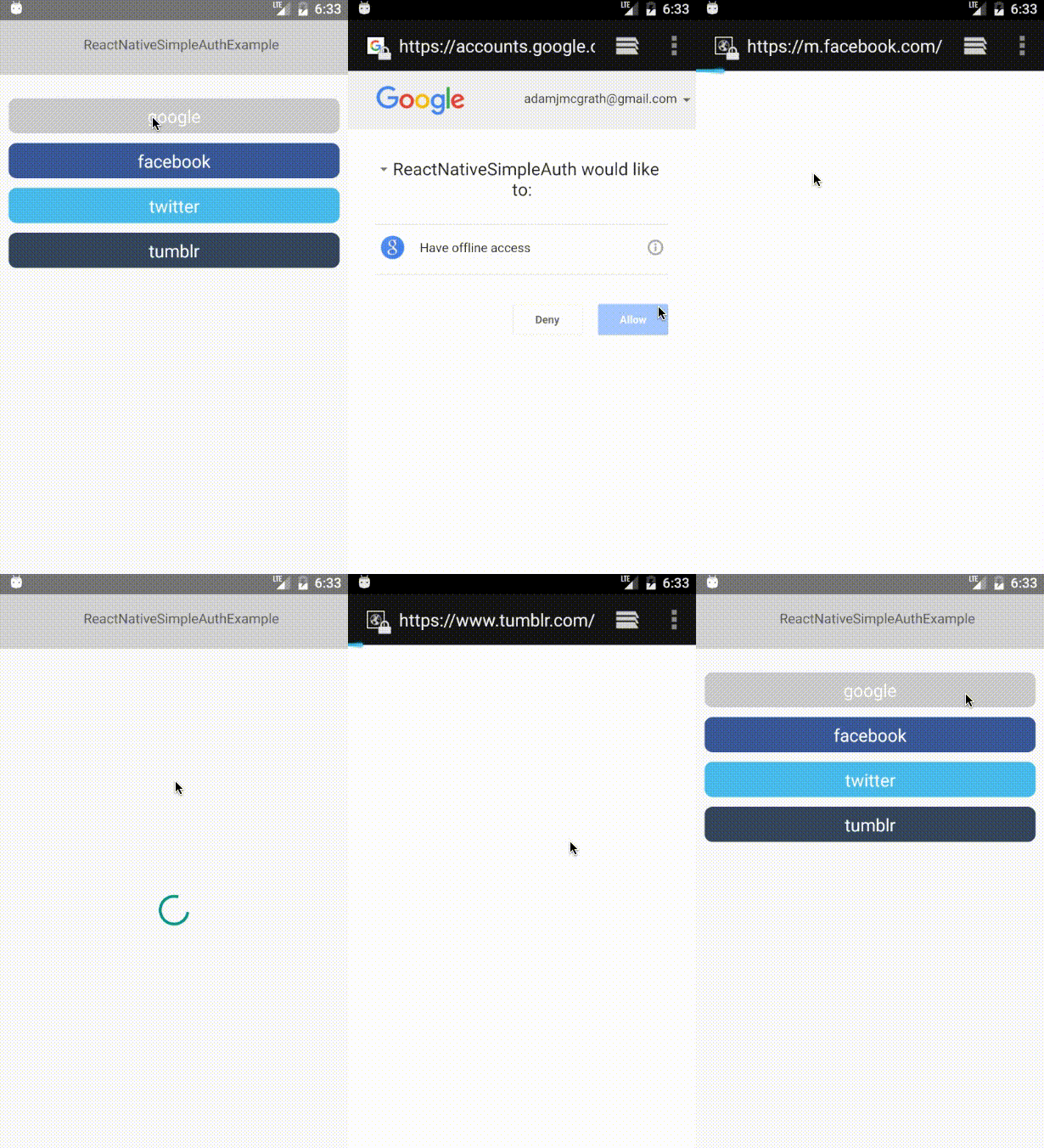
Source of example app: https://github.com/adamjmcgrath/ReactNativeSimpleAuthExample
Install
=======
- `yarn add react-native-simple-auth`
- Set up deep linking for your Android and iOS application using the instructions on the [react-native website](https://facebook.github.io/react-native/docs/linking.html) (set the `launchMode` of `MainActivity` to `singleTask` in `AndroidManifest.xml`, create the deep link schemes in [Providers Setup](#providers-setup))
- Set up your OAuth Providers
Providers Setup
===============
### Google
- Go to the [developer console](https://console.cloud.google.com/apis/credentials/oauthclient/) and create credentials for an iOS application (you can also use these for your Android app). More [instructions](https://support.google.com/cloud/answer/6158849) on the Google support site.
- The "Bundle ID" should contain a dot, eg `com.reactnativesimpleauth`
- Your configuration object should contain the 'Client ID' as `appId` and 'Bundle ID' in the `callback` (note the single `/`, you can put anything as the path), eg
```js
{
appId: '123-123abc.apps.googleusercontent.com',
callback: 'com.reactnativesimpleauthexample:/oauth2redirect'
}
```
- Add the deep link scheme for the callback (Your Bundle ID, eg `com.reactnativesimpleauthexample`) to your `AndroidManifest.xml` eg https://github.com/adamjmcgrath/ReactNativeSimpleAuthExample/blob/master/android/app/src/main/AndroidManifest.xml#L28-L33
- Add the deep link scheme for the callback to your iOS app, eg https://dev.twitter.com/cards/mobile/url-schemes
### Facebook
- Create an app on the [Facebook developers](https://developers.facebook.com) website
- In `Settings`, click `Add Platform`
- Select iOS, and in the `Bundle ID` field, add `fb{your App ID}` eg `fb1234567890` (You can use the same configuration for Android)
- Your configuration object should contain the 'Appid ID' as `appId` and 'Bundle ID' in the `callback` (you must put `://authorize`), eg
```js
{
appId: '1234567890',
callback: 'fb1234567890://authorize',
scope: 'user_friends', // you can override the default scope here
fields: ['email', 'first_name', 'last_name'], // you can override the default fields here
}
```
- Add the deep link scheme for the callback (Your Bundle ID, eg `fb1234567890`) to your `AndroidManifest.xml` eg https://github.com/adamjmcgrath/ReactNativeSimpleAuthExample/blob/master/android/app/src/main/AndroidManifest.xml#L28-L33
- Add the deep link scheme for the callback to your iOS app, eg https://dev.twitter.com/cards/mobile/url-schemes (Due to A Facebook bug, this should always be the top one in the list)
### Twitter
- Create an app on https://apps.twitter.com
- You can put any valid URL as the callback url.
- Your configuration object should contain the 'Consumer Key (API Key)' as `appId`, the 'Consumer Secret' as `appSecret` and the Twitter `App name` in the `callback`, eg
```js
{
appId: 'abc1234567890',
appSecret: 'cba0987654321',
callback: 'testapp://authorize',
}
```
- Add the deep link scheme for the callback (Your App Name, eg `testapp`) to your `AndroidManifest.xml` eg https://github.com/adamjmcgrath/ReactNativeSimpleAuthExample/blob/master/android/app/src/main/AndroidManifest.xml#L28-L33
- Add the deep link scheme for the callback to your iOS app, eg https://dev.twitter.com/cards/mobile/url-schemes (Due to A Facebook bug, this should always be the top one in the list)
### Tumblr
- Create an app on https://www.tumblr.com/oauth/apps
- You can put any valid URL as the callback url.
- Your configuration object should contain the 'OAuth Consumer Key' as `appId`, the 'OAuth Consumer Secret' as `appSecret` and any `callback`, eg
```js
{
appId: '1234567890abc',
appSecret: '1234567890abc',
callback: 'testapp://authorize',
}
```
- Add the deep link scheme for the callback (Your App Name, eg `testapp`) to your `AndroidManifest.xml` eg https://github.com/adamjmcgrath/ReactNativeSimpleAuthExample/blob/master/android/app/src/main/AndroidManifest.xml#L28-L33
- Add the deep link scheme for the callback to your iOS app, eg https://dev.twitter.com/cards/mobile/url-schemes (Due to A Facebook bug, this should always be the top one in the list)
Usage
=====
Create a configuration object for each of the providers you want to authorize with (required keys are in parenthesis):
- google (`appId`, `callback`)
- facebook (`appId`, `callback`)
- twitter (`appId`, `appSecret`, `callback`)
- tumblr (`appId`, `appSecret`, `callback`)
See [secrets.example.js](https://github.com/adamjmcgrath/ReactNativeSimpleAuthExample/blob/master/secrets.example.js).
```javascript
import { google, facebook, twitter, tumblr } from 'react-native-simple-auth';
google({
appId: '123-123abc.apps.googleusercontent.com',
callback: 'com.reactnativesimpleauthexample:/oauth2redirect',
}).then((info) => {
// info.user - user details from the provider
// info.credentials - tokens from the provider
}).catch((error) => {
// error.code
// error.description
});
```
License
=======
react-native-simple-auth is released under the MIT license.