react-native-scroll-into-view
Version:
React-Native port of DOMElement.scrollIntoView() web function, for ScrollView
324 lines (246 loc) • 10.3 kB
Markdown
# react-native-scroll-into-view
[](https://www.npmjs.com/package/react-native-scroll-into-view)
[](https://www.npmjs.com/package/react-native-scroll-into-view)
[](https://travis-ci.com/slorber/react-native-scroll-into-view)
[](https://twitter.com/sebastienlorber)
Scroll a ReactNative View ref into the visible portion of a `ScrollView`.
Similar to `DOMElement.scrollIntoView()` for web, with some extras.
```
yarn add react-native-scroll-into-view
// or
npm install react-native-scroll-into-view --save
```
There is **no native code**: this library is compatible with Expo managed workflow.
[](https://expo.io)
---
# Sponsor
**[ThisWeekInReact.com](https://thisweekinreact.com)**: the best newsletter to stay up-to-date with the React ecosystem:
[](https://thisweekinreact.com)
---
# Why ?
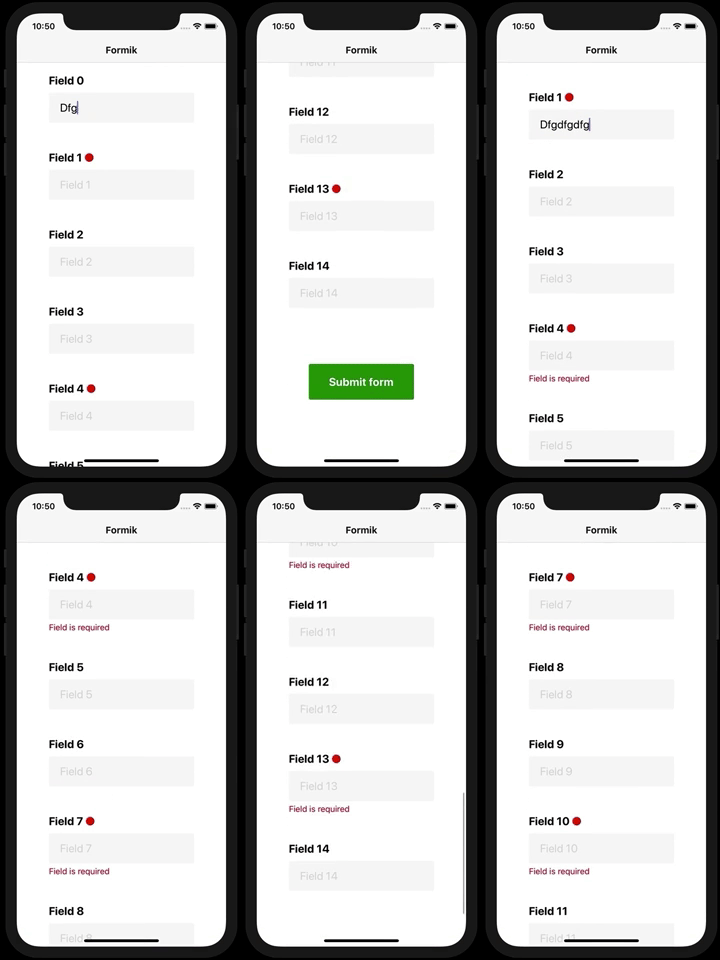
On long scrollable forms, can ensure errors become visible to the user on submit:
Building some kind of "sections index":
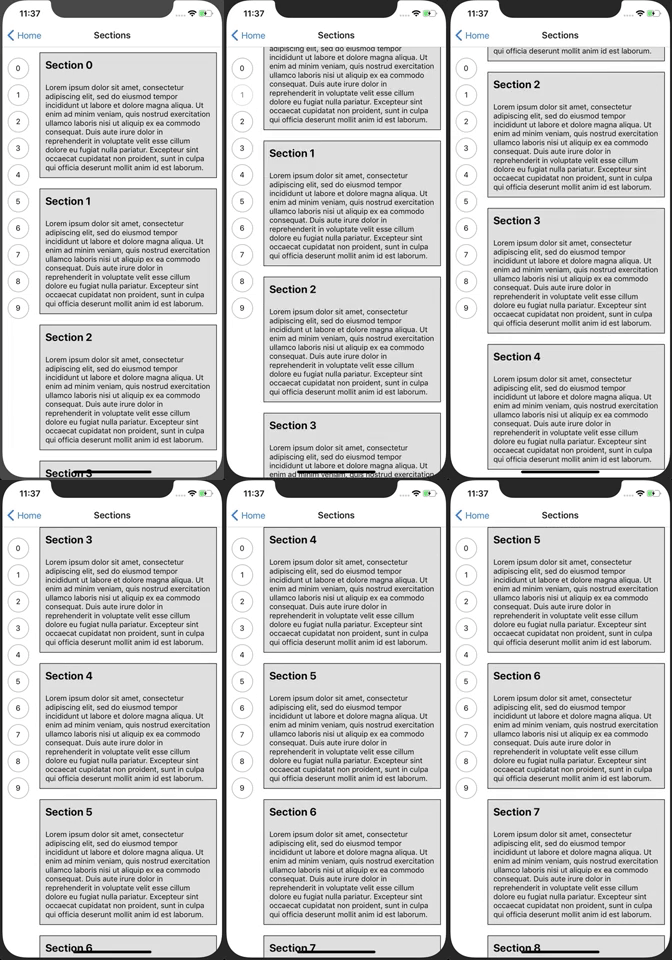
But really you are free to build whatever you want with it
# Features:
- Declarative component API
- Imperative hook API
- Configurable at many levels
- Different alignment modes
- Insets
- Typescript definitions
- Support for composition/refs/other ScrollView wrappers (`Animated.ScrollView`, `react-native-keyboard-aware-scroll-view`, `glamorous-native`...)
Note we don't plan to support anything else than ScrollView. Virtualized lists generally offer methods to scroll to a given index.
# Minimal hooks example
```js
import { View, Text, ScrollView } from 'react-native';
import {
wrapScrollView,
useScrollIntoView,
} from 'react-native-scroll-into-view';
const CustomScrollView = wrapScrollView(ScrollView);
function MyScreen() {
return (
<CustomScrollView>
<MyScreenContent />
</CustomScrollView>
);
}
function MyScreenContent() {
const scrollIntoView = useScrollIntoView();
const viewRef = useRef();
return (
<>
<Button onPress={() => scrollIntoView(viewRef.current)}>
Scroll a view ref into view
</Button>
// in android if the scroll is not working then add renderToHardwareTextureAndroid this to view
<View style={{ height: 100000 }}>
<Text>Some long ScrollView content</Text>
</View>
<View ref={viewRef}>
<Text>Will be scrolled into view on button press</Text>
</View>
</>
);
}
```
# API
```js
import {
ScrollIntoView, // enhanced View container
wrapScrollView, // simple wrapper, no config
wrapScrollViewConfigured, // complex wrapper, takes a config
useScrollIntoView, // access hook for imperative usage
} from 'react-native-scroll-into-view';
// Available options with their default value
const options = {
// auto: ensure element appears fully inside the view (if not already inside). It may align to top or bottom.
// top: align element to top
// bottom: align element to bottom
// center: align element at the center of the view
align: 'auto',
// Animate the scrollIntoView() operation
animated: true,
// By default, scrollIntoView() calls are throttled a bit because it does not make much sense
// to scrollIntoView() 2 elements at the same time (and sometimes even impossible)
immediate: false,
// Permit to add top/bottom insets so that element scrolled into view
// is not touching directly the borders of the scrollview (like a padding)
insets: {
top: 0,
bottom: 0,
},
// Advanced: use these options as escape hatches if the lib default functions do not satisfy your needs
computeScrollY: (scrollViewLayout, viewLayout, scrollY, insets, align) => {},
measureElement: viewRef => {},
};
// Wrap the original ScrollView
const CustomScrollView = wrapScrollView(ScrollView);
// Use the wrapped CustomScrollView as a replacement of ScrollView
function MyScreen() {
return (
<CustomScrollView
// Can provide default options (overrideable)
scrollIntoViewOptions={scrollIntoViewOptions}
>
<ScreenContent />
</CustomScrollView>
);
}
// Implement ScreenContent (inner of the ScrollView) with the useScrollIntoView and refs
function ScreenContent() {
const scrollIntoView = useScrollIntoView();
const viewRef = useRef();
return (
<>
<Button
onPress={() => {
scrollIntoView(viewRef.current, options);
}}
>
Scroll a view ref into view
</Button>
<View style={{ height: 100000 }}>
<Text>Some long ScrollView content</Text>
</View>
<View ref={viewRef}>
<Text>Will be scrolled into view on button press</Text>
</View>
</>
);
}
// Or implement ScreenContent (inner of the ScrollView) with class + declarative ScrollIntoView component
class ScreenContent extends React.Component {
render() {
return (
<>
<ScrollIntoView>
<Text>This will scroll into view on mount</Text>
</ScrollIntoView>
<ScrollIntoView align="center">
<Text>This will scroll into view on mount and will be centered</Text>
</ScrollIntoView>
<ScrollIntoView animated={false}>
<Text>This will scroll into view on mount without any animation</Text>
</ScrollIntoView>
<ScrollIntoView immediate={true}>
<Text>
This will not throttle scrollIntoView calls, as by default it does
not make much sense to scroll into view multiple elements at the
same time...
</Text>
</ScrollIntoView>
<ScrollIntoView enabled={false}>
<Text>This will scroll into view whenever enabled becomes true</Text>
</ScrollIntoView>
<ScrollIntoView scrollIntoViewKey="some string">
<Text>
This will scroll into view whenever scrollIntoViewKey changes
</Text>
</ScrollIntoView>
<ScrollIntoView
onMount={false}
onUpdate={true}
scrollIntoViewKey="some string"
>
<Text>
This will scroll into on update (if it becomes enabled, or key
changes)
</Text>
</ScrollIntoView>
<ScrollIntoView scrollIntoViewOptions={options}>
<Text>
This will scroll into view on mount with custom option props
</Text>
</ScrollIntoView>
<View>
<ScrollIntoView
enabled={false}
ref={ref => (this.scrollIntoViewRef = ref)}
>
<Text>This will scroll into view when the button is pressed</Text>
</ScrollIntoView>
<Button
title="Make above text scroll into view with custom options"
onPress={() =>
this.scrollIntoViewRef.scrollIntoView(scrollIntoViewOptions)
}
/>
</View>
</>
);
}
}
```
You can also configure the HOC:
```js
const CustomScrollView = wrapScrollViewConfigured({
// SIMPLE CONFIG:
// ScrollIntoView default/fallback options
options: scrollIntoViewOptions,
// ADVANCED CONFIG:
// Use this if you use a ScrollView wrapper that does not use React.forwardRef()
refPropName: 'ref',
// unwraps the ref that the wrapped ScrollView gives you (this lib need the bare metal ScrollView ref)
getScrollViewNode: ref => ref,
// fallback value for throttling, can be overriden by user with props
scrollEventThrottle: 16,
})(ScrollView);
```
All these hoc configurations can also be provided to the `CustomScrollView` as props.
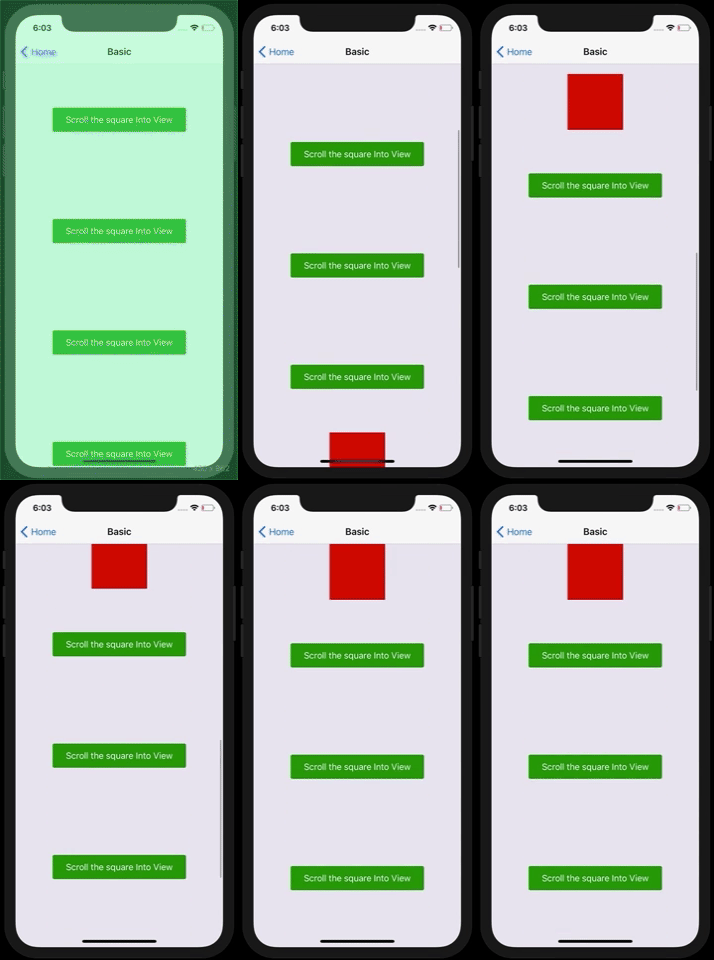
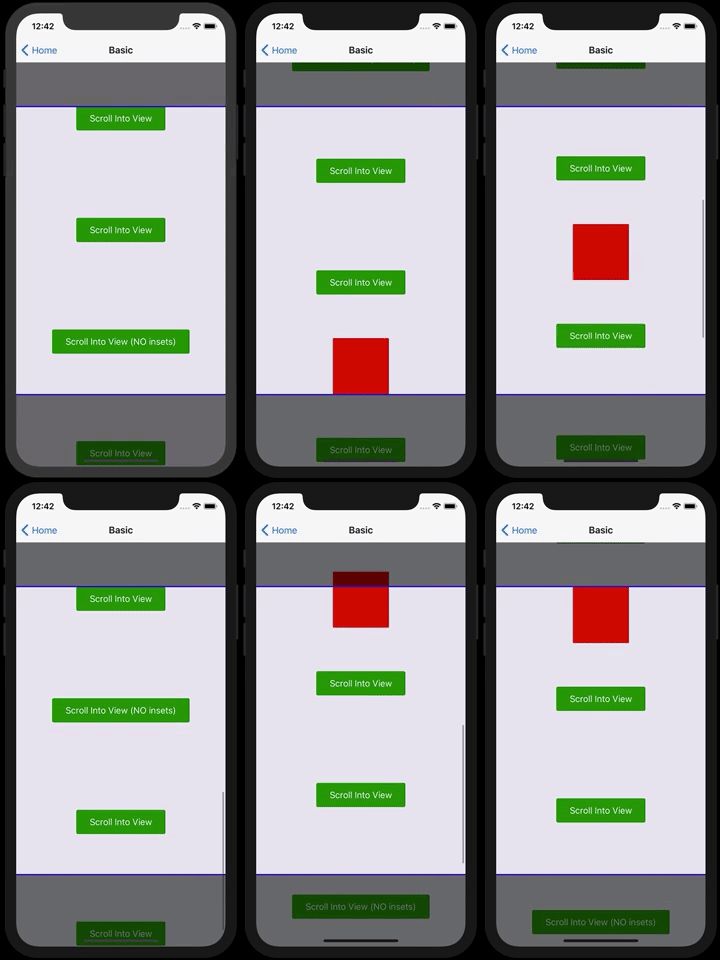
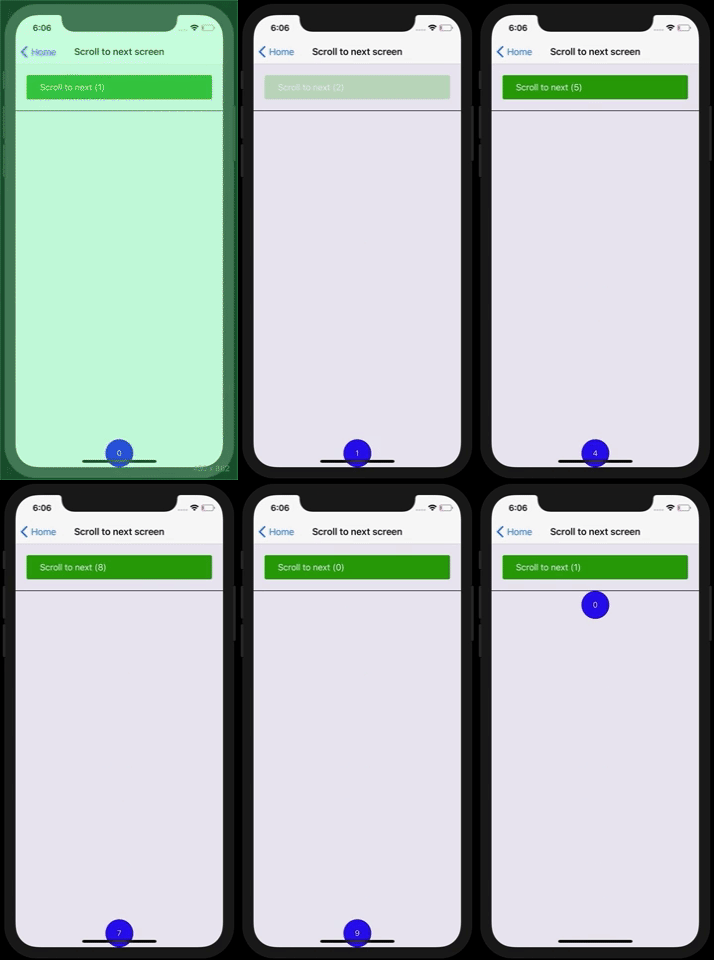
# Demos:
You can run the example folder as an Expo app with `yarn start`
It is also [published on Expo](https://expo.io/@slorber/react-native-scroll-into-view)


# Recipes
## Using in forms:
The integration with form libraries like [Formik](https://github.com/jaredpalmer/formik) and Redux-form is very simple (see [Formik example](https://github.com/slorber/react-native-scroll-into-view/blob/master/example/screens/FormikScreen.tsx))

- By default, the first error field of the form will reveal itself
- `enabled={!!error}` means we'll only scroll into view fields that have an error
- `scrollIntoViewKey={submitCount}` means we'll scroll into view fields which still have errors on every Formik submit attempt (`submitCount` is provided by Formik)
## Using with `react-native-keyboard-aware-scroll-view`
`KeyboardAwareScrollView` does not forward refs by default so we need to obtain ref by using the `innerRef` prop:
```
const ScrollIntoViewScrollView = wrapScrollViewConfigured({
refPropName: 'innerRef',
})(KeyboardAwareScrollView);
```
# TODOs:
- Tests
- Universal/Web support
- Support horizontal ScrollView?
# Contribute
If your changes are impactful, please open an issue first.
# License
MIT
Some code is inspired from contribution of of an initial scrollIntoView support for [react-native-keyboard-aware-scroll-view](https://github.com/APSL/react-native-keyboard-aware-scroll-view)
# Hire a freelance expert
Looking for a React/ReactNative freelance expert with more than 5 years production experience?
Contact me from my [website](https://sebastienlorber.com/) or with [Twitter](https://twitter.com/sebastienlorber).