react-native-read-more-text
Version:
Add a 'Read More' and optionally a 'Read Less' button to text that exceeds a given number of lines
86 lines (68 loc) • 2.06 kB
Markdown
## react-native-read-more-text
### Installation
```
npm i react-native-read-more-text --save
```
or with yarn
```
yarn add react-native-read-more-text
```
## Props
| Prop | Type | Required | Note |
|---|---|---|---|
| `onReady` | `function` | no | callback function to know when the component is ready
| `children` | `string` | yes | String to render on read more component
| `renderTruncatedFooter` | `function` | no | function that will replace the `Read more` label
| `renderRevealedFooter` | `function` | no | function that will replace the `Hide` label
[Try it on Expo](https://exp.host/@notbrent/read-more-text-example)
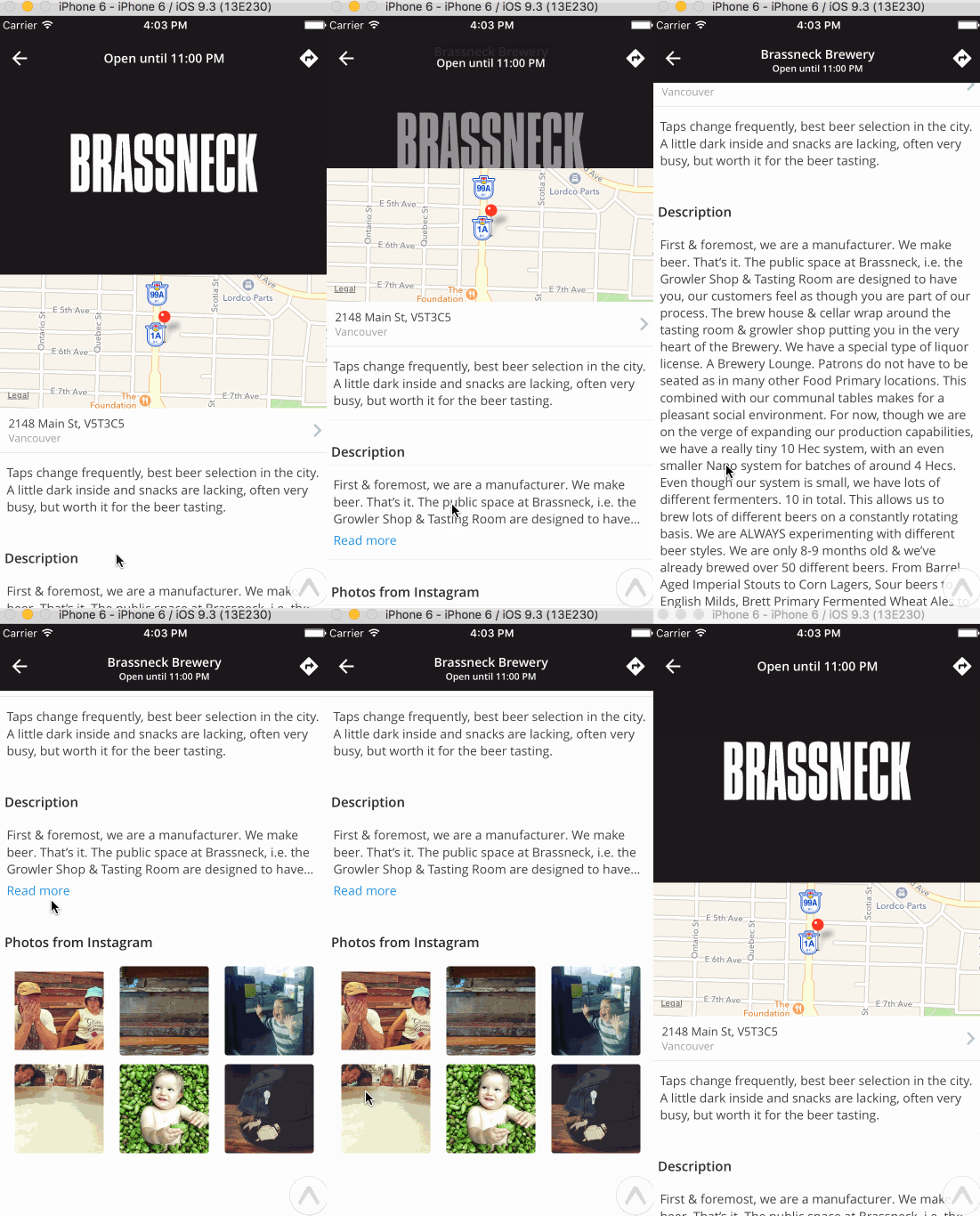
### Usage
```javascript
import * as React from 'react';
import { View, Text } from 'react-native';
import ReadMore from 'react-native-read-more-text';
export class DescriptionCard extends React.Component {
render() {
let { text } = this.props;
return (
<View>
<View style={styles.cardLabel}>
<Text style={styles.cardLabelText}>
Description
</Text>
</View>
<View style={styles.card}>
<View style={styles.cardBody}>
<ReadMore
numberOfLines={3}
renderTruncatedFooter={this._renderTruncatedFooter}
renderRevealedFooter={this._renderRevealedFooter}
onReady={this._handleTextReady}>
<Text style={styles.cardText}>
{text}
</Text>
</ReadMore>
</View>
</View>
</View>
);
}
_renderTruncatedFooter = (handlePress) => {
return (
<Text style={{color: Colors.tintColor, marginTop: 5}} onPress={handlePress}>
Read more
</Text>
);
}
_renderRevealedFooter = (handlePress) => {
return (
<Text style={{color: Colors.tintColor, marginTop: 5}} onPress={handlePress}>
Show less
</Text>
);
}
_handleTextReady = () => {
// ...
}
}
```