react-native-page-control
Version:
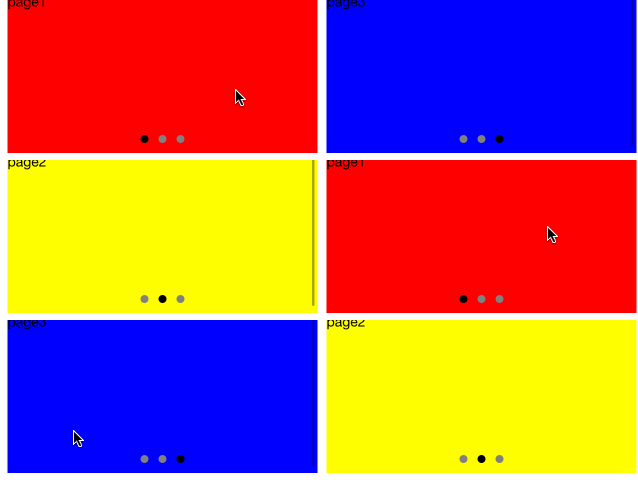
React native page control, like ios UIPageControl
55 lines (42 loc) • 1.82 kB
Markdown
# react-native-page-control
Page Control for React Native, like iOS UIPageControl, APIs are same as UIPageControl
## Installation
```bash
$ npm install react-native-page-control --save
```
## Demo
## Example
```jsx
import PageControl from 'react-native-page-control';
<PageControl
style={{position:'absolute', left:0, right:0, bottom:10}}
numberOfPages={3}
currentPage={1}
hidesForSinglePage
pageIndicatorTintColor='gray'
currentPageIndicatorTintColor='white'
indicatorStyle={{borderRadius: 5}}
currentIndicatorStyle={{borderRadius: 5}}
indicatorSize={{width:8, height:8}}
onPageIndicatorPress={this.onItemTap}
/>
```
## API (props)
| Prop | Required | Default | Type | Description |
| :------------ |:---:|:---------------:| :---------------:| :-----|
| numberOfPages | YES | `0` | `number` | The number of pages the receiver shows (as dots) |
| currentPage | NO | `0` | `number` |The current page, shown by the receiver as a white dot |
| hidesForSinglePage | NO | `false` | `bool` | A Boolean value that controls whether the page control is hidden when there is only one page |
| pageIndicatorTintColor | NO | `gray` | `string` | The tint color to be used for the page indicator. |
| currentPageIndicatorTintColor | NO |`white` | `string` | The tint color to be used for the current page indicator. |
| indicatorStyle | NO | `{}` | `object` | style for the page indicator |
| currentIndicatorStyle | NO |`{}` | `object` | style for the current page indicator. |
| onPageIndicatorPress | NO | function(index){} | `func` | page indicator press hook function. `param: index` current press indicator index|
## Development
```bash
$ yarn
$ npm run init
$ npm run start
$ react-native run-ios
```