react-native-file-share-intent
Version:
Adds the app to share menu, so it can be launched from share menu and receive data from other apps
173 lines (121 loc) • 4.35 kB
Markdown
:star: :star: :star: :star:
- React Native > 0.60 Support
- Easy implimentation
- Ios Directly Open Host app
- Multiple Files Share Both ios and Android
| Android | Ios |
| :---: | :---: |
| 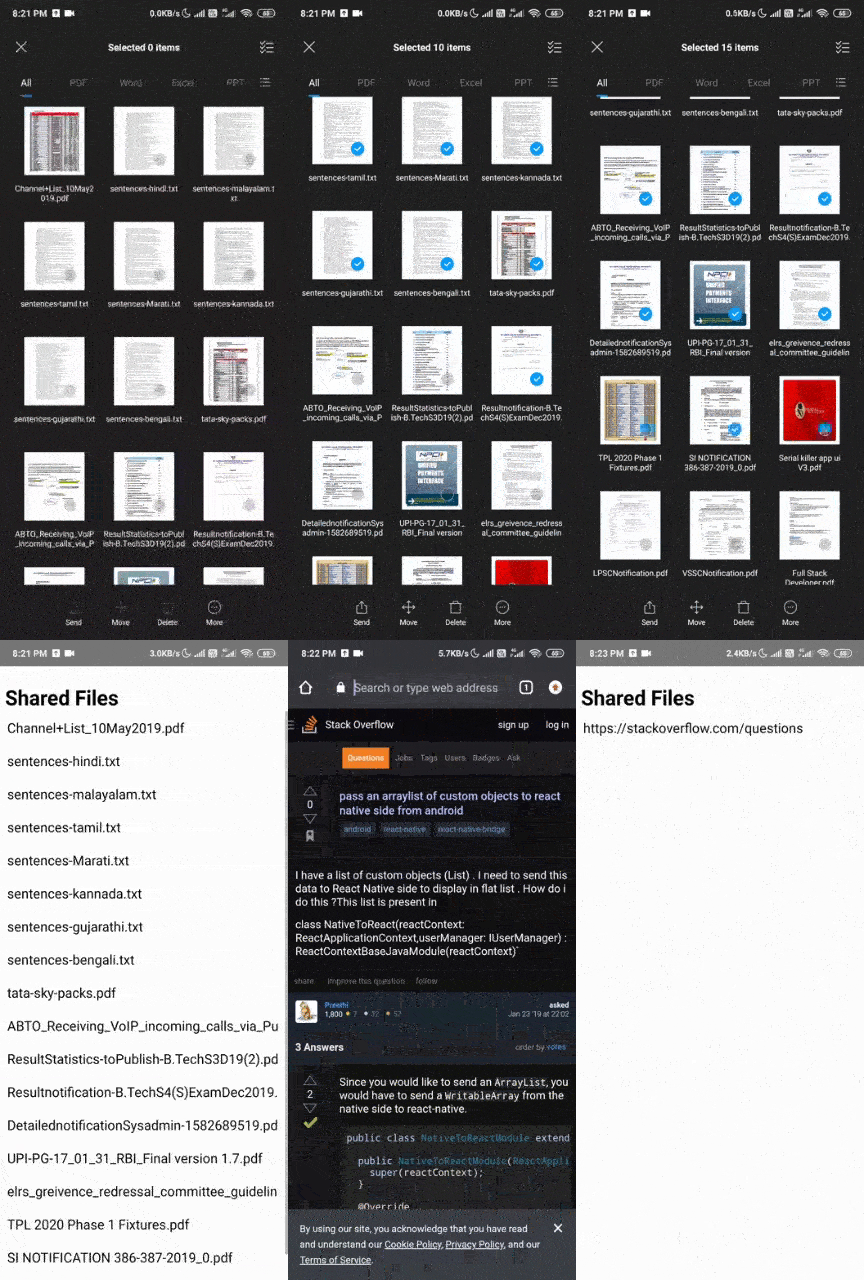 | 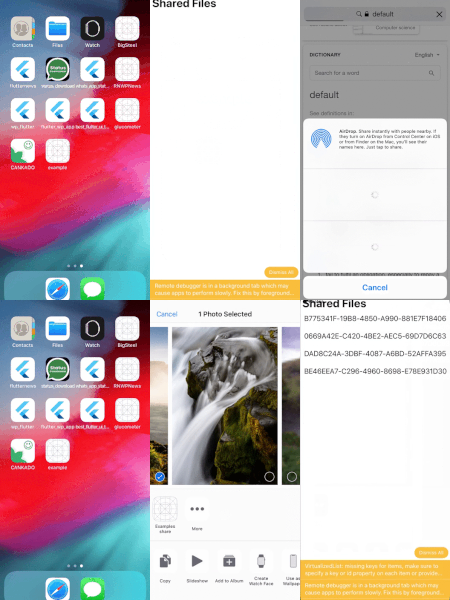 |
Adds the application to the share intent of the device, so it can be launched from other apps and receive data from them
* Install the module
```bash
npm i --save react-native-file-share-intent
```
At the command line, in the project directory: only For `Android` and in `ios` use Manual installation
```bash
react-native link
```
- <a href="https://github.com/ajith-ab/react-native-file-share-intent/tree/master/ios">IOS</a>
- <a href="https://github.com/ajith-ab/react-native-file-share-intent/tree/master/android">Android</a>
<p><a href="https://www.paypal.me/ajithab" rel="nofollow"><img height="75" src="https://raw.githubusercontent.com/stefan-niedermann/paypal-donate-button/master/paypal-donate-button.png" style="max-width:100%;"></a></p>
App.js
```javascript
import React, { Component } from 'react';
import {Text,View} from 'react-native';
import RNFileShareIntent from 'react-native-file-share-intent';
export default class App extends Component {
constructor(props) {
super(props);
this.state = {
fileUrl: null,
};
}
componentDidMount() {
if(RNFileShareIntent){
RNFileShareIntent.getFilepath((url) => {
this.setState({ fileUrl: url });
})
}
}
render() {
var uri = this.state.fileUrl;
return (
<View style={{flex:1,justifyContent:'center'}}>
<Text>Shared Url: {uri}</Text>
</View>
);
}
}
```
Share.js in the Root Folder
```javascript
import React, { Component } from 'react';
import { View, Text, AppRegistry, StyleSheet, Button } from 'react-native';
import RNFileShareIntent from 'react-native-file-share-intent';
export default class Share extends Component {
constructor(props) {
super(props);
this.state = {
sharedText: null
};
}
componentDidMount() {
var that = this;
RNFileShareIntent.getFilePath((text) => {
that.setState({ sharedText: text });
})
}
render() {
var url = this.state.sharedText;
return (
<View style={{ flex: 1, justifyContent: 'center' }}>
<Text style={styles.text}>Shared file Path: {url}</Text>
<Button
title="open With Other App"
color="#841584"
onPress={() => RNFileShareIntent.openURL(url)}
/>
<Button
title="Close Extension"
color="#841584"
onPress={() => RNFileShareIntent.close()}
/>
</View>
)
}
}
const styles = StyleSheet.create({
text: {
color: 'black',
backgroundColor: 'white',
fontSize: 30,
margin: 80
}
});
AppRegistry.registerComponent('Share', () => Share);
```
Or check the "example" directory for an example application.
<p float="left">
<img src ="https://raw.githubusercontent.com/ajith-ab/react-native-file-share-intent/master/assets/ios.png" />
<img src ="https://raw.githubusercontent.com/ajith-ab/react-native-file-share-intent/master/assets/ios_intent.png" />
</p>
<p float="left">
<img src ="https://raw.githubusercontent.com/ajith-ab/react-native-file-share-intent/master/assets/android .png" />
<img src ="https://raw.githubusercontent.com/ajith-ab/react-native-file-share-intent/master/assets/android_intent.png" />
</p>
Sponsored and developed by <a href="http://ajithab.com">Ajith A B</a>