react-native-emoji-board
Version:
A React Native emoji keyboard/picker component for both Android and ios
125 lines (94 loc) • 7.06 kB
Markdown
# React Native Emoji Board
[](https://badge.fury.io/js/react-native-emoji-board)
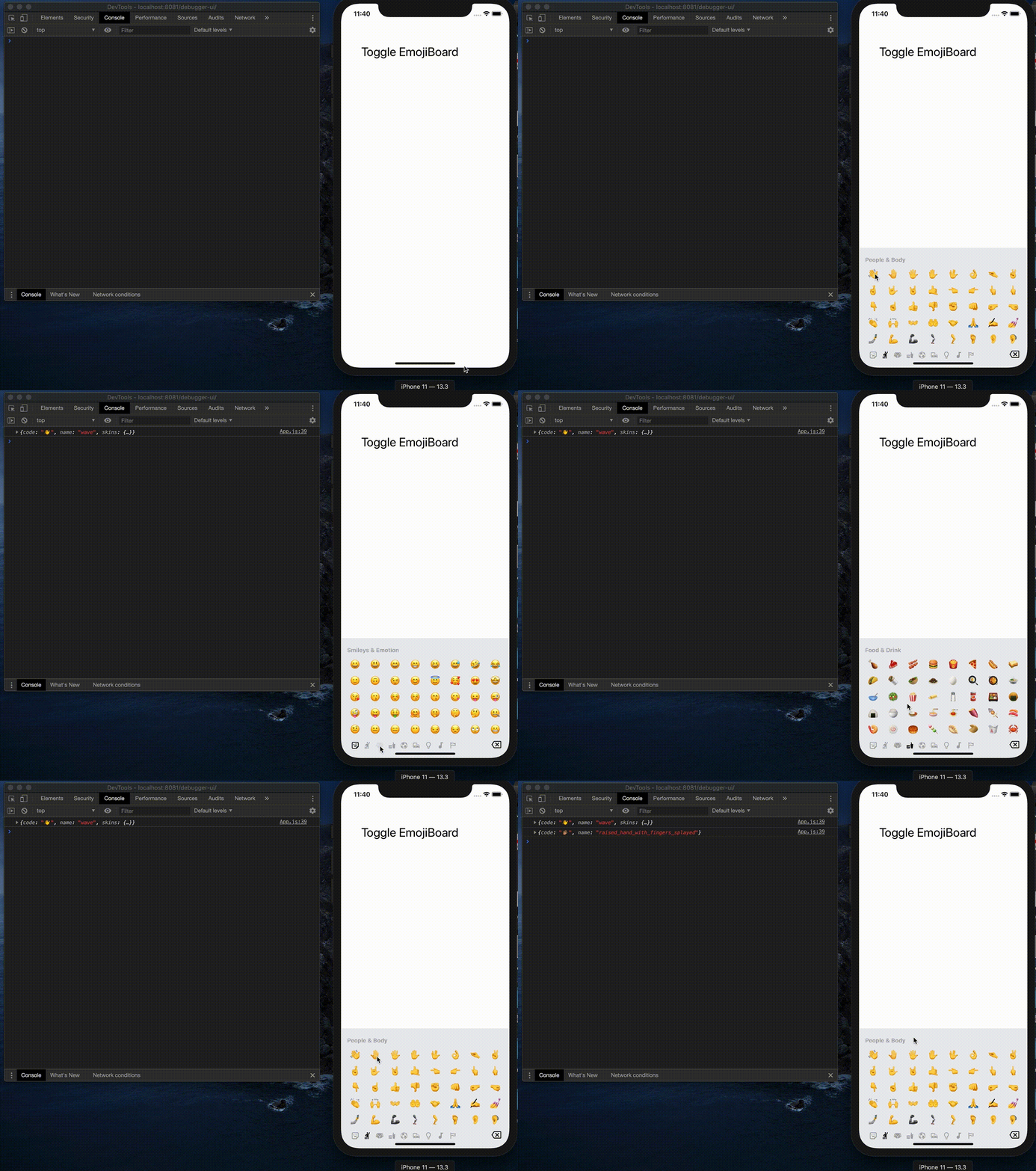
React Native Emoji Board is a customizable component similar to native keyboard but only with emoji for both iOS and Android. You can use this component as a keyboard input or emoji picker.
## Installation
1. `yarn add react-native-emoji-board`
2. `yarn add react-native-vector-icons` if you don't have it
3. `yarn add @react-native-community/viewpager` if you don't have it
## Linking
**>= 0.60**
Autolinking will just do the job.
< 0.60
`react-native link react-native-vector-icons`
`react-native link @react-native-community/viewpager`
## Props
### Required Props
| Prop | Description | type |
| ----------------- | -------------------------------- | -------- |
| **`onClick`** | Call back function when you clciked on emoji | function |
<br/>
### Optional Props
| Prop | Description | type | default value |
| --------------------------------- | -------------------------------------------------------------------------------- | ---------- | -------------- |
| **`showBoard`** | Show or hide Emoji board with animation | boolean | false |
| **`customEmoji`** | See [Custom Emoji](#custom-emojis) | array | [] |
| **`categories`** | Default full categories from [emoji-datasource](https://www.npmjs.com/package/emoji-datasource) | array | See [defaultProps.categories](https://github.com/liangl1412/react-native-emoji-keyboard/blob/master/constant.js#L7) |
| **`blackList`** | Exclude emojis based on `short_name` | array | [] |
| **`numRows`** | Number of emoji rows to display per slide | number | 8 |
| **`numCols`** | Number of emoji columns to display per slide | number | 5 |
| **`emojiSize`** | Default emoji size | number | 24 |
| **`tabBarPosition`** | Default category nav position | string |'bottom' |
| **`hideBackSpace`** | Show or hide backspace icon | boolean | false |
| **`categoryDefautColor`** | Default category icon color | string | '#aaa' |
| **`categoryHighlightColor`** | Default category icon highlight color | string | '#000' |
| **`categoryIconSize`** | Default category icon size | string | 20 |
| **`containerStyle`** | Main container style, same as [Layout Props](https://facebook.github.io/react-native/docs/0.9/layout-props) | object | {} |
| **`tabBarStyle`** | Category bar style, same as [Layout Props](https://facebook.github.io/react-native/docs/0.9/layout-props) | object | {} |
| **`labelStyle`** | Category label style, same as [Text Props](https://facebook.github.io/react-native/docs/0.9/text-style-props) | object | {} |
| **`onRemove`** | Call back function when backspace get clicked | function | null |
<br/>
**If you want to support less category or modify the icon, here is the categories props:**
| Prop | Description | type |
| --------------------------------- | -------------------------------------------------------------------------------- | ---------- |
| **`name`** | Category name | string |
| **`iconType`** | Only support `MaterialCommunityIcons` and `FontAwesome`, you can use defined [iconType](https://github.com/liangl1412/react-native-emoji-keyboard/blob/master/constant.js#L1) | string |
| **`icon`** | Icon/Font name, you can find list from [here](https://oblador.github.io/react-native-vector-icons/) | string |
## Example Code
```jsx
import EmojiBoard from 'react-native-emoji-board'
const App: () => React$Node = () => {
const [show, setShow] = useState(false);
const onClick = emoji => {
console.log(emoji);
};
return (
<>
<StatusBar barStyle="dark-content" />
<TouchableOpacity onPress={() => setShow(!show)}>
<Text>click here</Text>
</TouchableOpacity>
<EmojiBoard showBoard={show} onClick={onClick} />
</>
);
};
```
## Custom Emojis
Example:
```
const customEmojis = [
{
code: '🎅🏼',
img: 'https://emojipedia-us.s3.dualstack.us-west-1.amazonaws.com/thumbs/160/apple/237/father-christmas_1f385.png',
name: 'santa',
category: 'Smileys & Emotion',
sort_order: 1,
skins: [
{
img: 'https://github.githubassets.com/images/icons/emoji/octocat.png',
name: 'octocat',
}
]
}
]
```
| Prop | Description | type |
| --------------------------------- | -------------------------------------------------------------------------------- | ---------- |
| **`code`** | Native emoji(optional, fallback to image) | string |
| **`img`** | If you would like to have custom image instead, don't set `code` | string |
| **`name`** | Emoji/image name | string |
| **`category`** | Emoji category, need to match with what you have in **`categories`** props | string |
| **`sort_order`** | Sort order | number |
| **`skins`** | Skin support, same props with above | array |
## Credit
Inspired by [xiewang/react-native-emoticons](https://github.com/xiewang/react-native-emoticons)