react-native-dropdownalert
Version:
A simple alert to notify users about new chat messages, something went wrong or everything is ok.
98 lines (76 loc) • 5.24 kB
Markdown
# react-native-dropdownalert
[](https://reactnative.dev)
[](https://www.npmjs.com/package/react-native-dropdownalert)
[](https://www.npmjs.com/package/react-native-dropdownalert)
[](https://raw.github.com/testshallpass/react-native-dropdownalert/master/LICENSE)
[](https://github.com/testshallpass/react-native-dropdownalert/actions/workflows/ci.yml)
| info | warn | error | success |
| :--------------------------------------------------------------------------------------------------------: | :-----------------------------------------------------------------------------------------------------------: | :---------------------------------------------------------------------------------------------------------: | :-----------------------------------------------------------------------------------------------------------: |
|  |  |  |  |
## Table of contents
1. [Support](#support)
2. [Installation](#installation)
3. [Demo](#demo)
4. [Usage](#usage)
5. [Props](docs/PROPS.md)
6. [Caveats](#caveats)
An alert to notify users about new chat messages, something went wrong or everything is okay. It can be closed by tap, cancel button, automatically with `closeInterval`, pan responder up gesture or programmatically (`this.dropDownAlertRef.closeAction()`).
## Support
| react-native version | package version | reason |
| -------------------- | :-------------: | -------------------------------- |
| 0.50.0 | >=3.2.0 | Included SafeAreaView (iPhone X) |
| 0.44.0 | >=2.12.0 | Adopted ViewPropTypes |
## Installation
- `npm i react-native-dropdownalert --save`
- `yarn add react-native-dropdownalert`
## Demo
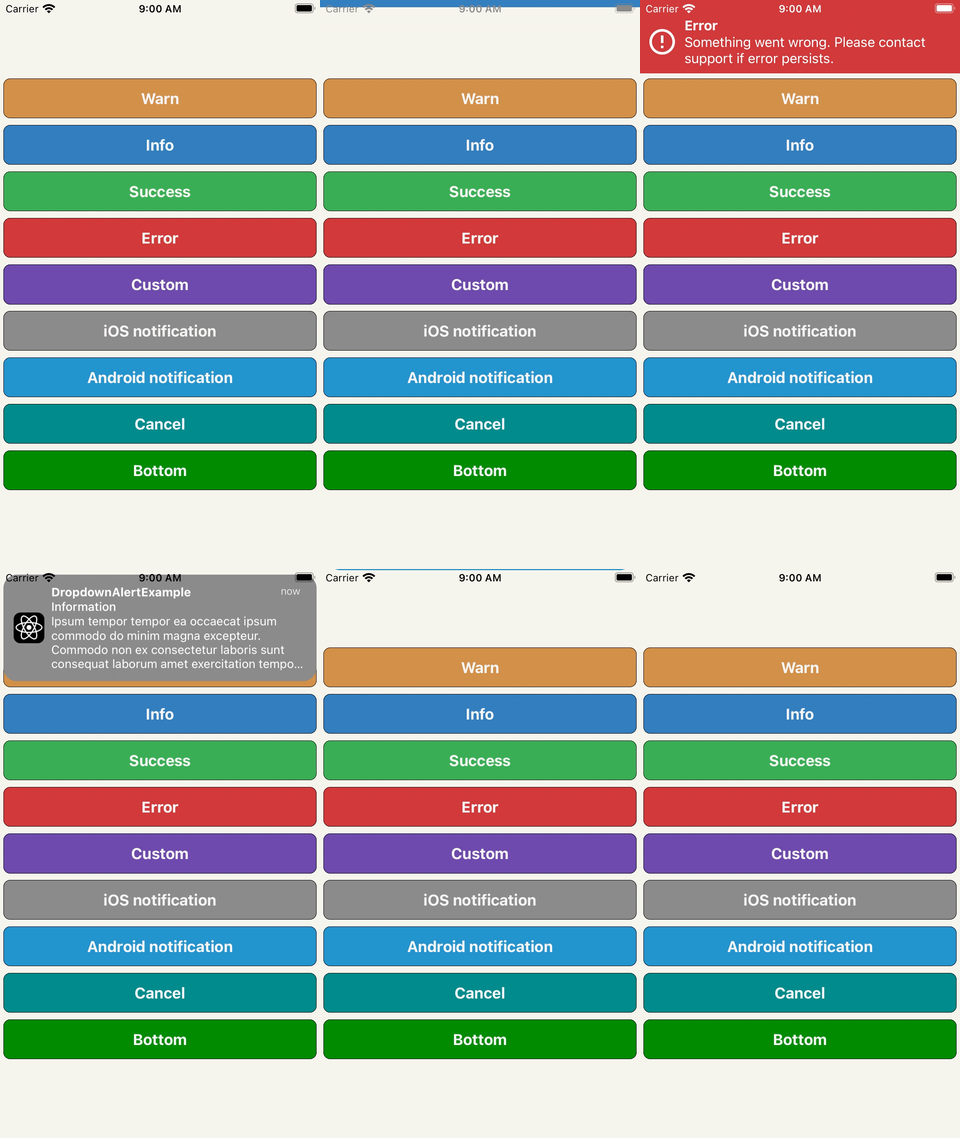
## Usage
```javascript
import React, {useRef, useEffect} from 'react';
import {View} from 'react-native';
import DropdownAlert from 'react-native-dropdownalert';
const App = () => {
let dropDownAlertRef = useRef();
useEffect(() => {
_fetchData();
}, []);
const _fetchData = async () => {
try {
// alertWithType parameters: type, title, message, payload, interval.
// payload object that includes a source property overrides the image source prop. (optional: object)
// interval takes precedence over the closeInterval prop. (optional: number)
dropDownAlertRef.alertWithType('info', 'Info', 'Start fetch data');
const response = await fetch('https://httpbin.org/uuid');
const {uuid} = await response.json();
dropDownAlertRef.alertWithType('success', 'Success', uuid);
throw 'Error fetch data'; // example error
} catch (error) {
dropDownAlertRef.alertWithType('error', 'Error', error);
}
};
// To ensures that it overlaps other UI components
// place it as the last component in the document tree.
return (
<View>
<DropdownAlert
ref={(ref) => {
if (ref) {
dropDownAlertRef = ref;
}
}}
/>
</View>
);
};
export default App;
```
## Caveats
- Modals can overlap DropdownAlert if it is not inside the modal's document tree.
- It is important you place the `DropdownAlert` **ABOVE** the `StackNavigator`.
- [DropdownHolder example #1](https://gist.github.com/testshallpass/d76c656874e417bef4e0e6a63fc492af)
- [DropdownHolder example #2](https://gist.github.com/testshallpass/6c6c867269348c485a1e0d6ae3f55e90)
- [Redux + router flux example](https://gist.github.com/testshallpass/13f047205d1b966f55340b8962fe99c0)
- [Wix Navigation example](https://gist.github.com/madandrija/5fa9eb7f8ab981b79b19977d29651795)
- Repo: [react-native-dropdownalert-router-sample](https://github.com/mitsuruog/react-native-dropdownalert-router-sample) Thanks @mitsuruog and @articolo
> Inspired by: [RKDropdownAlert](https://github.com/cwRichardKim/RKDropdownAlert)