react-native-draggablelist
Version:
65 lines (46 loc) • 2.12 kB
Markdown
# react native draggableList
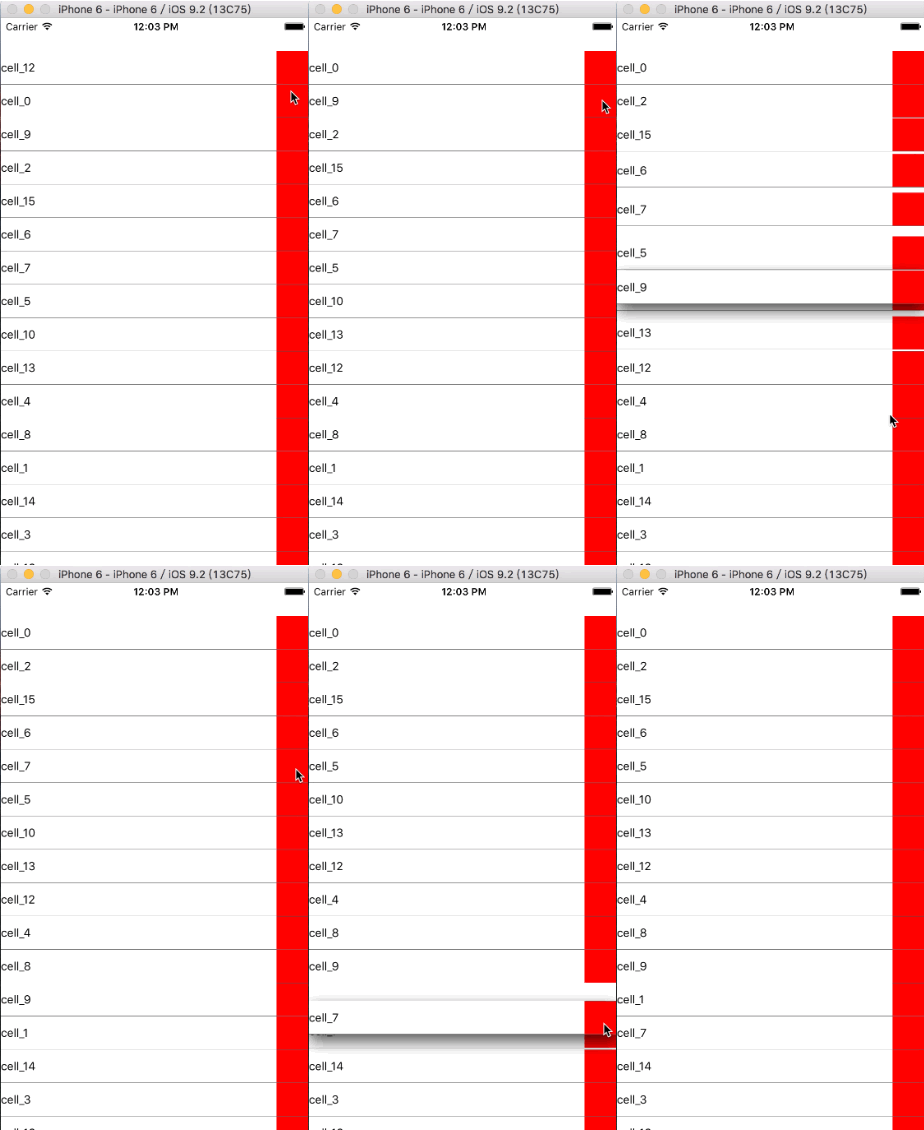
## Demo
## How do I use it?
### Installation
npm install react-native-draggablelist
### Use in your code
var DraggableList = require('react-native-draggablelist');
<DraggableList
dataSource={this.state.dataSource}
component={Cell}
cellProps={/*your cell props*/}
onMove={this._onMove}
keys={this.state.keys}
shouldUpdateId={'2'}
onPressCell={this.onPressCell}
scrollStyle: {/*styles*/}, //scroll view style
contentInset: {}, //scroll view contentInset
isScrollView: PropTypes.bool, //default true,
toggleScroll: PropTypes.func,
shouldUpdate: PropTypes.bool, //update all cell
/>
dataSource: isRequired, array of your data include id, like [{id: '1', name: ''}, {id: '2', name: ''}]
component: isRequired, your cell component
onMove: callback function, return the orders of cell by id
keys: you can also pass data orders, like ['2','1'], but it should be same with your data ids
shouldUpdateId: the cell should be update
onPressCell: when cell pressed
isScrollView: is scrollView or view,
toggleScroll: if isScrollView is false, and outside component is a scrollView, should set the callback for scrollEnabled state
shouldUpdate: update all cell
#### Simplest sample use is :
<DraggableList
component={Cell}
dataSource={Data}
/>
### Attention
In your cell component, you should add below to your view
<View>
{/* other views*/}
<View {...this.props.dragHandlers} >
{/* this is the rect you can drag*/}
</View>
{/* other views*/}
</View>
this.props.rowData, you can get the data passed to cell,