react-native-barcode-android
Version:
A barcode scanner component for react native
152 lines (114 loc) • 3.86 kB
Markdown
# react-native-barcode-android
A barcode scanner component for React Native Android. For iOS you can use https://github.com/lwansbrough/react-native-camera. The library depends on https://github.com/dm77/barcodescanner and https://github.com/zxing/zxing.
### Breaking change
React native 0.19 changed the ReactProps class which led to problems with updating native view properties (see https://github.com/facebook/react-native/issues/5649). These errors are corrected in react-native-barcode-android version 1.0.1. Use version 1.0.1 and larger for react native >=0.19 and for earlier react native versions use version 0.1.4.
### Installation
```bash
npm i --save react-native-barcode-android
```
### Add it to your android project
* In `android/settings.gradle`
```gradle
...
include ':ReactNativeBarcodescanner', ':app'
project(':ReactNativeBarcodescanner').projectDir = new File(rootProject.projectDir, '../node_modules/react-native-barcode-android/android')
```
* In `android/app/build.gradle`
```gradle
...
dependencies {
...
compile project(':ReactNativeBarcodescanner')
}
```
* register module (in MainActivity.java)
Add the following **import** statement:
```Java
import com.eguma.barcodescanner.BarcodeScanner;
```
...and then add `BarcodeScanner` to exported package list *(MainActivity.java#getPackages)*:
```Java
public class MainActivity extends ReactActivity {
// (...)
@Override
protected List<ReactPackage> getPackages() {
return Arrays.<ReactPackage>asList(
new MainReactPackage(),
new BarcodeScanner()
);
}
}
```
## Example
```javascript
import React, {
AppRegistry,
Component,
} from 'react-native';
import BarcodeScanner from 'react-native-barcode-android';
class BarcodeScannerExampleApp extends Component {
constructor(props) {
super(props);
this.state = {
torchMode: 'off',
cameraType: 'back',
};
}
barcodeReceived(e) {
console.log('Barcode: ' + e.data);
console.log('Type: ' + e.type);
}
render() {
return (
<BarcodeScanner
onBarCodeRead={this.barcodeReceived}
style={{ flex: 1 }}
torchMode={this.state.torchMode}
cameraType={this.state.cameraType}
/>
);
}
}
AppRegistry.registerComponent('BarcodeScannerExampleApp', () => BarcodeScannerExampleApp);
```
## Properties
#### `onBarCodeRead`
Will call the specified method when a barcode is detected in the camera's view.
Event contains `data` (barcode value) and `type` (barcode type).
The following barcode types can be recognised:
```java
BarcodeFormat.UPC_A
BarcodeFormat.UPC_E
BarcodeFormat.EAN_13
BarcodeFormat.EAN_8
BarcodeFormat.RSS_14
BarcodeFormat.CODE_39
BarcodeFormat.CODE_93
BarcodeFormat.CODE_128
BarcodeFormat.ITF
BarcodeFormat.CODABAR
BarcodeFormat.QR_CODE
BarcodeFormat.DATA_MATRIX
BarcodeFormat.PDF_417
```
#### `torchMode`
Values:
`on`,
`off` (default)
Use the `torchMode` property to specify the camera torch mode.
#### `cameraType`
Values:
`back` (default),
`front`
Use the `cameraType` property to specify the camera to use. If you specify the front camera, but the device has no front camera the back camera is used.
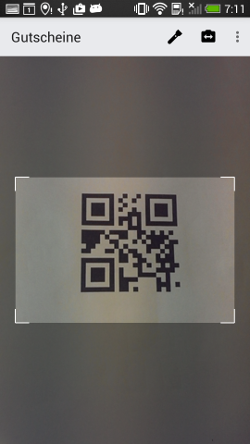
### Viewfinder properties
The following properties can be used to style the viewfinder:
`viewFinderBackgroundColor`,
`viewFinderBorderColor`,
`viewFinderBorderWidth`,
`viewFinderBorderLength`,
`viewFinderDrawLaser`,
`viewFinderLaserColor`
All color values are strings and must be specified as `#AARRGGBB` (alpha, red, green, blue). `viewFinderBorderWidth` and `viewFinderBorderLength` are numbers, `viewFinderDrawLaser` is either `true` or `false` (default).
For a better overview of the viewfinder see
.