react-native-analytics-debugger
Version:
The Avo react-native debugger
75 lines (50 loc) • 1.95 kB
Markdown
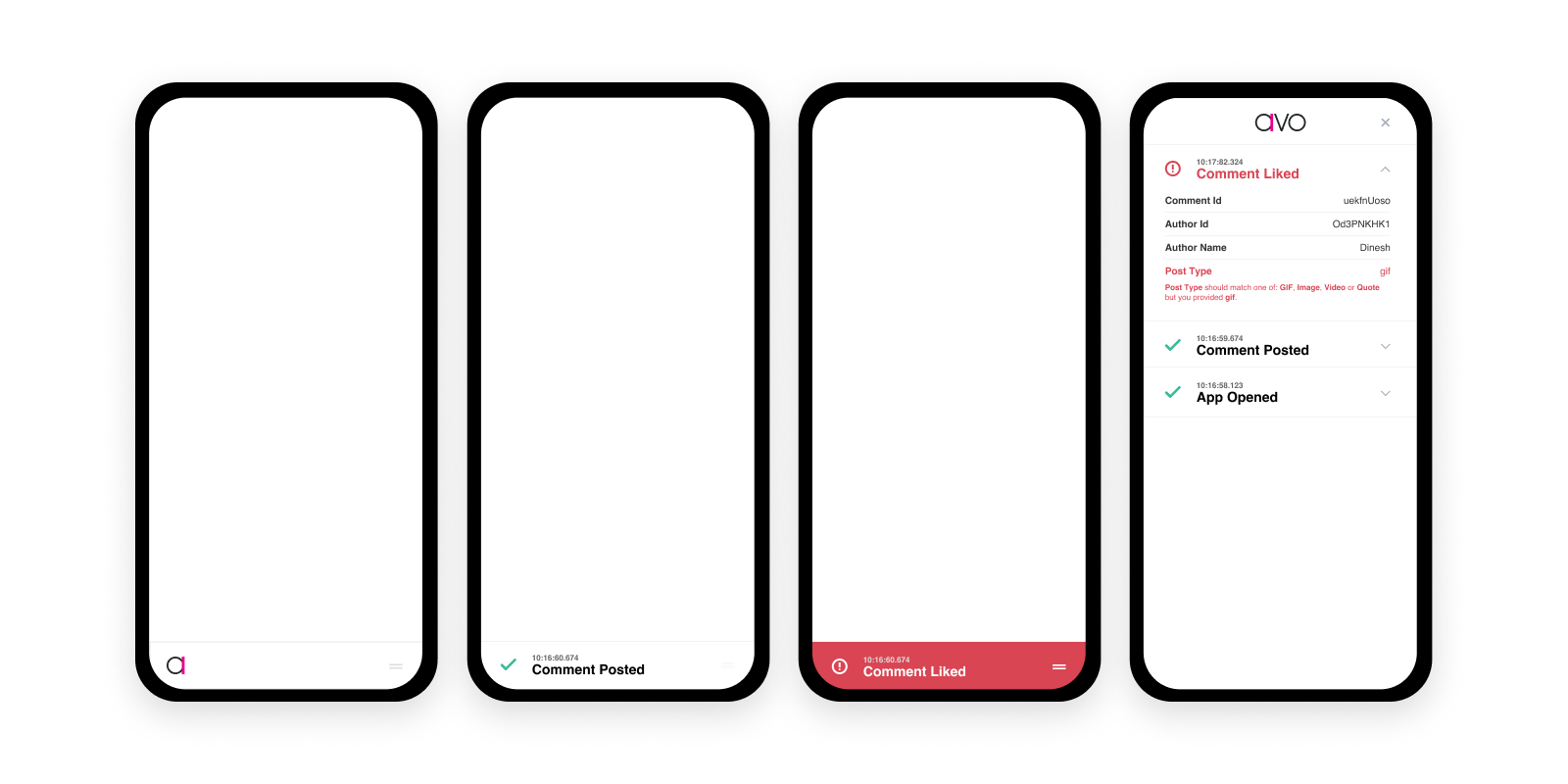
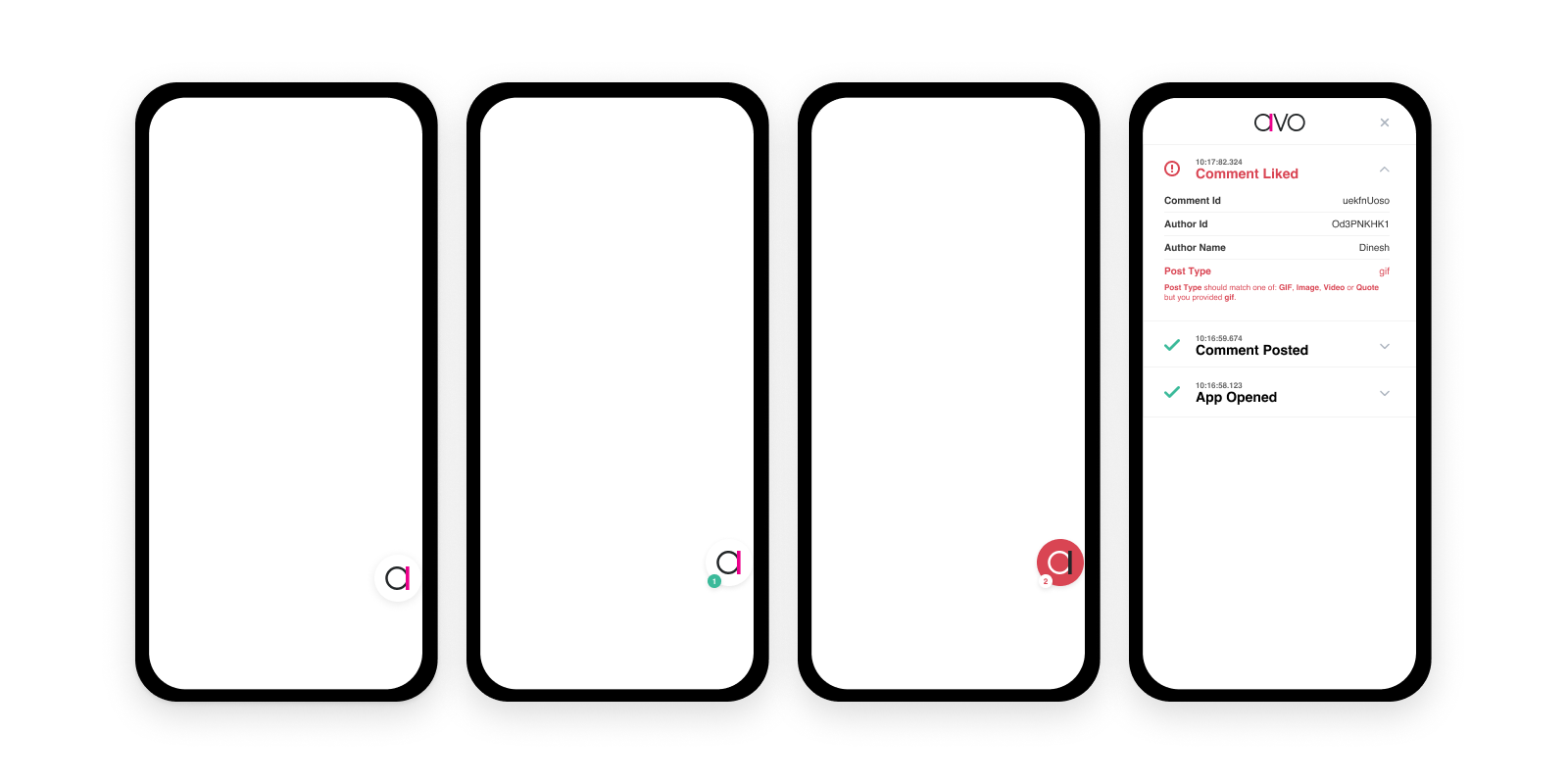
The Avo React Native debugger enables you to easily see which analytics events are being sent from your app. Two display modes are provided, **bar** and **bubble**:
#### Bar
#### Bubble
## Install
To install the latest version of Avo React Native analytics debugger, run this command:
#### with npm
```
npm install react-native-analytics-debugger
```
#### with yarn
```
yarn add react-native-analytics-debugger
```
## Setup
1. Import
```
import AvoDebugger from 'react-native-analytics-debugger'
```
2. Pass the AvoDebbuger into Avo
* if using `initAvo`
```
initAvo({env: 'dev', debugger: AvoDebugger})
```
* if using `validateAvoEvent`
```
validateAvoEvent({eventName, eventProperties, userProperties, env, debugger: AvoDebugger})
```
3. Enable the debugger
```
AvoDebugger.showDebugger({mode: 'bar' // or 'bubble'})
```
4. Disable the debugger
```
AvoDebugger.hideDebugger()
```
5. Sending custom events
```
AvoDebugger.post(Date.now(), "Test Event", [{id:"id0", name:"prop 0 name", value:"val 0"}, {id:"id1", name:"prop 1 name", value:"val 1"}], [{propertyId:"id0", message:"error in prop 0 with id0"}]);
```
## Caught a Bug?
Thank you, you are precious to us :hug: Please send an email to friends@avo.app or file an issue here on GitHub.
## Developing
Install all dependencies with `yarn install`. `yarn test -u` to run the tests and update the snaphsots.
## How to Create a Release
```
npm run release-it
```