react-native-admob-ads
Version:
A view to help you display Admob banner ads and interstitial ads in Expo apps.
96 lines (75 loc) • 5.24 kB
Markdown
# react-native-admob-ads
A view to help you display Admob banner ads and interstitial ads in Expo apps.
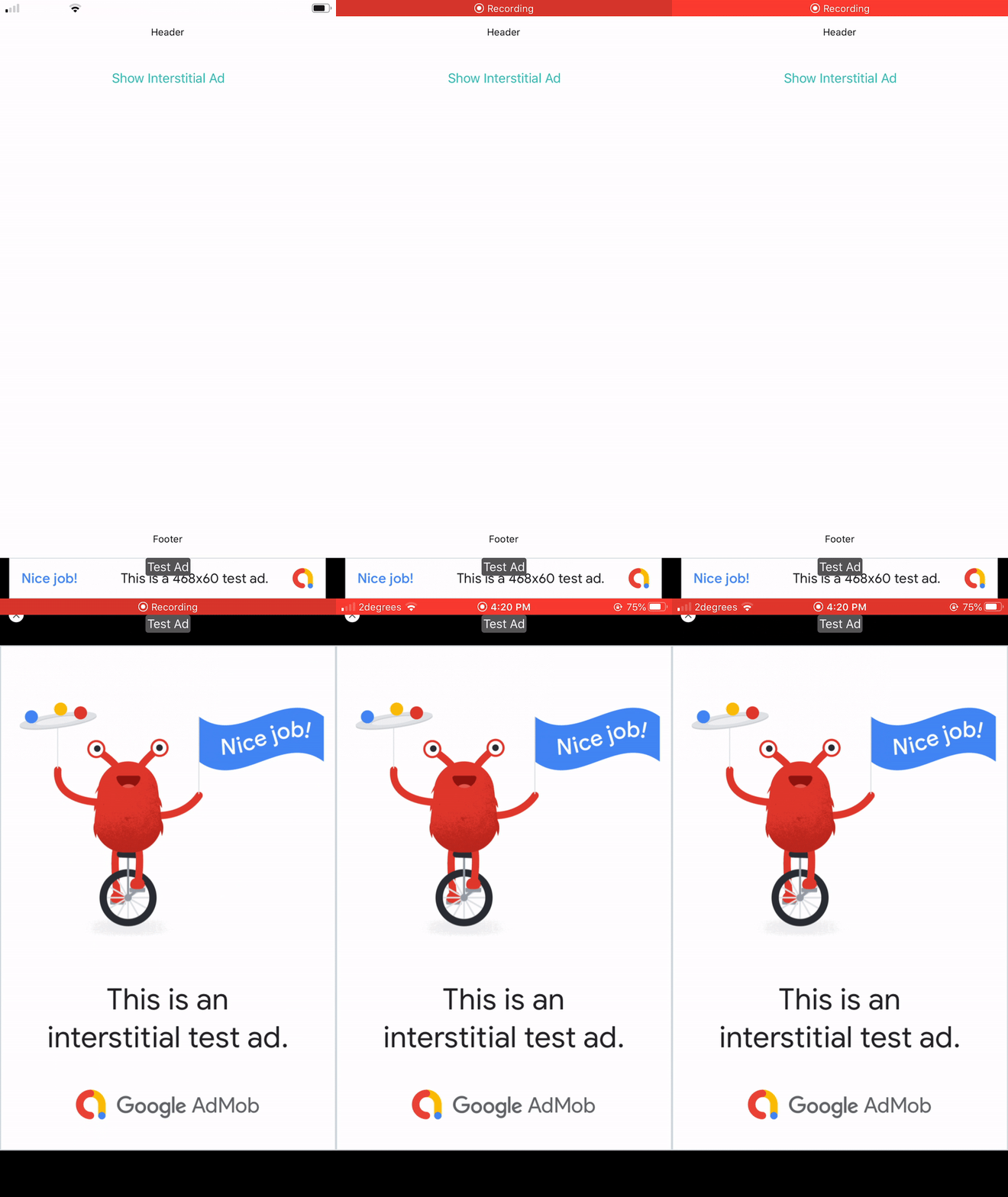
To use the AdView you just need to:
```
npm install --save react-native-admob-ads
```
# Prerequisites
react-native-admob-ads requires expo-admob-ads.
```
npm install --save expo-admob-ads
```
# Example
```js
import React, { Component } from 'react';
import { Text, Button, View } from 'react-native';
import AdView from 'react-native-admob-ads';
export default class App extends Component {
getTopContent() {
return <Text style={{marginVertical: 32}}>Header</Text>
}
getBottomContent() {
return <Text style={{marginVertical: 16}}>Footer</Text>;
}
showInterstital() {
this.refs.adView.displayAd();
}
render() {
var interstitialAdId = {
ios: "YOUR IOS INTERSTITIAL AD ID",
android: "YOUR ANDROID INTERSTITIAL AD ID"
};
var bannerAdId = {
ios: "YOUR IOS BANNER AD ID",
android: "YOUR ANDROID BANNER AD ID"
};
return (
<AdView ref="adView"
interstitialAdId={interstitialAdId}
bannerAdId={bannerAdId}
topContent={this.getTopContent()}
bottomContent={this.getBottomContent()}>
<Button
title="Show Interstitial Ad"
color="#3CBBB1"
onPress={this.showInterstital.bind(this)} />
</AdView>
);
}
}
```
# AdView Props
| Property | Description | Type | Example | Default Value |
|---------------------------------|------------------------------------------------------------------------------------------------------------------------------------------------------------|--------|----------------------------------------|-------------------------------------------------------------------------------------------------|
| servePersonalizedAds | Whether personalized ads should be served by Admob | bool | false | false |
| bannerSize | The banner size. These are from the expo-admob-ads sizes. | string | "banner" | "banner" |
| bannerAdId | An object for the iOS and Android banner ad ids. If undefined then the banner ad will not be shown. When testing, only test ads will be shown. | object | { ios: "AD_ID", android: "AD_ID" } | undefined |
| interstitialAdId | An object for the iOS and Android interstitial ad ids. If undefined then the interstitial ad will not be shown. When testing, only test ads will be shown. | object | { ios: "AD_ID", android: "AD_ID } | undefined |
| ref | Adds a reference to your calling component to the AdView so you can call methods such as displayAd from your component. This can be seen in the example. | string | "adView" | undefined |
| style | The style of the main View of the AdView. | object | | { flex: 1, backgroundColor: "#FFFFFF", alignItems: "center", justifyContent: "center" } |
| scrollviewContentStyle | The style of the scrollview that the children of the AdView get displayed in. | object | | { flex: 1, alignSelf: "stretch" } |
| scrollviewContentContainerStyle | The style of the scrollview's contentContainerStyle that the children of the AdView get displayed in. | object | | { alignItems: "center", justifyContent: "center" } |
# AdView Methods
These internal methods may be accessed through a ref to the AdView.
displayAd()
As shown in the example above, this displays an interstitial ad when called.
# Suggestions?
Open Issues. Submit PRs.
# Sample Application
The sample app is an Expo project.
```sh
cd ReactNativeAdmobAdsDemo
npm install
npm start
```