react-masonry-component2
Version:
react 的瀑布流组件库,支持 columns 布局、弹性布局、绝对定位布局三种方法实现
176 lines (146 loc) • 3.74 kB
Markdown
# React 瀑布流组件
1. 支持 2 种排列方向
- 支持纵向排列
- 支持横向排列(默认)
2. 支持按高度排序
3. 支持根据屏幕宽度自适应列数
**[组件文档地址](https://632339a3ed0b247d36b0fa3c-njrsmzdcdj.chromatic.com/?path=/story/%E4%BB%8B%E7%BB%8D--page)**
## 安装
```
npm i react-masonry-component2
```
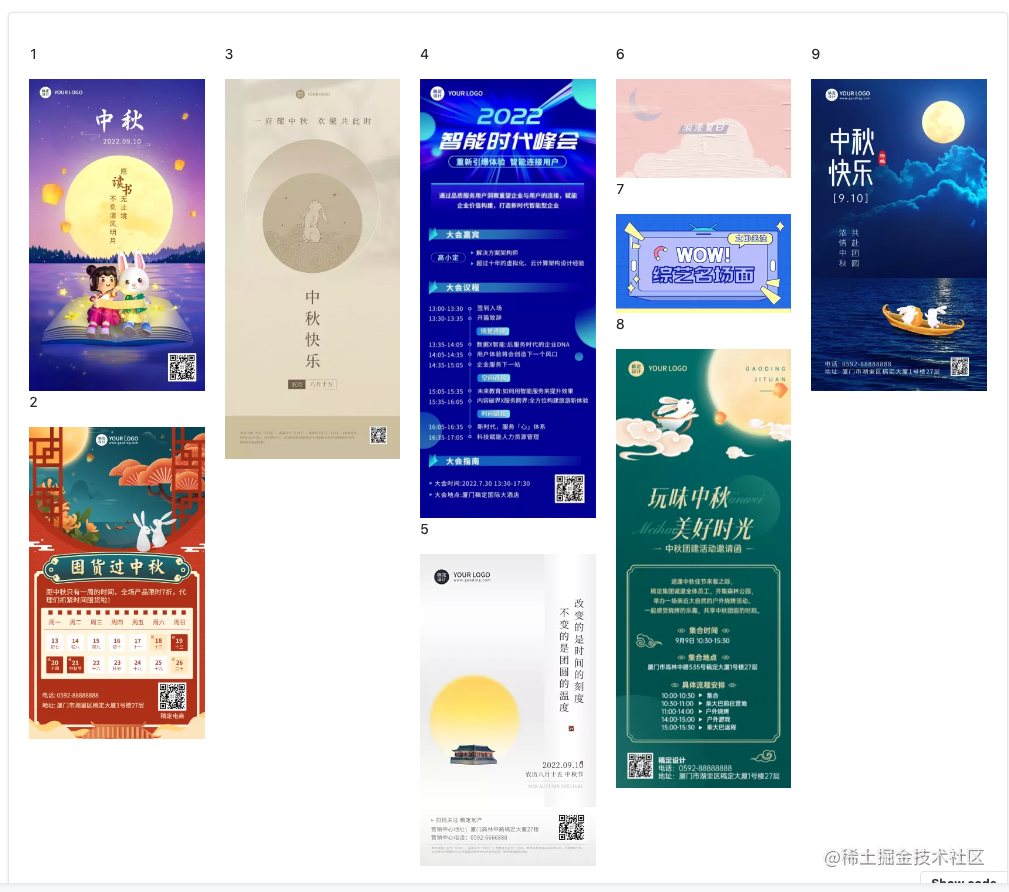
## 纵向布局
direction='column'表示纵向布局。
```js
import { Masonry } from 'react-masonry-component2'
export const MyComponent = (args) => {
return (
<Masonry
direction='column'
columnsCountBreakPoints={{
1400: 5,
1000: 4,
700: 3,
}}
>
<div></div>
<div></div>
<div></div>
</Masonry>
)
}
```
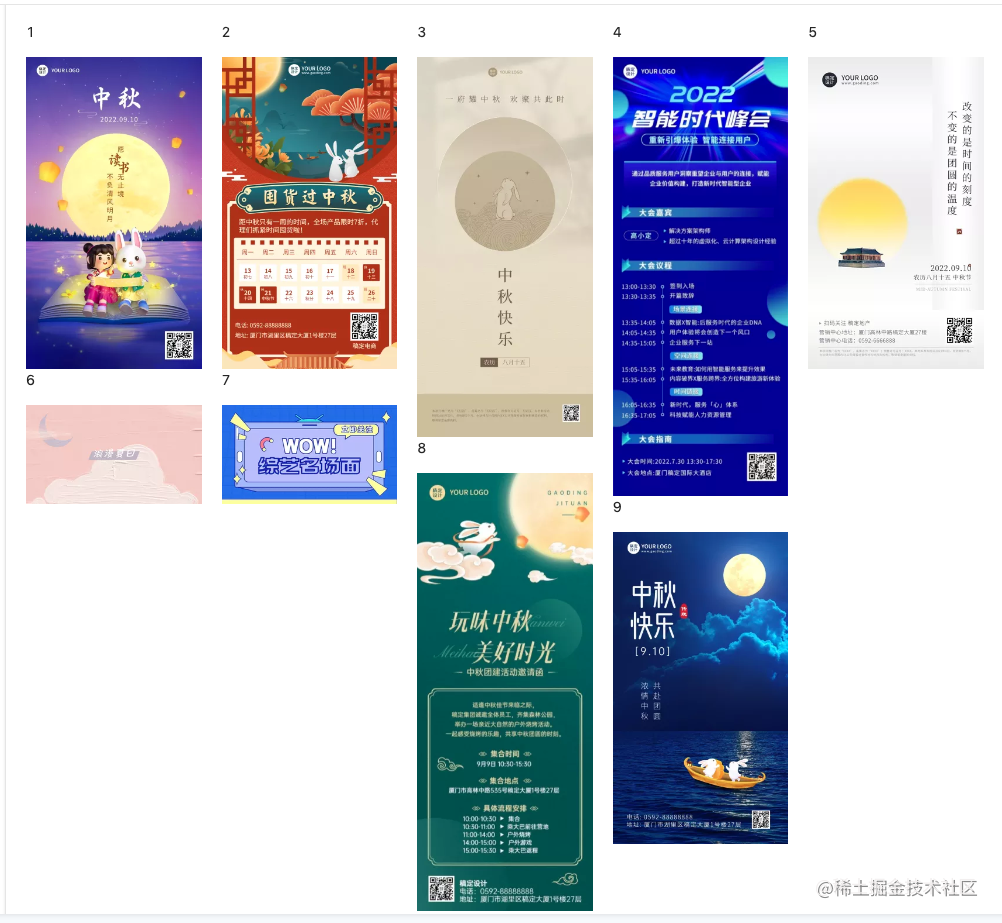
## 横向布局
direction='column'表示横向布局,默认横向布局。
```js
import { Masonry, MasonryItem } from 'react-masonry-component2'
export const MyComponent = (args) => {
return (
<Masonry
columnsCountBreakPoints={{
1400: 5,
1000: 4,
700: 3,
}}
>
<div></div>
<div></div>
<div></div>
</Masonry>
)
}
```
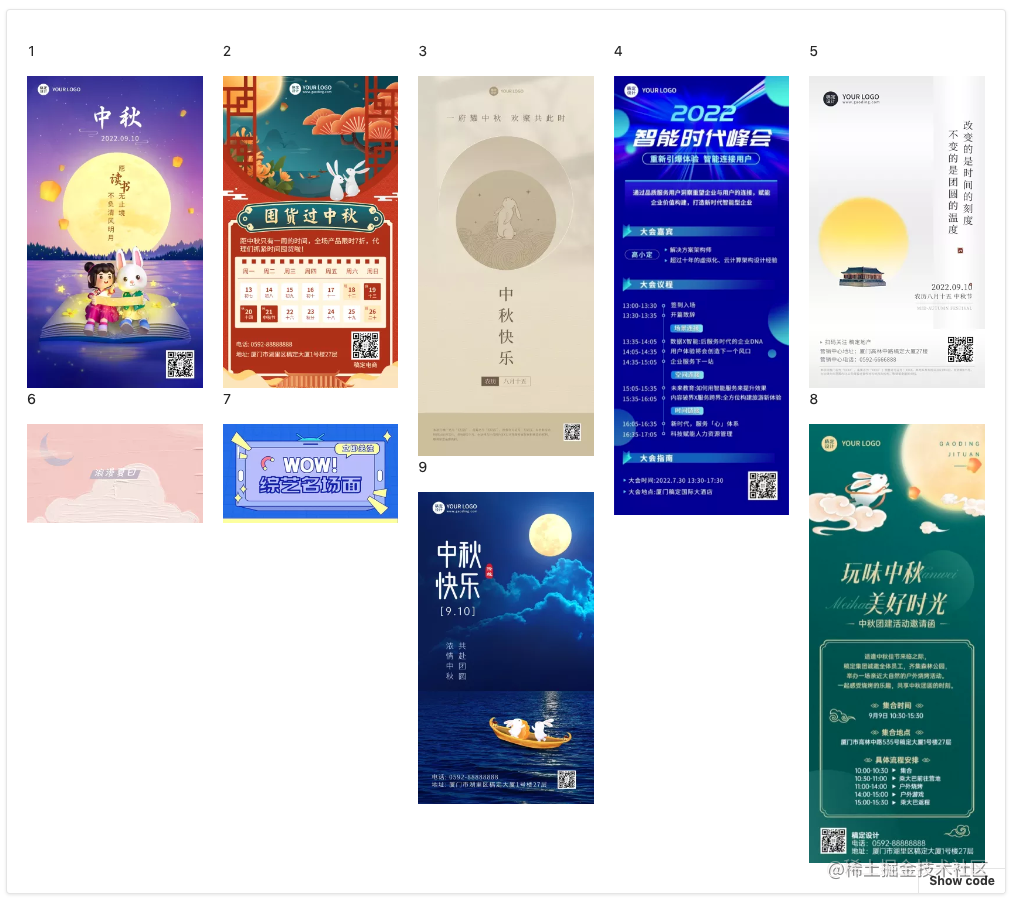
## 横向布局+高度排序
sortWithHeight 表示按照高度排序,选每列高度最小的添加元素。
```tsx
import {Masonry, MasonryItem} from 'react-masonry-component2'
export const MyComponent = (args) => {
return (
<Masonry
sortWithHeight
columnsCountBreakPoints={{
1400: 5,
1000: 4,
700: 3,
}}
>
<MasonryItem height={200}>
<div></div>
</MasonryItem>
<MasonryItem height={300}>
<div></div>
</MasonryItem>
<MasonryItem height={400}>
<div></div>
</MasonryItem>
</Masonry>
)
}
```
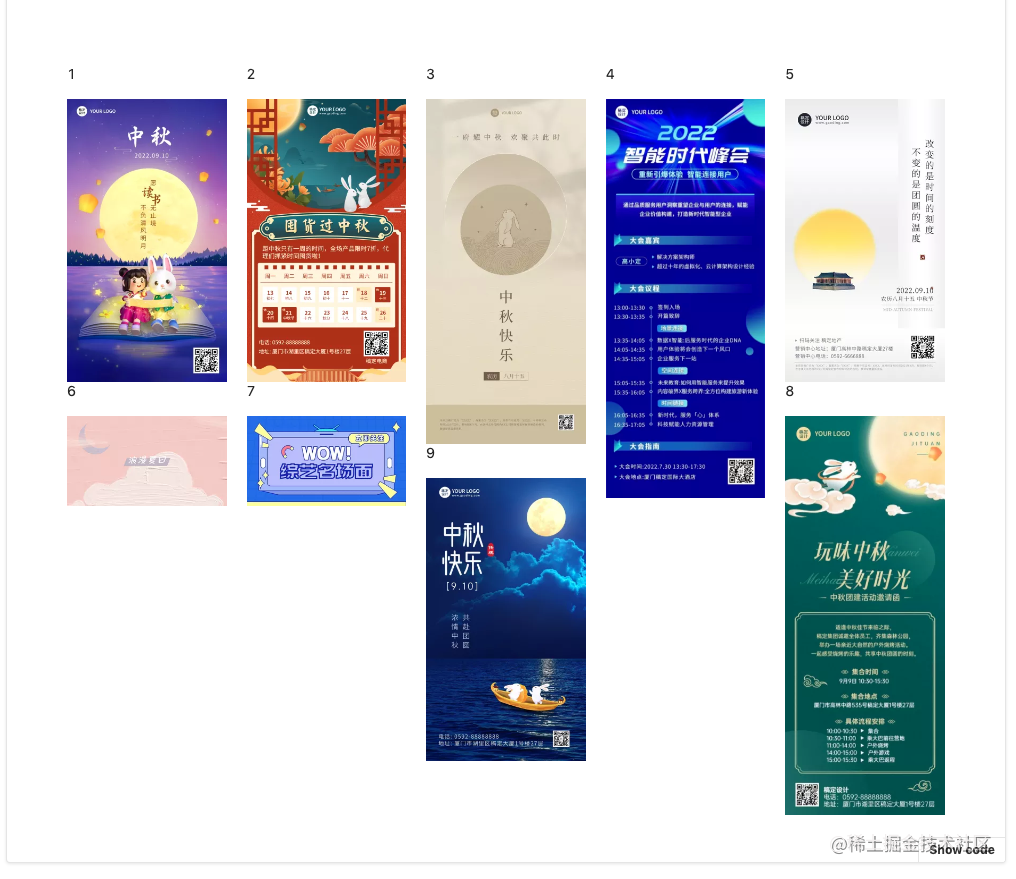
## 横向布局+高度排序+绝对定位
useAbsolute 表示使用绝对定位实现瀑布流。
```tsx
import {Masonry, MasonryAbsoluteItem} from 'react-masonry-component2'
export const MyComponent = (args) => {
return (
<Masonry
useAbsolute
sortWithHeight
columnsCountBreakPoints={{
1400: 5,
1000: 4,
700: 3,
}}
>
<MasonryAbsoluteItem width={100} height={200}>
<div></div>
</MasonryAbsoluteItem>
<MasonryAbsoluteItem width={100} height={300}>
<div></div>
</MasonryAbsoluteItem>
<MasonryAbsoluteItem width={100} height={400}>
<div></div>
</MasonryAbsoluteItem>
</Masonry>
)
}
```
## 支持滚动自动加载更多的瀑布流
```tsx
import MasonryScroll from "react-masonry-component2";
export const MyComponent = (args) => {
return (
<MasonryScroll
preload={false}
fetchApi={() =>
new Promise((resolve, reject) => {
setTimeout(() => {
resolve(MockData.list);
}, 500);
})
}
></MasonryScroll>
);
};
```
## 支持预加载的瀑布流
```tsx
import MasonryScroll from "react-masonry-component2";
export const MyComponent = (args) => {
return (
<MasonryScroll
fetchApi={() =>
new Promise((resolve, reject) => {
setTimeout(() => {
resolve(MockData.list);
}, 500);
})
}
></MasonryScroll>
);
};
```