react-image-list-box
Version:
Image Annotation List Box
115 lines (91 loc) • 4.9 kB
Markdown
# react-image-list-box
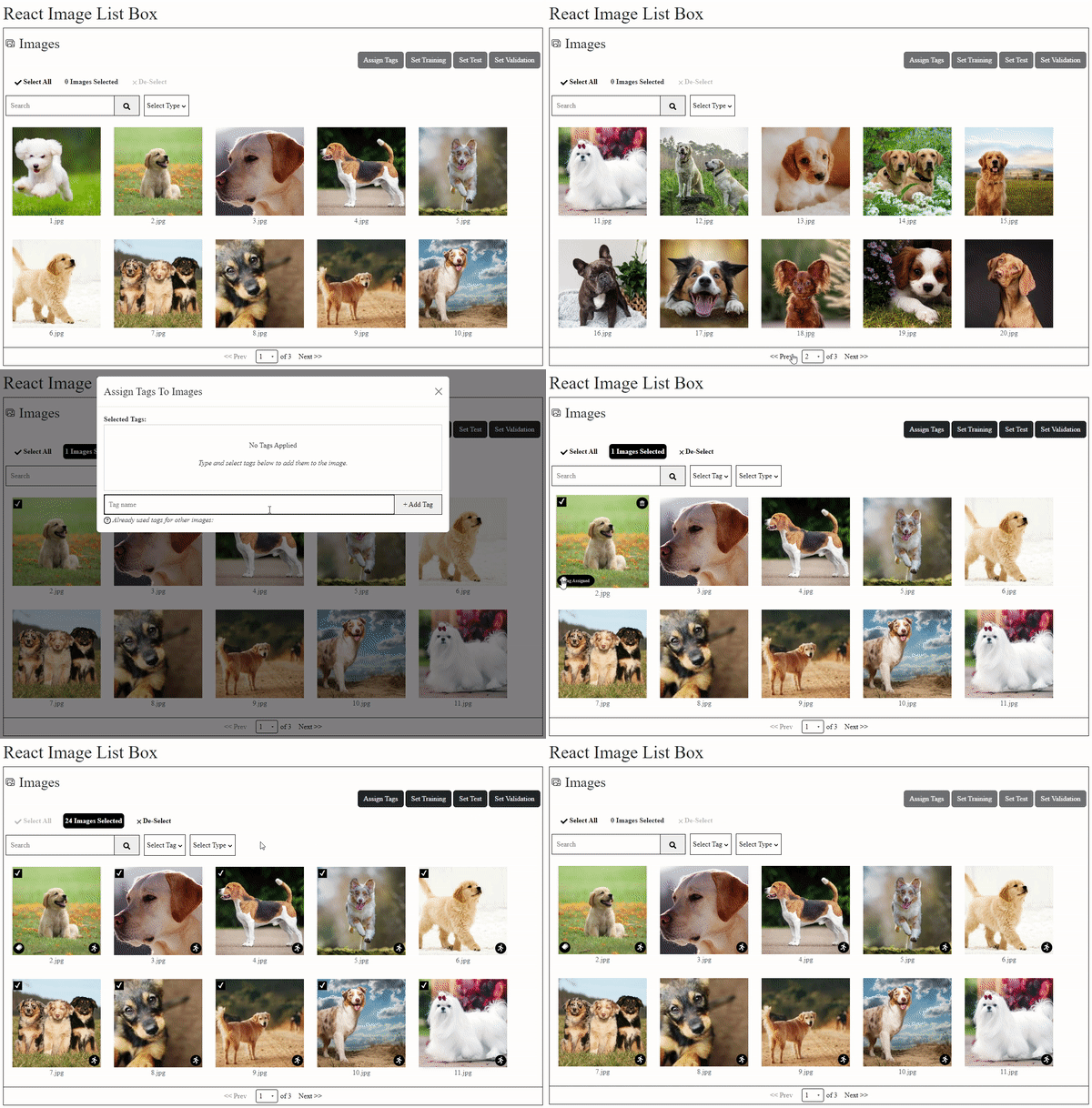
📢 It is a react component where you can list your image files.
## Getting Started
### Install
npm install react-image-list-box
or
yarn add --save react-image-list-box
### What We Offer?
* List your images
* Drop images from list
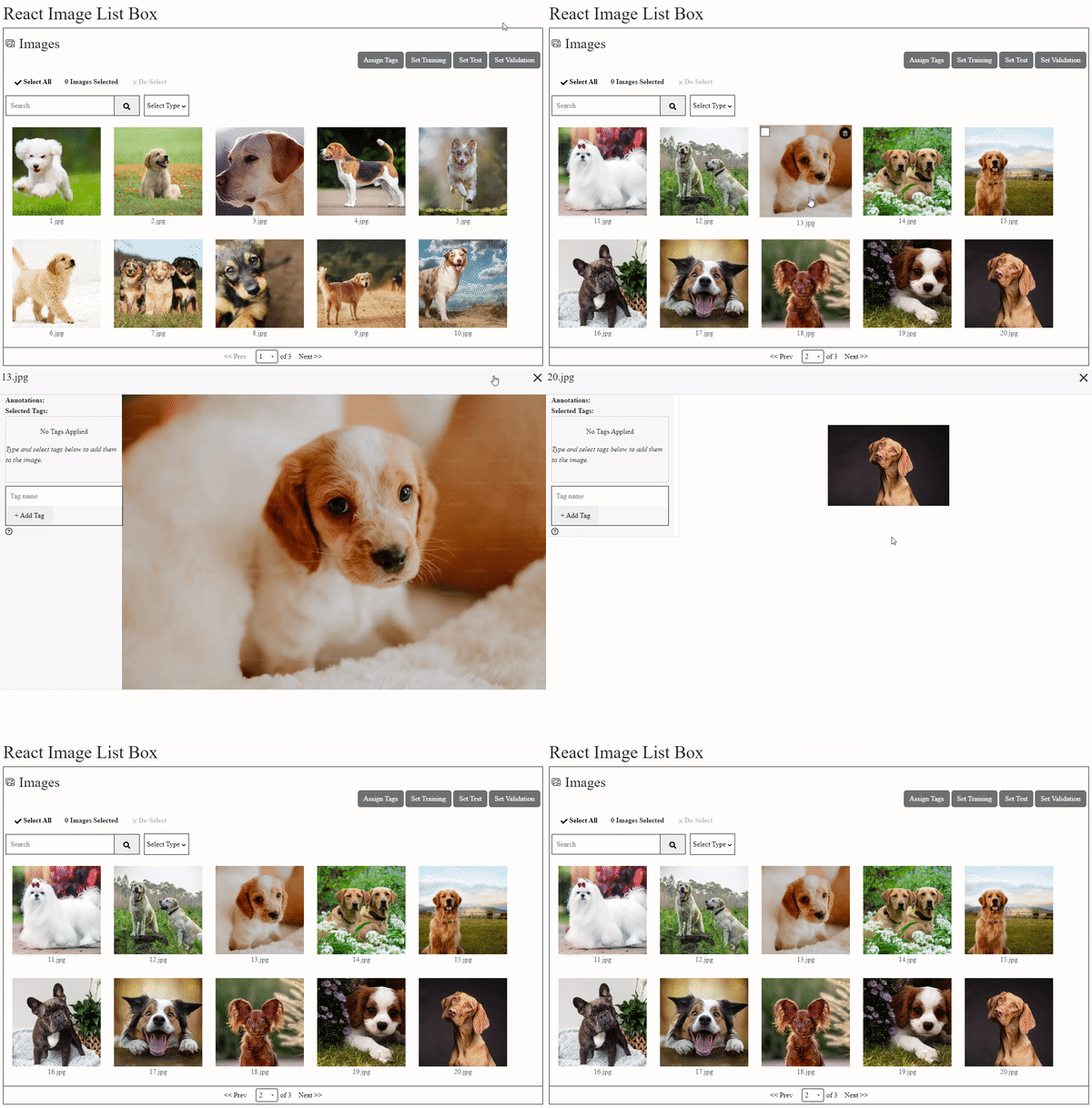
* Filter images by name
* Assign tags to your images
* Filter images by assigned tags
* Assign different types to your images (use imageTypes prop)
* Filter images by different types
* Arrange number of images per page
* Arrange image size on list
* Responsive box
* Select All and assign tags to all images
* Adjust colors of component by using Style props
* Click pictures and render a component based on your need
### Basic Usage
import ImageBox from "react-image-list-box";
const Example = () => {
const [images, setImages] = React.useState(imagesData)
const [filteredImages, setFilteredImages] = React.useState(images)
return (
<ImageBox
images={images}
setImages={setImages}
filteredImages={filteredImages}
setFilteredImages={setFilteredImages}
perPage={10}
imageWidth={200}
imageHeight={200}
boxWidth={"auto"}
boxHeight={"auto"}
/>
);
};
### Props Usage
| **Prop** | **Type** | **Description** |
| --- | --- | --- |
| `images` | Array of Objects | Holds the data for images. |
| `setImages` | Function | Function to update the state of `images`. |
| `filteredImages` | Array of Objects | Holds the filtered data for images. |
| `setFilteredImages` | Function | Function to update the state of `filteredImages`. |
| `imageTypes` | Array of Objects | Defines the categories of images with names and icons. Each object in the array should have a `name` (string) and an `icon` (JSX element). |
| `onSearch` | Function | Function called when a search is performed. It should accept a search input string and filter images accordingly. |
| `onClickPage` | Function | Function to render a specific page or component when an image is clicked. It accepts parameters `showOnClickPage`, `setShowOnClickPage`, and `selectedImgObj`. |
| `perPage` | Number | Number of images to display per page. |
| `imageWidth` | Number | Width of each image in pixels. |
| `imageHeight` | Number | Height of each image in pixels. |
| `boxWidth` | String | Width of the image box container. Can be any valid CSS width value. |
| `boxHeight` | String | Height of the image box container. Can be any valid CSS height value. |
| `enableCheckBox` | Boolean | Determines whether checkboxes for images are enabled. |
| `enableDelete` | Boolean | Determines whether the delete functionality for images is enabled. |
| `enableTagAssignment` | Boolean | Determines whether the tag assignment functionality for images is enabled. |
| `selectedImgObj` | Object | The currently selected image object. |
| `setSelectedImgObj` | Function | Function to update the state of `selectedImgObj`. |
| `rootStyle` | Object | Style object for the root element of the component. Should contain valid CSS properties. |
| `buttonStyle` | Object | Style object for buttons in the component. |
| `badgeStyle` | Object | Style object for badges in the component. |
| `checkboxStyle` | Object | Style object for checkboxes in the component. |
| `inputStyle` | Object | Style object for input elements in the component. |
| `dropdownStyle` | Object | Style object for dropdown elements in the component. |
### Images Data Example
export const imagesData = [
{
src: 'https://thumbor.forbes.com/thumbor/fit-in/900x510/https://www.forbes.com/advisor/wp-content/uploads/2023/07/top-20-small-dog-breeds.jpeg.jpg',
filename: '1.jpg',
categories: [],
type: "",
annotations: []
},
{
src: 'https://hips.hearstapps.com/hmg-prod/images/dog-puppy-on-garden-royalty-free-image-1586966191.jpg?crop=0.752xw:1.00xh;0.175xw,0&resize=1200:*',
filename: '2.jpg',
categories: [],
type: "",
annotations: []
},
{
src: 'https://upload.wikimedia.org/wikipedia/commons/thumb/9/90/Labrador_Retriever_portrait.jpg/1200px-Labrador_Retriever_portrait.jpg',
filename: '3.jpg',
categories: [],
type: ""
},
]