react-hierarchy-chart
Version:
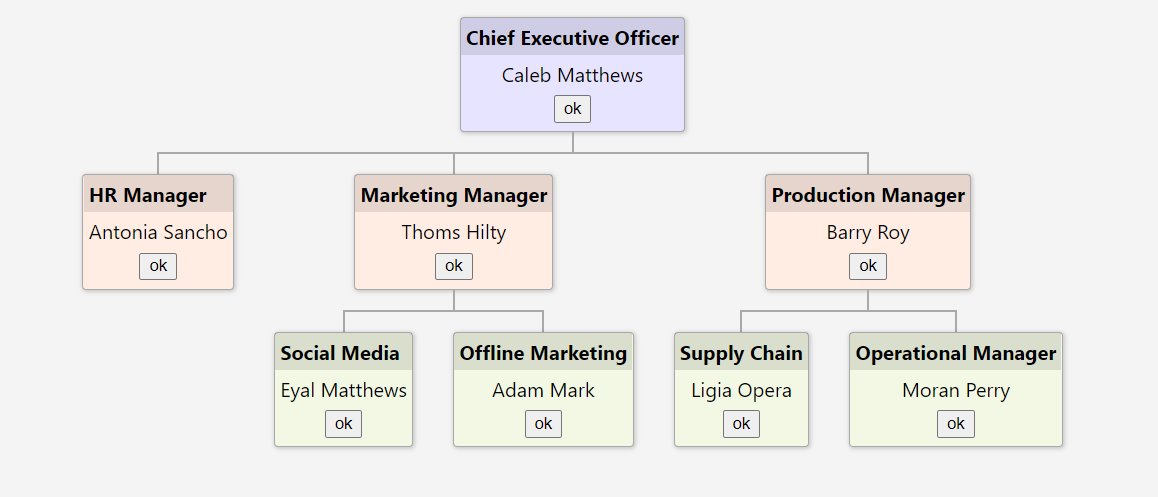
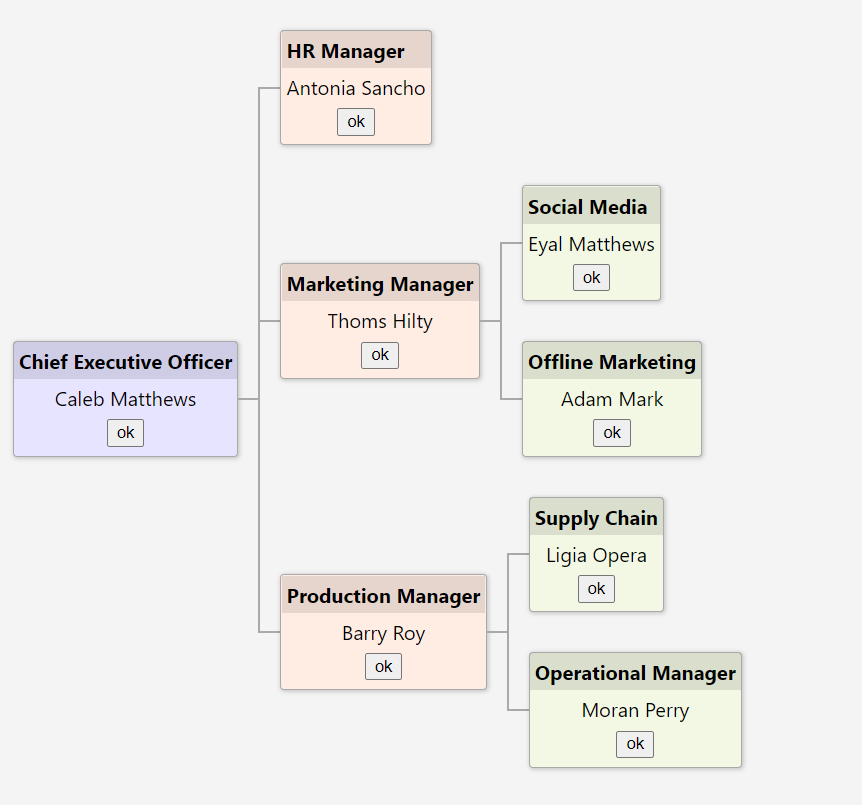
`ReactHierarchyChart` is an React Component for Vertical or Horizontal Hierarchy/Tree View. It can be used to show parent child view, Organization structure, Tree view. with your flaxible dynamic template design with controls.
196 lines (161 loc) • 4.86 kB
Markdown
# ReactHierarchyChart
`ReactHierarchyChart` is an React Component for Vertical or Horizontal Hierarchy/Tree View. It can be used to show parent child view, Organization structure, Tree view. with your flaxible dynamic template design with controls.
## Installation
```sh
$ npm install react-hierarchy-chart
```
## Vertical View
## Horizontal View
## Demo Link
[Click Here](https://rushik1992.github.io/react-hierarchy-chart/)
## Component Inputs
|Name|Type|Description
|---|---|---|
|`nodes`|`INode` object|The `INode` object that contains node info mentioned below
|`direction`|`vertical` or `horizontal`| Direction of the chart top to bottom or left to right
|`randerNode`|`Function`| Callback will be call on each node render. NEed to return ReactDOM to render in each node
## INode Details
|Property|Type|Description
|---|---|---
|key|`string`|(New) Need to be Unique value will be used for react element Key value
|cssClass|`string`|Custom css class to override or change node style
|childs|`INode[]`|The array of child nodes
|{otherCustomeProperty}|`any or function`|You can add any other Property or Function in each node and can use in template
### Code App.tsx
```ts
import './App.scss';
import { INode, ReactHiererchyChart } from 'react-hierarchy-chart'
interface custNode extends INode {
name: string;
position: string;
childs?: custNode[];
}
function App() {
const nodes: custNode[] = [
{
key:"122",
name: 'Caleb Matthews',
cssClass: 'level1',
position: 'Chief Executive Officer',
childs: [
{
key:"132",
name: 'Antonia Sancho',
cssClass: 'level2',
position: 'HR Manager'
},
{
key:"123",
name: 'Thoms Hilty',
cssClass: 'level2',
position: 'Marketing Manager',
childs: [
{
key:"124",
name: 'Eyal Matthews',
cssClass: 'level3',
position: 'Social Media'
},
{
key:"125",
name: 'Adam Mark',
cssClass: 'level3',
position: 'Offline Marketing'
}
]
},
{
key:"162",
name: 'Barry Roy',
cssClass: 'level2',
position: 'Production Manager',
childs: [
{
key:"127",
name: 'Ligia Opera',
cssClass: 'level3',
position: 'Supply Chain'
},
{
key:"128",
name: 'Moran Perry',
cssClass: 'level3',
position: 'Operational Manager'
}
]
}
]
}
];
return (
<div className="App">
<h1>Vertical View</h1>
<div className='hierarchy-viewer'>
<ReactHiererchyChart nodes={nodes} direction='vertical'
randerNode={(node: custNode) => {
return <div className="node-template">
<strong>{node.position} </strong>
<span>{node.name} </span>
<button onClick={() => { alert(node.name); }}>ok</button>
</div>
}} />
</div>
<h1>Horizontal View</h1>
<div className='hierarchy-viewer'>
<ReactHiererchyChart nodes={nodes} direction='horizontal'
randerNode={(node: custNode) => {
return <div className="node-template">
<strong>{node.position} </strong>
<span>{node.name} </span>
<button onClick={() => { alert(node.name); }}>ok</button>
</div>
}} />
</div>
</div>
);
}
export default App;
```
### App.scss
```scss
.node-template {
text-align: center;
strong {
display: flex;
background-color: rgba(0, 0, 0, 0.1);
padding: 0.25em;
}
span {
display: flex;
justify-content: center;
padding: 0.25em;
}
button {
margin-bottom: 0.5em;
}
}
h1 {
text-align: center;
margin-bottom: 10px;
}
.hierarchy-viewer {
background: #efefef;
display: block;
margin: 20px;
padding: 15px;
;
}
.level1{
background-color: rgb(231, 228, 255);
}
.level2{
background-color: rgb(255, 237, 227);
}
.level3{
background-color: rgb(242, 248, 227);
}
```
## Checkout hierarchy view in Angular also.
[Click Here](https://www.npmjs.com/package/ngx-hierarchy)