react-gsi
Version:
React bindings for the 'Sign in With Google for Web' API
291 lines (216 loc) • 7.37 kB
Markdown
<p>
<a href="https://www.npmjs.com/package/react-gsi" target="_blank" rel="noreferrer"><img alt="npm" src="https://img.shields.io/npm/v/react-gsi.svg" /></a>
<a href="https://github.com/michaelbull/react-gsi/actions?query=workflow%3Aci" target="_blank" rel="noreferrer"><img alt="CI Status" src="https://github.com/michaelbull/react-gsi/workflows/ci/badge.svg" /></a>
<a href="https://github.com/michaelbull/react-gsi/blob/master/LICENSE" target="_blank" rel="noreferrer"><img alt="License" src="https://img.shields.io/github/license/michaelbull/react-gsi.svg" /></a>
</p>
<p>
<a href="https://ko-fi.com/R5R0CFMN6" target="_blank" rel="noreferrer">
<img alt="ko-fi" src="https://ko-fi.com/img/githubbutton_sm.svg" />
</a>
</p>
React bindings for the [Sign in With Google for Web][gsi-overview] API.
[][storybook]
```shell
npm install --save react-gsi @types/gsi
```
To enable _Sign In With Google_ on your website, you first need to [set up your
Google API client ID][gsi-setup].
You must have a client ID to configure _Sign In With Google_ and to verify ID
tokens on your backend.
A client ID looks like the following example:
`1234567890-abc123def456.apps.googleusercontent.com`
```tsx
import {
GsiButton,
GsiClient,
IdTokenProvider,
useIdToken,
useOneTap
} from 'react-gsi';
const idConfiguration: IdConfiguration = {
client_id: '1234567890-abc123def456.apps.googleusercontent.com',
auto_select: true // automatically sign in, see: https://developers.google.com/identity/gsi/web/guides/automatic-sign-in-sign-out
}
const buttonConfiguration: GsiButtonConfiguration = {
type: 'standard',
theme: 'outline',
size: 'large'
}
export function App() {
return (
<GsiClient fallback={<LoadingSpinner />}>
<IdTokenProvider configuration={configuration}>
<Page/>
</IdTokenProvider>
</GsiClient>
)
}
function Page() {
const token = useIdToken();
const signedOut = token === null;
useOneTap({
show: signedOut
})
if (signedOut) {
return (
<>
<h1>Logged Out</h1>
<GsiButton configuration={buttonConfiguration} />
</>
);
} else {
const { select_by, credential } = token;
return (
<>
<h1>Logged In via {select_by}</h1>
<p>{credential}</p>
</>
)
}
}
```
<details>
<summary><strong>Details</strong></summary>
The `<GsiClient>` component loads the [client library][gsi-library].
Fallbacks can be provided whilst the library is loading or if it has failed to
load.
Once loaded, the [Sign In With Google JavaScript API][gsi-api] will be
accessible via `google.accounts.id`.
```tsx
function LoadingFallback() {
return <span>Loading...</span>
}
function ErrorFallback() {
return <span>Error</span>
}
function App() {
return (
<GsiClient loading={LoadingFallback} error={ErrorFallback}>
Library Loaded
</GsiClient>
);
}
```
</details>
---
<details>
<summary><strong>Details</strong></summary>
The `<IdTokenProvider>` initializes the API with the supplied
[`IdConfiguration`][gsi-IdConfiguration].
When the API invokes the [`callback`][gsi-callback] to indicate a successful
sign-in, the ID Token returned is stored and passed to the children of the
`<IdTokenProvider>` via an `<IdTokenContext>`.
Children may access the token in the current context by using the
`useIdToken()` hook.
```tsx
const idConfiguration: IdConfiguration = {
client_id: '1234567890-abc123def456.apps.googleusercontent.com'
}
function App() {
return (
<GsiClient>
<IdTokenProvider configuration={idConfiguration}>
<Page />
</IdTokenProvider>
</GsiClient>
);
}
function Page() {
const token = useIdToken();
...
}
```
</details>
---
<details>
<summary><strong>Details</strong></summary>
The `<GsiButton>` will render the [Sign in with Google button][gsi-button].
```tsx
const buttonConfiguration: GsiButtonConfiguration = {
type: 'standard',
theme: 'outline',
size: 'large'
}
function App() {
return (
<GsiClient>
<GsiButton configuration={buttonConfiguration} />
</GsiClient>
);
}
```

</details>
---
<details>
<summary><strong>Details</strong></summary>
The `useGsiClient()` hook loads the [client library][gsi-library].
The status of the script can be accessed via the return type.
Once loaded, the [Sign In With Google JavaScript API][gsi-api] will be
accessible via `google.accounts.id`.
```tsx
function App() {
const { status } = useGsiClient();
switch (status.type) {
case 'idle':
return <span>Idle...</span>;
case 'loading':
return <span>Loading...</span>;
case 'loaded':
return <Page />;
case 'error':
return <span>Error</span>;
}
}
```
</details>
---
<details>
<summary><strong>Details</strong></summary>
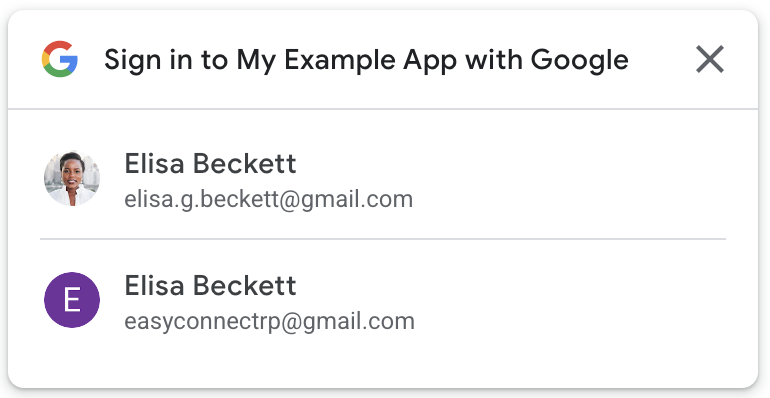
The `useOneTap()` hook controls the [One Tap][gsi-onetap] flow.
The flow can begin by calling `prompt`, and can be stopped by calling `cancel.`
By default, the prompt will show automatically on mount. This can be changed by
setting the `show` flag to `false`.
```tsx
function App() {
const { prompt, cancel } = useOneTap({
show: false // don't show on mount
});
return (
<>
<button type="button" onClick={prompt}>Prompt</button>
<button type="button" onClick={cancel}>Cancel</button>
</>
)
}
```
</details>
---
Bug reports and pull requests are welcome on [GitHub][github].
This project is available under the terms of the ISC license. See the
[`LICENSE`][license] file for the copyright information and licensing terms.
[]: https://www.npmjs.com/package/react-gsi
[]: https://github.com/michaelbull/react-gsi
[]: https://github.com/michaelbull/react-gsi/blob/master/LICENSE
[]: https://michaelbull.github.io/react-gsi/?path=/story/examples
[]: https://developers.google.com/identity/gsi/web/guides/overview
[]: https://developers.google.com/identity/gsi/web/guides/get-google-api-clientid#get_your_google_api_client_id
[]: https://developers.google.com/identity/gsi/web/guides/client-library
[]: https://developers.google.com/identity/gsi/web/reference/js-reference
[]: https://developers.google.com/identity/gsi/web/reference/js-reference#IdConfiguration
[]: https://developers.google.com/identity/gsi/web/reference/js-reference#callback
[]: https://developers.google.com/identity/gsi/web/guides/offerings#sign_in_with_google_button
[]: https://developers.google.com/identity/gsi/web/guides/offerings#one_tap