react-grid-heatmapjs
Version:
React for the user interface, Tailwind CSS for styling, and CSS Grid for layout. A heatmap is a data visualization technique that uses color to represent the magnitude of values within a two-dimensional grid or matrix.
101 lines (88 loc) • 3.15 kB
Markdown
# react-grid-heatmapjs
React for the user interface, Tailwind CSS for styling, and CSS Grid for layout. A heatmap is a data visualization technique that uses color to represent the magnitude of values within a two-dimensional grid or matrix.
## Properties
| Name | Type | Description |
| ------ | ------- |---------------|
| title (optional) | `string` | Title for Heatmap Heading |
| colorRange | {<br /> from: `number`,<br /> to: `number`,<br /> color: `string`,<br /> name:`string` <br />}[] | **from**: The lowest value in the range., <br/> **to**: The highest value in the range.,<br/> **color**: The color of cells that fall within the range, specified in hexadecimal format.,<br/> **name**: The name of the range, which will appear in the legend. |
| series | {<br />name: `string`,<br />data: `number[]`,<br />total?: `number[]` <br/>}[] | **name**: becomes the y-axis label <br /> **data**: values <br /> **total**: To display the total of row data on the right side of the heatmap along the Y-axis.. |
| xaxis | {<br>labels: `string[]`,<br>totals?: `number[]`<br>} | **labels**: label property becomes the label for the x-axis <br /> **totals**: To display the total of column data beneath the label.
## Examples
```
import { HeatMap } from "react-grid-heatmapjs";
import "react-grid-heatmapjs/dist/style.css";
const data = {
title: "Dummy Heat Map",
colorRange: [
{
from: 0,
to: 30,
color: "#4074b3",
name: "Cold",
},
{
from: 30,
to: 60,
color: "#ffc039",
name: "Hot",
},
],
series: [
{
name: "Series 1",
data: [10, 5, 50, 2, 25],
total: 150,
},
{
name: "Series 2",
data: [1, 12, 50, 11, 18],
total: 125,
},
{
name: "Series 3",
data: [3, 7, 17, 50, 14],
total: 175,
},
],
xaxis: {
labels: ["Label 1", "Label 2", "Label 3", "Label 4", "Label 5"],
totals: [30, 60, 90, 120, 150],
},
};
<HeatMap
title={data.title}
colorRange={data.colorRange}
series={data.series}
xaxis={data.xaxis}
/>
```
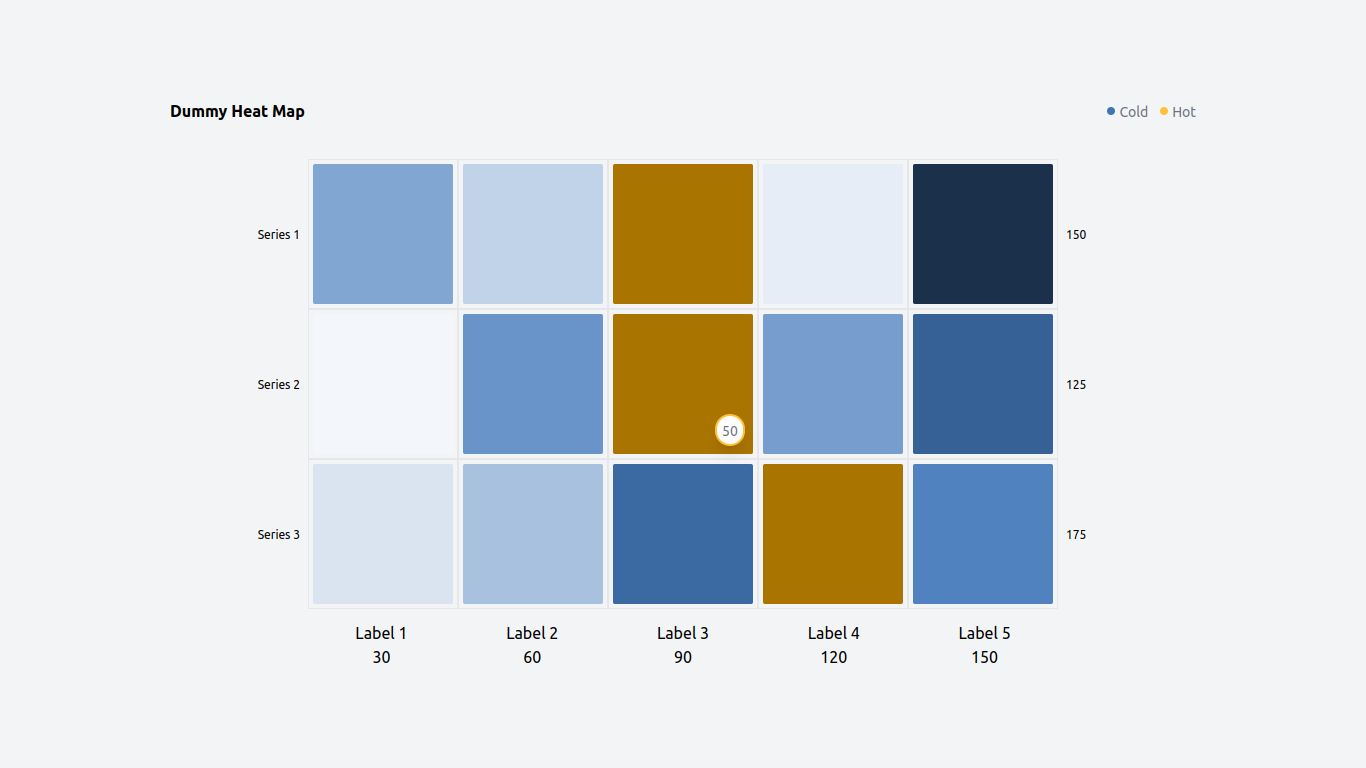
The data above will produce this heatmap.
## For developers
### Getting the Source Code
Clone this package:
```
git clone https://github.com/hex909/react-heatmapjs.git
```
### Installing Dependencies
Navigate to the package's root directory and install the required dependencies:
```
cd react-heatmapjs
npm install
```
### Testing Locally with npm link
To test this Package locally, you can use npm link to create a symbolic link between your local development directory and your application. Follow these steps:
1. Navigate to the root directory of this Package project.
2. Run the following command to build the package:
```
npm run build
```
3. Run the following command to create a global link for your package:
```
npm link
```
4. Navigate to the directory of your application where you want to test the local package.
5. Run the following command to link this Package to your application:
```
npm link react-heatmapjs
```