react-driftjs
Version:
React component implementation of Drift Chatbot Widget
75 lines (51 loc) • 1.92 kB
Markdown
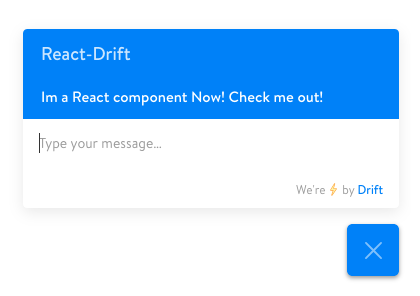
React component implementation of Drift Chatbot Widget.
```
npm install react-driftjs
```
```javascript
import Drift from "react-driftjs";
<Drift appId="xxxxx" />; //get the appId from drift.com
```
To identify the user with an ID that is unique in your application, include a `userId` property with that value. This will trigger the chatbot to use the `identify` method. If `userId` is omitted, the component will have the chatbot use the `setUserAttributes` method.
```javascript
<Drift
appId="xxxxx"
userId="1234"
attributes={{ email: "user@example.com", company: "Acme Inc" }}
/>
```
The chatbot widget emits several events. A listing of the events can be found here: https://devdocs.drift.com/docs/drift-events#section-first-interaction
To handle the events, assign an array of objects to the eventHandlers property. The `event` property will match the name of the event emitted by drift. The `function` property is the function definition of the handler.
```javascript
<Drift
appId="xxxxx"
eventHandlers={[
{ event: "conversation:firstInteraction", function: handleInteraction },
]}
/>;
const handleInteraction = function () {
console.log("User has just interacted with the chatbot");
};
```
To add custom styling to the root `<iframe>` element (e.g. to change the position of the chatbot widget) you can assign a style object to the `style` property. This object will be parsed as a css string and added to a style tag in the head of the document.
```javascript
<Drift
appId="xxxxx"
style={{
bottom: "100px",
}}
/>
```
Includes TypeScript definitions.
More information can be found here: https://www.drift.com/
MIT