react-cnhf
Version:
Long press event for react. Click and hold wrapper component.
95 lines (67 loc) • 2.45 kB
Markdown
react-click-n-hold
==================
by
--------------
__Forked from actual project due to unresolved Pull Request that fixes react-breaking issue.__
Long press event for react. Click and hold wrapper component.
Detect when a DOM element has been pressed for the amount of time you specify.
http://sonsoleslp.github.io/react-click-n-hold/
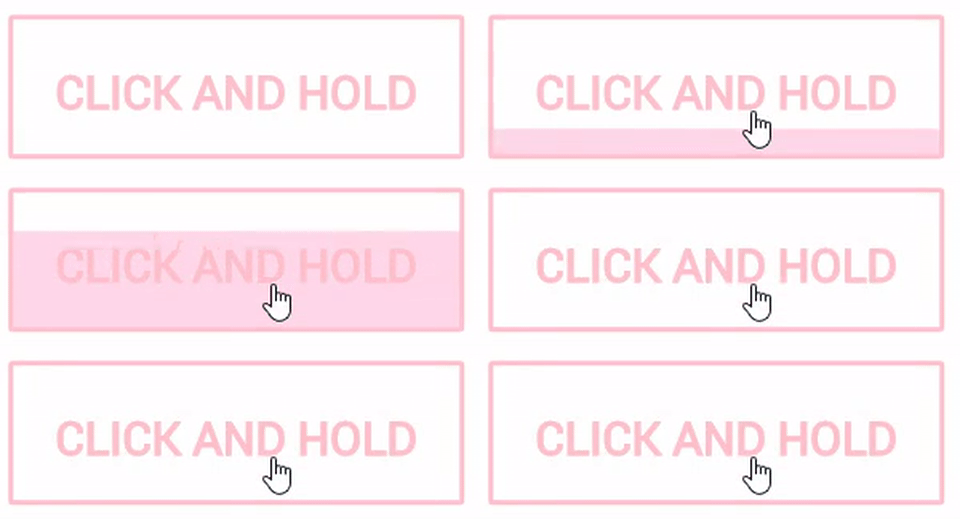
Example usage
-------------
First install the component
npm install --save react-click-n-hold
Then use the component in your app
import React from 'react';
import ClickNHold from 'react-click-n-hold';
export default class Example extends React.Component {
start(e){
console.log('START');
}
end(e, enough){
console.log('END');
console.log(enough ? 'Click released after enough time': 'Click released too soon');
}
clickNHold(e){
console.log('CLICK AND HOLD');
}
render(){
return (
<ClickNHold
time={2} // Time to keep pressing. Default is 2
onStart={this.start} // Start callback
onClickNHold={this.clickNHold} //Timeout callback
onEnd={this.end} > // Click release callback
<button>Click and hold</button>
</ClickNHold>
);
}
}
> **Styling animation:**
> - This component does not provide css for pressing effects
> - However, during press, .cnh_holding is applied to the wrapper, allowing the user to animate the transition using css
> - Below is an example of styling; the one used in the demo
@-webkit-keyframes fill {
to {
background-size: 100% 0;
}
}
fill {
to {
background-size: 100% 0;
}
}
//The wrapper has the .cnh_holding class while the button is being pressed
.cnh_holding button {
background: -webkit-linear-gradient( white , white) rgb(255,215,235) no-repeat 0 0;
background: linear-gradient( white , white) rgb(255,215,235) no-repeat 0 0;
mix-blend-mode: multiply;
background-size: 100% 100%;
-webkit-animation: fill 2s forwards;
animation: fill 2s forwards;
}
Run locally
-------------
npm install react-click-n-hold
npm run dev
Open localhost:8080