react-all-player
Version:
react-all-player is a simple, lightweight, accessible and customizable React media player that supports modern browsers.
254 lines (204 loc) • 12.4 kB
Markdown
# react-all-player
react-all-player is a simple, lightweight, accessible and customizable React media player that supports modern browsers.
[Checkout the demo](https://reactallplayer.asadk.dev)
[](https://www.npmjs.com/package/react-all-player)
[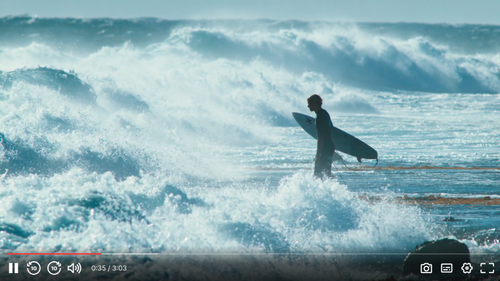](https://reactallplayer.asadk.dev)
# Features
- 📼 **HTML Video & Audio, YouTube & Vimeo** - support for the major formats
- 💪 **Accessible** - full support for VTT captions and screen readers
- 🔧 **Customizable** - make the player look how you want with the markup you want
- 📱 **Responsive** - works with any screen size
- 📹 **Streaming** - support for hls.js, and dash.js streaming playback
- 🎛 **API** - toggle playback, volume, seeking, and more through a standardized API
- 🎤 **Events** - no messing around with Vimeo and YouTube APIs, all events are standardized across formats
- 🔎 **Fullscreen** - supports native fullscreen with fallback to "full window" modes
- ⌨️ **Shortcuts** - supports keyboard shortcuts
- 🖥 **Picture-in-Picture** - supports picture-in-picture mode
- 📱 **Playsinline** - supports the `playsinline` attribute
- 🏎 **Speed controls** - adjust speed on the fly
- 📖 **Multiple captions** - support for multiple caption tracks
- 👌 **Preview thumbnails** - support for displaying preview thumbnails
## Usage
```bash
pnpm install react-all-player
```
```jsx
import ReactAllPlayer from 'react-all-player';
<ReactAllPlayer
sources={[
{
file: 'https://cdn.plyr.io/static/demo/View_From_A_Blue_Moon_Trailer-1080p.mp4',
label: '1080p',
},
{
file: 'https://cdn.plyr.io/static/demo/View_From_A_Blue_Moon_Trailer-720p.mp4',
label: '720p',
},
]}
subtitles={[
{
lang: 'en',
language: 'English',
file: 'https://cdn.plyr.io/static/demo/View_From_A_Blue_Moon_Trailer-HD.en.vtt',
},
{
lang: 'fr',
language: 'French',
file: 'https://cdn.plyr.io/static/demo/View_From_A_Blue_Moon_Trailer-HD.fr.vtt',
},
]}
poster="https://pub-1ee15f86c7e94066bcff56e6e7ce5c02.r2.dev/View_From_A_Blue_Moon_Trailer-HD.jpg"
/>;
```
### For NextJS
Dynamically import ReactAllPlayer to ensure it's only loaded on the client-side
```jsx
import dynamic from "next/dynamic";
const ReactAllPlayer = dynamic(() => import('react-all-player'), {
ssr: false,
});
```
## YouTube and Vimeo Support
react-all-player makes it easy to embed YouTube and Vimeo videos with the same simple API. Just provide the video ID or URL!
### YouTube
You can use either the video ID or a full YouTube URL:
```jsx
// Using video ID with explicit type
<ReactAllPlayer
sources={[
{
file: 'bTqVqk7FSmY',
type: 'youtube'
}
]}
/>
// Using full YouTube URL (auto-detected)
<ReactAllPlayer
sources={[
{
file: 'https://www.youtube.com/watch?v=bTqVqk7FSmY'
}
]}
/>
// Using short YouTube URL (auto-detected)
<ReactAllPlayer
sources={[
{
file: 'https://youtu.be/bTqVqk7FSmY'
}
]}
/>
```
### Vimeo
Similarly, you can use either the video ID or a full Vimeo URL:
```jsx
// Using video ID with explicit type
<ReactAllPlayer
sources={[
{
file: '76979871',
type: 'vimeo'
}
]}
/>
// Using full Vimeo URL (auto-detected)
<ReactAllPlayer
sources={[
{
file: 'https://vimeo.com/76979871'
}
]}
/>
```
### Supported Features
YouTube and Vimeo embeds support most player features with a unified API:
**Fully Supported:**
- **Play/Pause** - Standard play and pause controls
- **Progress Bar** - Seek to any position with drag or click
- **Volume Control** - Adjust volume and mute/unmute
- **Playback Speed** - Adjust speed from 0.25x to 2x
- **Forward/Backward** - 10-second skip buttons
- **Keyboard Shortcuts** - All standard shortcuts work
- **Custom Controls** - Use your own control UI
- **Click to Play** - Click overlay to play/pause
- **Autoplay & Muted** - Props work as expected
- **Responsive** - Automatically adapts to container size
**Limitations:**
- **Screenshots** - Not available due to browser cross-origin restrictions
- **Subtitles** - Use YouTube/Vimeo native captions instead
- **Preview Thumbnails** - Not available for embedded videos
**How it works:** All controls are unified across video types. The player automatically detects whether you're using HTML5 video, YouTube, or Vimeo and handles the appropriate API calls behind the scenes.
## Props
react-all-player accepts video element props and these specific props
**Note:** For YouTube and Vimeo videos, the `sources` prop accepts either video IDs or full URLs. The `type` field can be `'youtube'` or `'vimeo'`, or it will be auto-detected from the URL format.
| Prop | Type | Description | Default | Required |
| ----------------- | ------------------------------------------------------------------------------------------------------ | ----------------------------------------------------------- | --------------------------------------------------------------------------------------------------------------- | -------- |
| `sources` | [Source](https://github.com/asadbek064/react-all-player/blob/main/src/types/types.ts#L1)[] | An array of sources contain `file`, `label` and `type`. For YouTube/Vimeo: use video ID or full URL | `null` | `true` |
| `subtitles` | [Subtitle](https://github.com/asadbek064/react-all-player/blob/main/src/types/types.ts#L6)[] | An array of subtitles contain `file`, `lang` and `language` | `null` | `false` |
| `hlsRef` | `React.MutableRefObject<Hls \| null>` | `hls.js` instance ref | `React.createRef()` | `false` |
| `dashRef` | `React.MutableRefObject<DashJS.MediaPlayerClass \| null>` | `dashjs` instance ref | `React.createRef()` | `false` |
| `hlsConfig` | `Hls['config']` | `hls.js` config | `{}` | `false` |
| `changeSourceUrl` | `(currentSourceUrl: string, source: Source): string` | A function that modify given source url (`hls` only) | `() => null` | `false` |
| `onHlsInit` | `(hls: Hls): void` | A function that called after hls.js initialization | `() => null` | `false` |
| `onDashInit` | `(dash: DashJS.MediaPlayerClass): void` | A function that called after dashjs initialization | `() => null` | `false` |
| `onInit` | `(videoEl: HTMLVideoElement): void` | A function that called after video initialization | `() => null` | `false` |
| `ref` | `React.MutableRefObject<HTMLVideoElement \| null>` | `video` element ref | `null` | `false` |
| `i18n` | [I18n](https://github.com/asadbek064/react-all-player/blob/main/src/contexts/VideoPropsContext.tsx#L41) | Translations | [Default Translations](https://github.com/asadbek064/react-all-player/blob/main/src/contexts/VideoPropsContext.tsx#L69) | `false` |
| `hotkeys` | [Hotkey](https://github.com/asadbek064/react-all-player/blob/main/src/types/types.ts#L25)[] | Hotkeys (shortcuts) | [Default Hotkeys](https://github.com/asadbek064/react-all-player/blob/main/src/contexts/VideoPropsContext.tsx#L99) | `false` |
| `components` | [Component](https://github.com/asadbek064/react-all-player/blob/main/src/contexts/VideoPropsContext.tsx#L99)[] | See [Customization](#customization) | [Default components](https://github.com/asadbek064/react-all-player/blob/main/src/contexts/VideoPropsContext.tsx#L46) | `false` |
| `thumbnail` | string | Thumbnails on progress bar hover | `null` | `false` |
| `poster` | string | Video poster image on load | `null` | `false` |
## Customization
You can customize the player by passing defined components with `components` props. See [defined components](https://github.com/asadbek064/react-all-player/blob/main/src/contexts/VideoPropsContext.tsx#L46)
By passing components, the passed components will override default existing components. Allow you to customize the player how you want it to be.
### Example
```jsx
import ReactAllPlayer, { TimeIndicator } from 'react-all-player';
<ReactAllPlayer
{...props}
components={{
Controls: () => {
return (
<div className="flex items-center justify-between">
<p>A custom Controls component</p>
<TimeIndicator />
</div>
);
},
}}
/>;
```
_Note: use built-in [hooks](https://github.com/asadbek064/react-all-player/tree/main/src/hooks) and [components](https://github.com/asadbek064/react-all-player/tree/main/src/components) for better customization_
### Override structure
react-all-player use this [default structure](https://github.com/asadbek064/react-all-player/blob/main/src/components/DefaultUI/DefaultUI.tsx)
To override it, simply pass your own structure as react-all-player's `children`
```jsx
import ReactAllPlayer, { Controls, Player, Overlay } from 'react-all-player';
<ReactAllPlayer {...props}>
<div>
<div>
<Player />
</div>
<div>
<Controls />
</div>
<div>
<Overlay />
</div>
<div>
<p>here!</p>
</div>
</div>
</ReactAllPlayer>;
```
## Methods
You can access to the `video` element by passing `ref` to react-all-player and use all its methods.
## Supported formats
react-all-player supports:
- **HTML5 Video**: All native video formats (MP4, WebM, Ogg, etc.)
- **HLS**: HTTP Live Streaming via hls.js
- **DASH**: Dynamic Adaptive Streaming via dash.js
- **YouTube**: YouTube videos via iframe embed
- **Vimeo**: Vimeo videos via player API
## Contributing
See the [contribution guidelines](https://github.com/asadbek064/react-all-player/blob/fcb06801a60a8df033832333b990409a090558e9/CONTRIBUTING.md) before creating a pull request.