ran-boilerplate
Version:
React . Apollo (GraphQL) . Next.js Toolkit
64 lines (48 loc) • 1.9 kB
Markdown
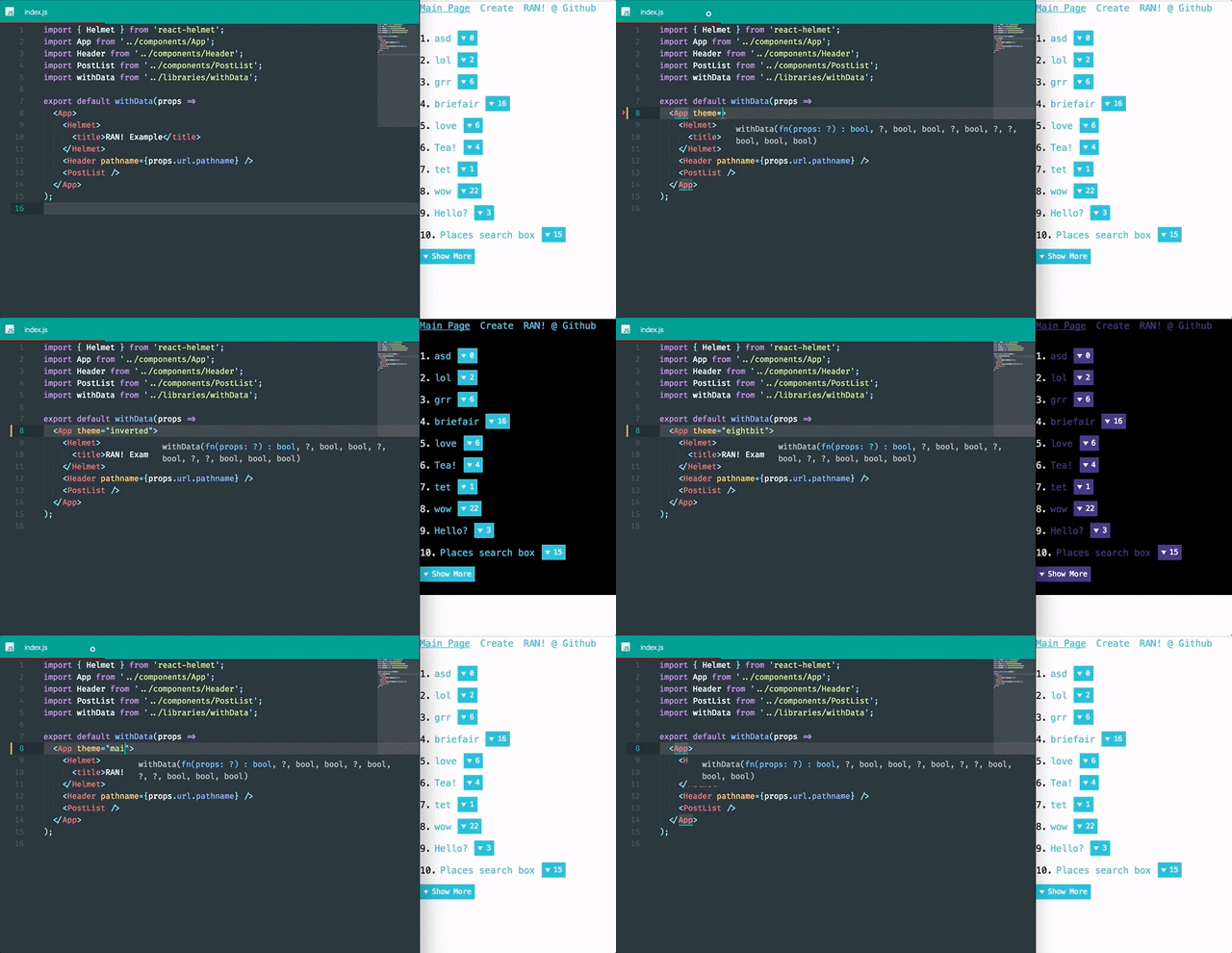
RAN! is using theme system of wondrous [Styled Components](https://www.styled-components.com/) library for styling app (css-in-js). [Click here for details](https://www.styled-components.com/docs/advanced#theming)
There is basic theme component ([/libraries/theme.js](/libraries/theme.js)) on RAN!. You can access all theme props by using ```props.theme``` on your styling. Also there is helper for color manupulation as you can access that by using ```props.theme.helper```. On this prop, RAN! is using [color.js](https://github.com/Qix-/color) that has support for most important color manipulation functions.
For now, there are three themes (***main***, ***inverted***, ***eightbit***) but You can add how many you want!
#### Using theme
Basically, RAN! is using ```main``` theme on all pages. But to change this. You need to add ```theme``` prop to ```<App>``` component on every page.
Example:
```js
<App theme="anothertheme">
<p>Hello World</p>
</App>
```
To change the theme on all pages, You can set theme name on [/components/App.js](/components/App.js):10.line.
There are two options for this. Firstly, You can create new theme object on [/libraries/theme.js](/libraries/theme.js).
```js
themeList.NEWTHEMENAME = {
font: {
sizes: {
normal: '14px',
big: '15px'
},
colors: {
main: '#22BAD9',
success: '#5cb85c',
warn: '#ffc067'
}
};
```
or you can extend any theme that you have on [/libraries/theme.js](/libraries/theme.js).
```js
themeList.NEWTHEMENAME = themeList.extend('main', {
colors: {
main: '#40337f',
success: '#1bcb01',
error: '#722640',
background: '#000000',
text: '#ffffff'
},
font: {
family: {
normal: 'Consolas, monaco, monospace'
}
}
});
```