ran-boilerplate
Version:
React . Apollo (GraphQL) . Next.js Toolkit
103 lines (61 loc) • 3.92 kB
Markdown
# RAN! Documentation
## Commands
### create:page
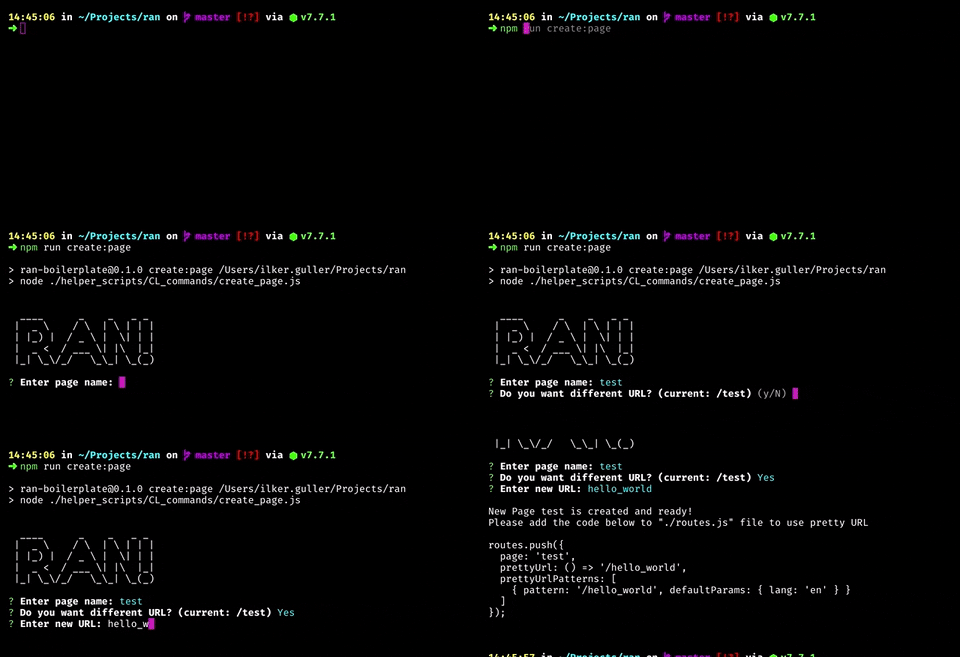
_command:_ ```yarn run create:page``` (or ```npm run create:page```)
It helps to create new page easiest way. After run this command, It will ask some questions and boom! It's ready.
### create:route
_command:_ ```yarn run create:route``` (or ```npm run create:route```)
Create new route for your pages
### create:container
_command:_ ```yarn run create:container``` (or ```npm run create:container```)
Create new container
### create:component
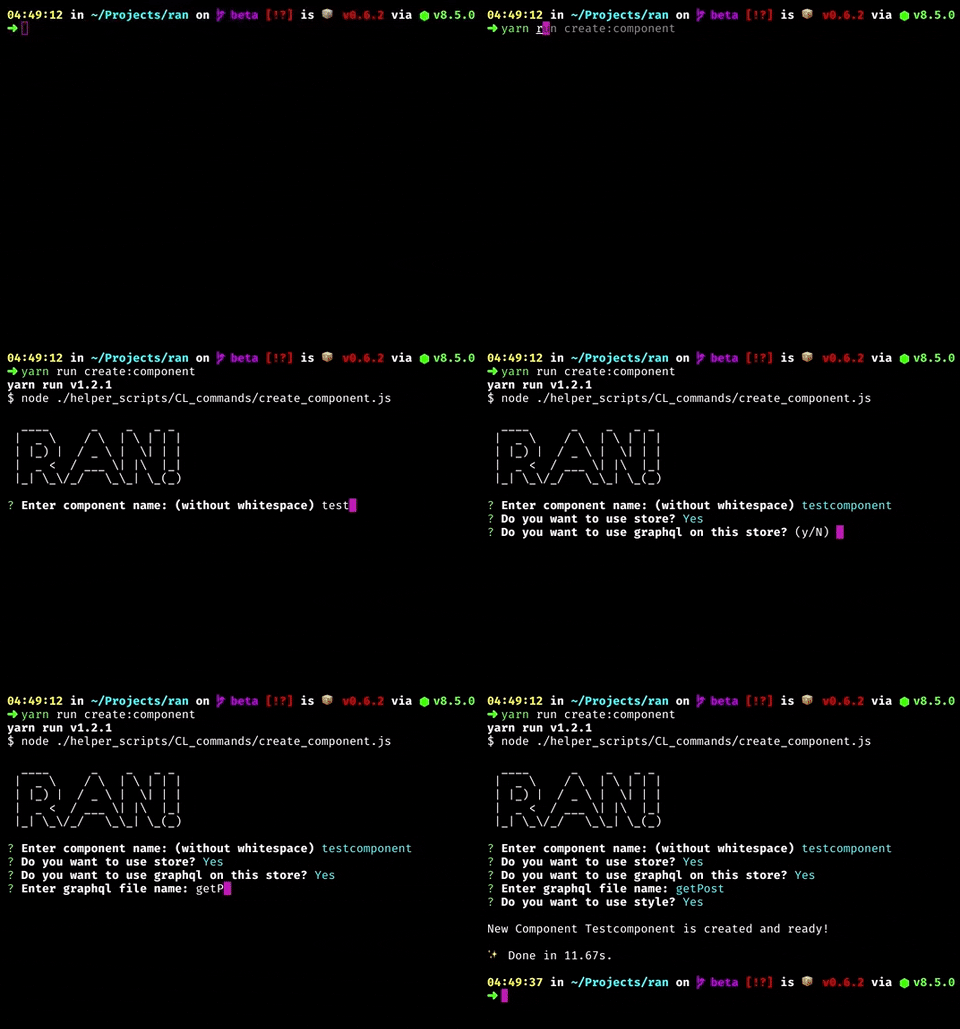
_command:_ ```yarn run create:component``` (or ```npm run create:component```)
Create new component with options (such as *Style support*, *Store support*, *GraphQL support*)
### lint
_command:_ ```yarn run lint``` (or ```npm run lint```)
Fix & show lint errors (and prettier infos) automatically
### lint:watch
_command:_ ```yarn run lint:watch``` (or ```npm run lint:watch```)
Watch the changes of graphQL files to show errors and warnings on eslint
**Info:** Basically, There is watcher for js files if you run ```dev``` command. This one is additional command for graphql files.
### dev
_command:_ ```yarn run dev``` (or ```npm run dev```)
Run lint and then open the server on your local on development mode
### analyze
_command:_ ```yarn run analyze``` (or ```npm run analyze```)
Analyze the packages and files that you used on your app
### build
_command:_ ```yarn run build``` (or ```npm run build```)
Build the application for Production
### build:static_export
_command:_ ```yarn run build:static_export``` (or ```npm run build:static_export```)
Build and export your application by using Static HTML Export feature of Next.js. To see limitations, [Click here](/docs/Architecture/static-html-export.md)
### start
_command:_ ```yarn run start``` (or ```npm run start```)
Start the application for Production
### start:multicore
_command:_ ```yarn run start:multicore``` (or ```npm run start:multicore```)
Start the application for Production with multicore support (via PM2). You need to install PM2 globally.
### setup
_command:_ ```yarn run setup``` (or ```npm run setup```)
Prepare the application with example project
### setup:clean
_command:_ ```yarn run setup:clean``` (or ```npm run setup:clean```)
Prepare the application without example project. Recommended if you work on static application
## GraphQL Commands
On these commands, RAN is using [graphql-config](https://github.com/graphcool/graphql-config), [graphql-cli](https://github.com/graphcool/graphql-cli), [graphql-voyager](https://github.com/APIs-guru/graphql-voyager) and [grapql-cli-voyager](https://github.com/graphcool/graphql-cli-voyager). The important thing is that you need to update your [/.graphqlconfig](/.graphqlconfig) file with your real graphql url to work with them. For details info how to work with ```.graphgqlconfig``` file, please check [graphql-config](https://github.com/graphcool/graphql-config).
##### **Important Info**
Don't save secure information in ```.graphqlconfig``` file. Use [Environment variables](/docs/Architecture/environment-variables.md) for that. On RAN toolkit, We are using hard-coded example graphql url inside of that but It doesn't mean it's secure way.
### graphql:play
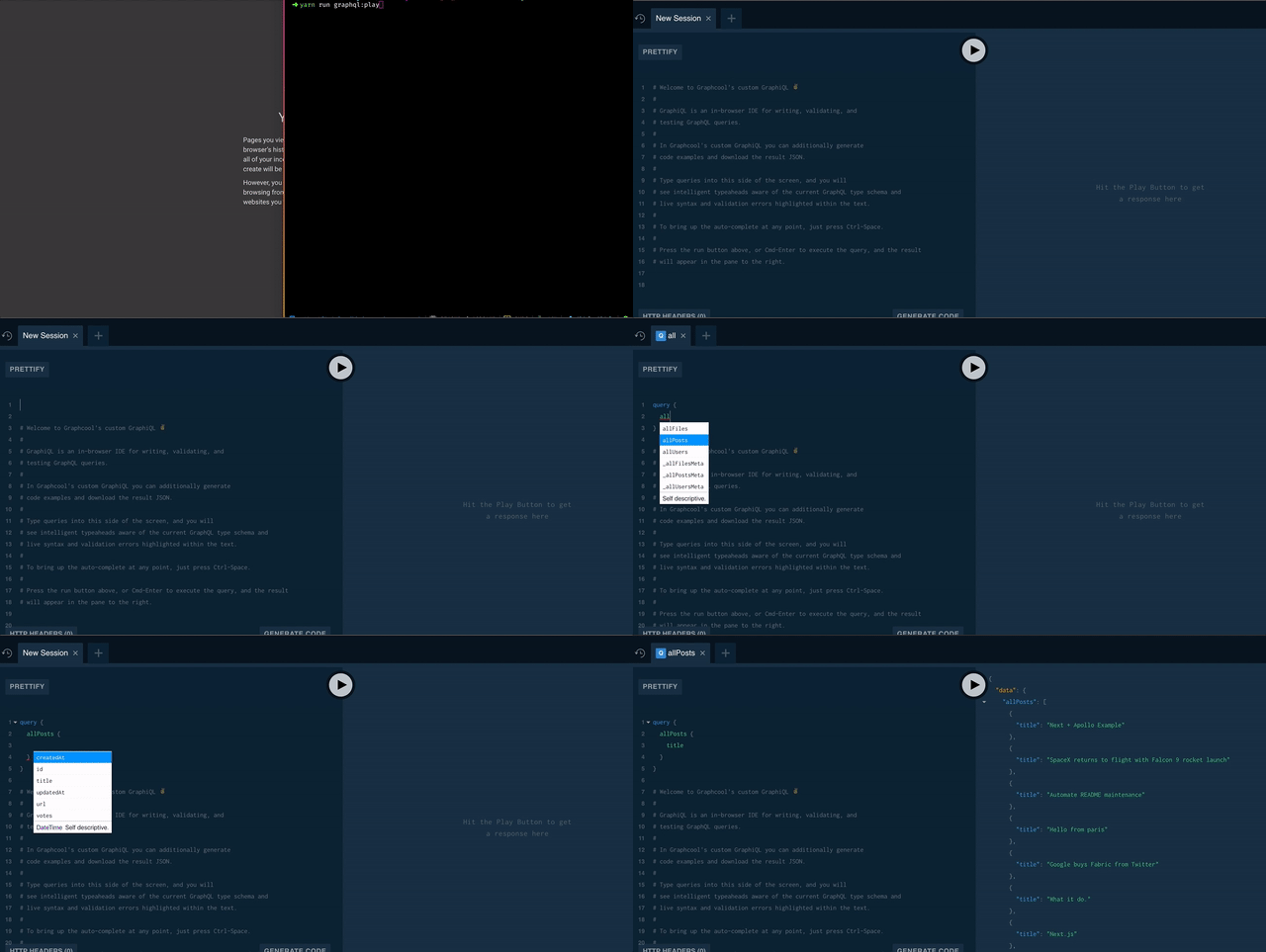
_command:_ ```yarn run graphql:play``` (or ```npm run graphql:play```)
It opens the browser to play (or work :) on your graphql server
### graphql:update_schema
_command:_ ```yarn run graphql:update_schema``` (or ```npm run graphql:update_schema```)
Updates your local schema file with updated one from server
### graphql:see_graph
_command:_ ```yarn run graphql:see_graph``` (or ```npm run graphql:see_graph```)
See your graphQL API as a interactive graph