raml2html-slate-theme
Version:
A raml2html template for rendering RAML to a Slate like layout
89 lines (65 loc) • 3.19 kB
Markdown
[![NPM version][npm-image]][npm-url] ![Build Status][actions-image] [![Dependency Status][daviddm-image]][daviddm-url]
> Render the RAML API spec in the slate documentation layout using raml2html
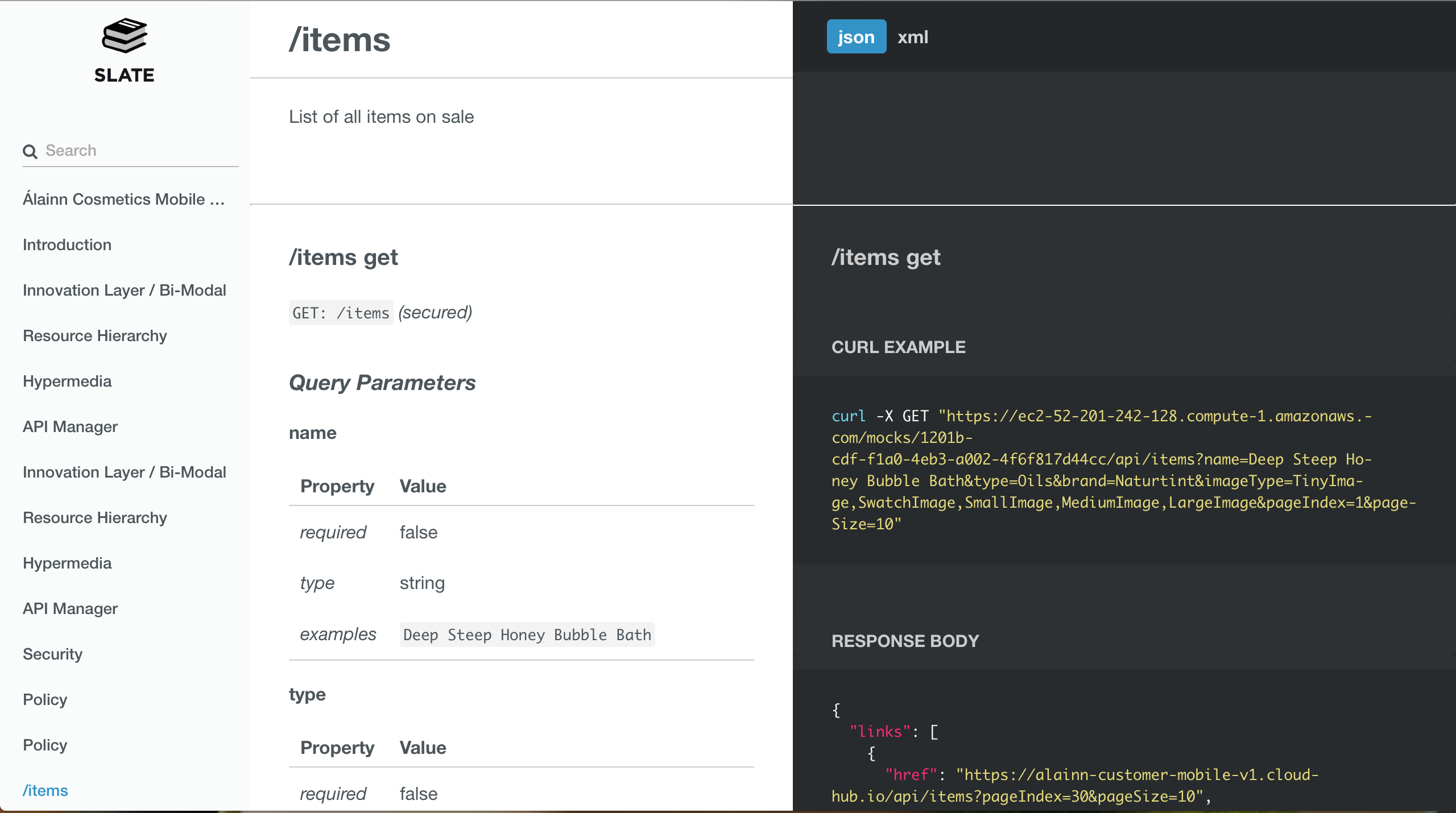
This package provides a theme for [raml2html](https://github.com/raml2html/raml2html). It is meant to render nice looking documentation for your REST API, based on a RAML file.
The theme is is inspired by [slate](https://github.com/lord/slate).
The theme is usable, but the templates might still change based upon feedback. Most RAML features are supported.
```sh
$ npm install -g raml2html-slate-theme
```
In javascript:
```js
const raml2html = require('raml2html');
const options = {
'logo': '/path/to/my/logo.png',
'color-theme': 'path/to/my/color-theme.styl',
'language-tabs': ['json', 'xml']
}
const slateConfig = raml2html.getConfigForTheme('raml2html-slate-theme', options);
// source can be a filename, url or parsed RAML object
const source = 'path/to/raml/file'
raml2html.render(source, slateConfig)
.then((html) => console.log(html))
.catch((error) => console.error(error))
```
On the command line:
```bash
raml2html \
--theme 'raml2html-slate-theme' \
-o 'path/to/output/file.html' \
-i 'path/to/raml/file.raml'
```
* *--logo* The path to a custom logo
* *--color-theme* The path to a custom color-theme stylus file
* *--generate-color-theme* Writes the default color them to stdout and exits. Ideal as a starting point for your own color scheme
* *--language-tabs* Set an array of serialisation formats to be used for examples. anyOf: ['json', 'xml', 'sse']
The theme will render all top level documentation entries as Markdown in seperate sections. In this markdown you can use exactly one `<hr/>` (or the markdown equivalent thereof). Everything above the `<hr/>` will be rendered in the middle column as usual. Everything below, will be pushed into the right column. This is useful to create documented code examples.
This example:
```md
Here is some content that will render in the middle column
1. Item 1
2. Item 2
---
Here is some content that will render in the right column
* foo
* bar
```
Results in this output:

> You should not use an `<hr/>` in a method description. It will currently mess up the layout. I am looking into an elegant way to allow text in the right column there as well.
* Cover all RAML features
* Allow text in right column for API method descriptions
MIT © [Wouter Dullaert](https://wdullaer.com)
[]: https://badge.fury.io/js/raml2html-slate-theme.svg
[]: https://npmjs.org/package/raml2html-slate-theme
[]: https://github.com/wdullaer/raml2html-slate-theme/workflows/raml2html-slate-theme/badge.svg
[]: https://david-dm.org/wdullaer/raml2html-slate-theme.svg?theme=shields.io
[]: https://david-dm.org/wdullaer/raml2html-slate-theme