query-state
Version:
Application state in query string
163 lines (113 loc) • 4.34 kB
Markdown
Application state in query string.
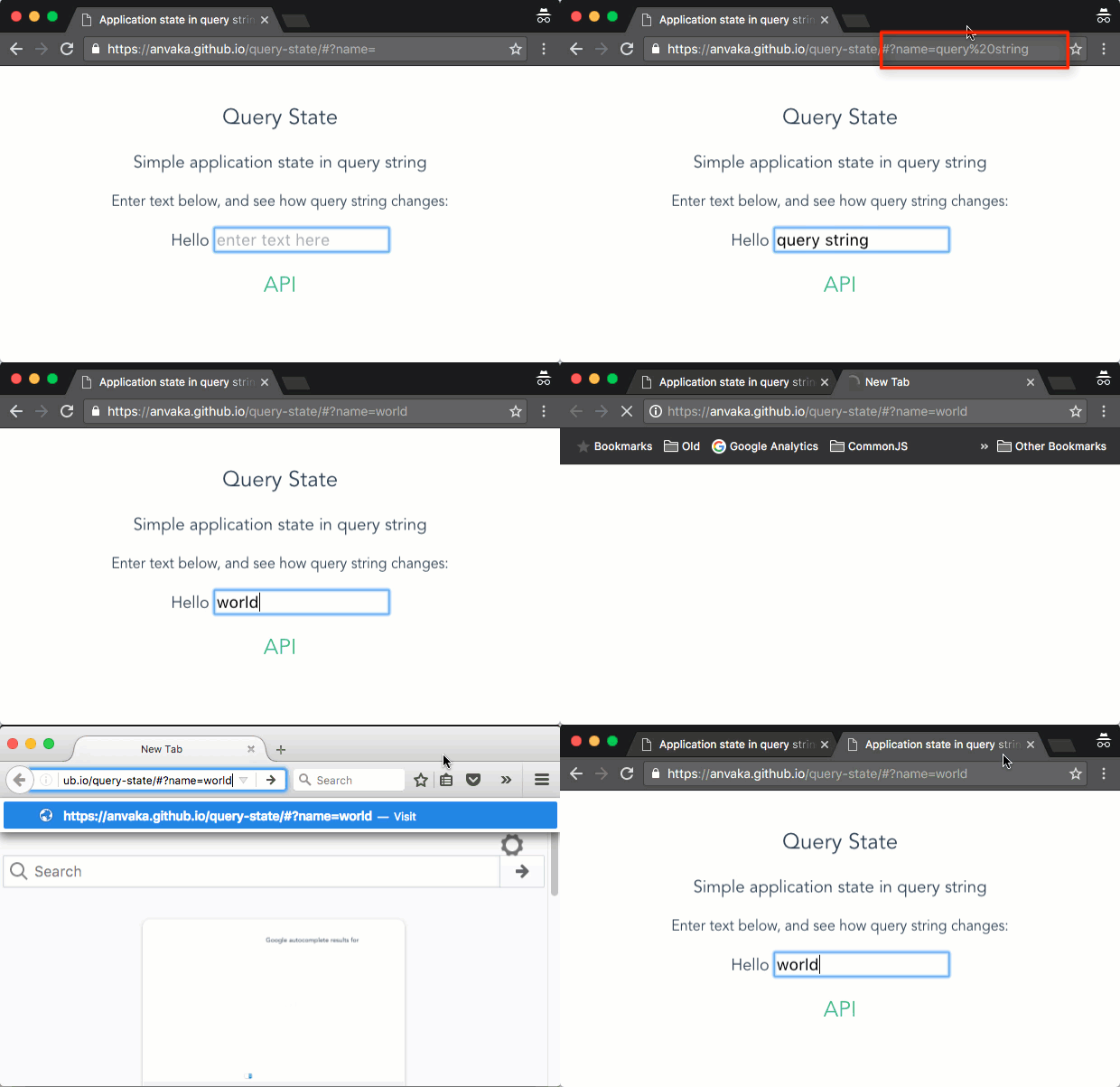
https://anvaka.github.io/query-state/#?name=world
Grab it from npm and use with your favorite bundler:
```
npm install query-state --save
```
Or download from CDN:
``` html
<script src='https://cdn.rawgit.com/anvaka/query-state/v4.0.0/dist/query-state.min.js'></script>
```
If you downloaded from CDN the library will be available under `queryState` global name.
``` js
// create a new query state instance
var qs = queryState();
// get current application state from the hash string:
var appState = qs.get();
// you can also monitor for changes in the query string:
qs.onChange(function(appState) {
// prints new application state on each hash update
console.log('app state changed!', appState);
});
// If you want to set a new value in the app state:
qs.set('answer', 42);
// Now the query string will have `answer=42` part in it.
console.log(window.location.hash.indexOf('answer=42')) // prints value > 0.
// You can also set multiple values at once:
qs.set({
name: 'Haddaway',
song: 'What is love?'
});
// NOTE: The call above merges new properties. It appends two new properties to
// the current query string
```
If you want to initialize app state with default values, you can pass them into
query state function:
``` js
// this will set query string to `answer=42`, unless it already has key called
// "answer". In which case query string's value will take precedence.
var qs = queryState({
answer: 42
});
```
This is a very simple module that currently does not support nested objects.
I.e. you cannot set application state to `{foo: {bar: 42}}`. If you need this
behavior, most likely this module is not for you.
We do support primitive types serialization/deserialization:
* Numbers
* Dates
* Strings
If you are using a bundler (e.g. browserify or webpack), its often desirable
to have just one instance of the application state, shared between files. Normally
this is accomplished via singleton pattern. The library exposes singleton
instance for your convenience:
``` js
// fileA.js
var stateInFileA = queryState.instance();
// fileB.js
var stateInFileB = queryState.instance();
// Both `stateInFileA` and `stateInFileB` are the same:
// assert(stateInFileA === stateInFileB); // this is true!
```
NOTE: This is "lazy" implementation of the singleton: The instance is not created
until you call `queryState.instance()`. After initial call the return value is
always the same.
Each of your module may desire to pass its own defaults. You can do it by passing
optional `defaults` object:
``` js
// fileA.js
var stateInFileA = queryState.instance({name: 'John'});
// The query string now has `name=John` part.
// fileB.js
var stateInFileB = queryState.instance({age: 42});
// Now query string has both parts: `name=John&age=42`
// fileC.js
// Note: singleton instance never overwrites query string values. So if someone
// sets argument that already exists, the library will ignore it:
var stateInfileC = queryState.instance({age: 100, height: 180})
// The query string still has age 42, not 100:
// name=John&age=42&height=180
```
By default `query-state` saves state in the `hash` part of the url. But what if
we want to store state in the `search` part instead?
Instead of awesome-site.com/**#?answer=42** we want awesome-site.com/**?answer=42**.
Pass an optional argument to tell query-state use the search part:
``` js
var qs = queryState({
answer: 42
}, {
useSearch: true
});
```
This can be especially useful if you are planning to share links on social media,
as hash part of the query string is not visible to the servers, and they often
consider two different links to be the same.
## clean up
Normally your app state will live as long as your application. However if you
do need to clean up resources (e.g. unloading your app) you can call `qs.dispose()`
``` js
var qs = queryState();
// use it...
// and clean up when you need it:
qs.dispose();
```
# license
MIT