qp.uirecorder
Version:
Tool for record ui test case
193 lines (125 loc) • 6.51 kB
Markdown
UI Recorder
=======================

[](https://www.npmjs.com/package/uirecorder)
[](https://www.npmjs.com/package/uirecorder)
[](https://www.npmjs.com/package/uirecorder)
[](https://www.npmjs.com/package/uirecorder)
UI Recorder 是一款零成本UI自动化录制工具,类似于[Selenium IDE](http://docs.seleniumhq.org/projects/ide/).
UI Recorder 要比Selenium IDE更加强大!
UI Recorder 非常简单易用.
1. 官方网站: [http://uirecorder.com/](http://uirecorder.com/)
2. 语言切换: [English](https://github.com/alibaba/uirecorder/blob/master/README.md), [中文](https://github.com/alibaba/uirecorder/blob/master/README_zh-cn.md)
3. 变更日志: [CHANGE](https://github.com/alibaba/uirecorder/blob/master/CHANGE.md)
4. 视频教程:[PC中文教程](http://v.youku.com/v_show/id_XMTY4NTk5NjI4MA==.html)
5. 钉钉交流群:11779932(加入验证:UIRecorder录制),下载钉钉:[https://www.dingtalk.com/](https://www.dingtalk.com/)
功能
================
1. 支持所有用户行为: 键盘事件, 鼠标事件, alert, 文件上传, 拖放, svg, shadow dom
2. 支持无线native app(Android, iOS)录制, 基于macaca实现: [https://macacajs.com/](https://macacajs.com/)
3. 无干扰录制: 和正常测试无任何区别,无需任何交互
4. 录制用例存储在本地
5. 支持丰富的断言类型: val,text,displayed,enabled,selected,attr,css,url,title,cookie,localStorage,sessionStorage
6. 支持图片对比
7. 支持强大的变量字符串
8. 支持公共测试用例: 允许用例中动态调用另外一个
9. 支持并发测试
10. 支持多国语言: 英文, 简体中文, 繁体中文
11. 支持单步截图
12. 支持HTML报告和JUnit报告
13. 全系统支持: Windows, Mac, Linux
14. 基于Nodejs的测试用例: [jWebDriver](http://jwebdriver.com/)
软件截图
================
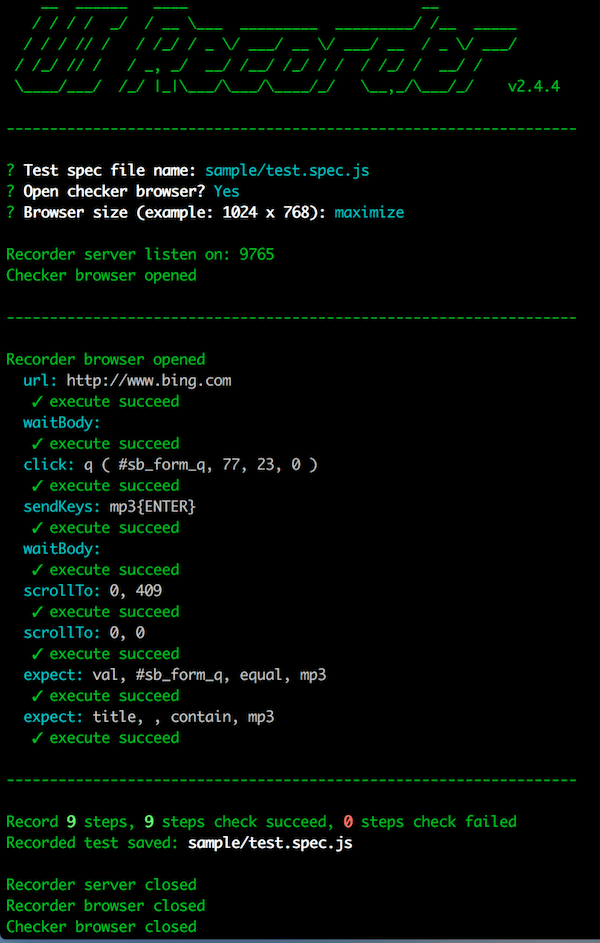
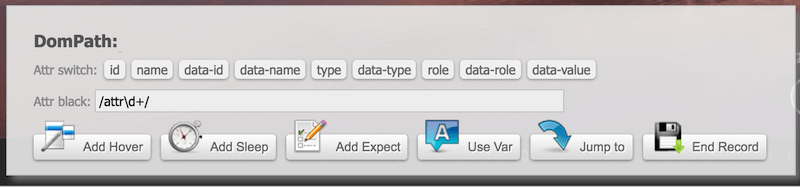
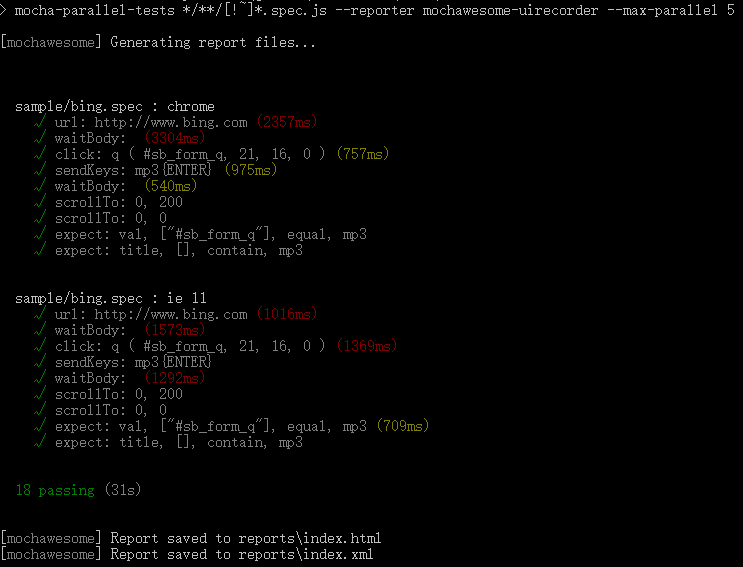
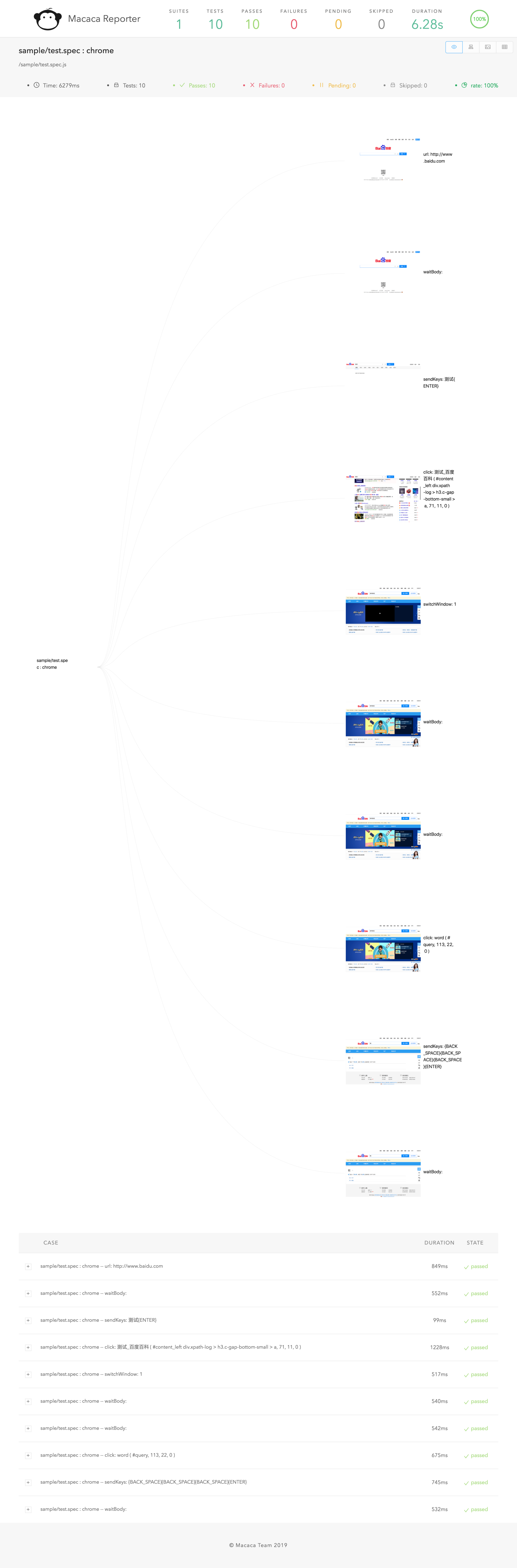
视频演示
================


快速开始
================
安装
--------------------------
1. 安装 NodeJs (版本号 >= v7.x)
> [https://nodejs.org/](https://nodejs.org/)
> `sudo chown -R $(whoami) $(npm config get prefix)/{lib/node_modules,bin,share}` (Mac, Linux)
2. 安装 chrome
> [https://www.google.com/chrome/](https://www.google.com/chrome/)
3. 安装 UI Recorder
> `npm install uirecorder mocha -g`
PC录制
---------------------------
1. 初始化测试工程
> 创建新文件夹
> `uirecorder init`
2. 开始录制测试用例
> 修改hosts文件
> `uirecorder sample/test.spec.js`
3. 启动WebDriver服务器
4. 运行测试用例
> 运行所有脚本: `source run.sh` ( Linux|Mac ) 或 `run.bat` ( Windows )
> 运行单个脚本: `source run.sh sample/test.spec.js` ( Linux|Mac ) 或 `run.bat sample/test.spec.js` ( Windows )
5. 获得测试报告和单步截图
> ./reports/index.html
> ./reports/index.xml (JUnit)
> ./reports/index.json
> ./screenshots/
无线录制
---------------------------
1. 安装并且启动macaca server:
> 安装 macaca: [http://macacajs.com/](http://macacajs.com/)
> 连接你的手机或模拟器
> `macaca server --port 4444`
2. 初始化测试工程
> 创建新文件夹
> `uirecorder init --mobile`
3. 开始录制测试用例
> `uirecorder --mobile sample/test.spec.js`
4. 运行测试用例
> 运行所有脚本: `source run.sh` ( Linux|Mac ) 或 `run.bat` ( Windows )
> 运行单个脚本: `source run.sh sample/test.spec.js` ( Linux|Mac ) 或 `run.bat sample/test.spec.js` ( Windows )
5. 获得测试报告和单步截图
> ./reports/index.html
> ./reports/index.xml (JUnit)
> ./reports/index.json
> ./screenshots/
文档翻译
================
1. [中文使用手册](/doc/zh-cn/readme.md)
License
================
UIRecorder is released under the MIT license:
> The MIT License
>
> Copyright (c) 2016 - 2017 alibaba.com
>
> Permission is hereby granted, free of charge, to any person obtaining a copy
> of this software and associated documentation files (the "Software"), to deal
> in the Software without restriction, including without limitation the rights
> to use, copy, modify, merge, publish, distribute, sublicense, and/or sell
> copies of the Software, and to permit persons to whom the Software is
> furnished to do so, subject to the following conditions:
>
> The above copyright notice and this permission notice shall be included in
> all copies or substantial portions of the Software.
>
> THE SOFTWARE IS PROVIDED "AS IS", WITHOUT WARRANTY OF ANY KIND, EXPRESS OR
> IMPLIED, INCLUDING BUT NOT LIMITED TO THE WARRANTIES OF MERCHANTABILITY,
> FITNESS FOR A PARTICULAR PURPOSE AND NONINFRINGEMENT. IN NO EVENT SHALL THE
> AUTHORS OR COPYRIGHT HOLDERS BE LIABLE FOR ANY CLAIM, DAMAGES OR OTHER
> LIABILITY, WHETHER IN AN ACTION OF CONTRACT, TORT OR OTHERWISE, ARISING FROM,
> OUT OF OR IN CONNECTION WITH THE SOFTWARE OR THE USE OR OTHER DEALINGS IN
> THE SOFTWARE.
感谢
================
* jWebDriver: [https://github.com/yaniswang/jWebDriver](https://github.com/yaniswang/jWebDriver)
* colors: [https://github.com/Marak/colors.js](https://github.com/Marak/colors.js)
* commander: [https://github.com/tj/commander.js](https://github.com/tj/commander.js)
* inquirer: [https://github.com/sboudrias/Inquirer.js](https://github.com/sboudrias/Inquirer.js)
* async: [https://github.com/caolan/async](https://github.com/caolan/async)
* chai: [https://github.com/chaijs/chai](https://github.com/chaijs/chai)
* mocha-parallel-tests: [https://github.com/yandex/mocha-parallel-tests](https://github.com/yandex/mocha-parallel-tests)
* Mochawesome: [https://github.com/adamgruber/mochawesome](https://github.com/adamgruber/mochawesome)