pushoo-cli
Version:
A command line tool with Pushoo.js pushes multiple platform messages.
135 lines (97 loc) • 5.01 kB
Markdown
[](https://www.npmjs.com/package/pushoo-cli)
A command line tool with [Pushoo.js](https://github.com/imaegoo/pushoo) pushes multiple platform messages.
[![Build Status][build-status-image]][build-status]
[![license][license-image]][repository-url]
[](https://nodejs.org/)
[![NPM version][npm-image]][npm-url]
[![Release Date][rle-image]][rle-url]
[![npm download][download-image]][download-url]
<!--[![GitHub repo size][repo-size-image]][repository-url]-->
<!-- [![Sourcegraph][sg-image]][sg-url] -->
[]: https://img.shields.io/github/repo-size/funnyzak/pushoo-cli
[]: https://github.com/funnyzak/pushoo-cli/actions/workflows/ci.yml/badge.svg
[]: https://github.com/funnyzak/pushoo-cli/actions
[]: https://img.shields.io/github/license/funnyzak/pushoo-cli.svg?style=flat-square
[]: https://github.com/funnyzak/pushoo-cli
[]: https://img.shields.io/npm/v/pushoo-cli.svg?style=flat-square
[]: https://npmjs.org/package/pushoo-cli
[]: https://img.shields.io/npm/dm/pushoo-cli.svg?style=flat-square
[]: https://npmjs.org/package/pushoo-cli
[]: https://img.shields.io/badge/view%20on-Sourcegraph-brightgreen.svg?style=flat-square
[]: https://sourcegraph.com/github.com/funnyzak/pushoo-cli
[]: https://img.shields.io/github/release-date/funnyzak/pushoo-cli.svg
[]: https://github.com/funnyzak/pushoo-cli/releases/latest
* [node >= 14.x](http://nodejs.cn/download/)
```sh
npm i pushoo-cli -g
```
```sh
pushoo -h
pushoo "This is the content"
pushoo -C "This is the content"
pushoo -c ./pushoo.yml -C "This is the content"
pushoo -P wecom -K wecom_token -C "This is the content"
pushoo -P wecom -K wecom_token -C "This is the content" -T "This is the title"
```
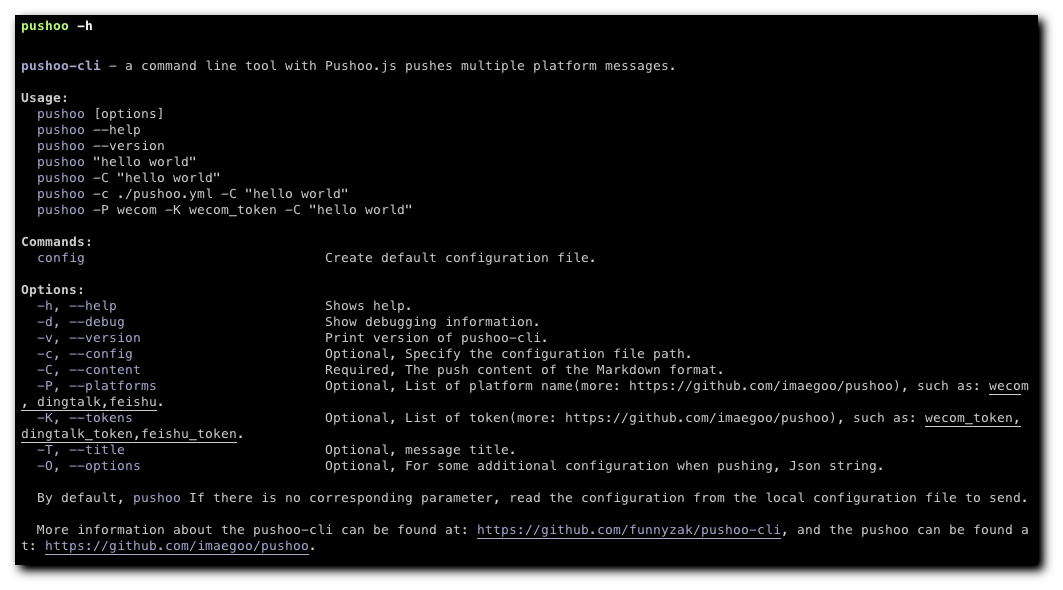
After installing it, run `pushoo --help` without arguments to see list of options:
```plain
pushoo-cli - a command line tool with Pushoo.js pushes multiple platform messages.
Usage:
pushoo [options]
pushoo --help
pushoo --version
pushoo "hello world"
pushoo -C "hello world"
pushoo -c ./pushoo.yml -C "hello world"
pushoo -P wecom -K wecom_token -C "hello world"
Commands:
config Create default configuration file.
Options:
-h, --help Shows help.
-d, --debug Show debugging information.
-v, --version Print version of pushoo-cli.
-c, --config Optional, Specify the configuration file path.
-C, --content Required, The push content of the Markdown format.
-P, --platforms Optional, List of platform name(more: https://github.com/imaegoo/pushoo), such as: wecom, dingtalk,feishu.
-K, --tokens Optional, List of token(more: https://github.com/imaegoo/pushoo), such as: wecom_token, dingtalk_token,feishu_token.
-T, --title Optional, message title.
-O, --options Optional, For some additional configuration when pushing, Json string.
By default, pushoo If there is no corresponding parameter, read the configuration from the local configuration file to send.
More information about the pushoo-cli can be found at: https://github.com/funnyzak/pushoo-cli, and the pushoo can be found at: https://github.com/imaegoo/pushoo.
```
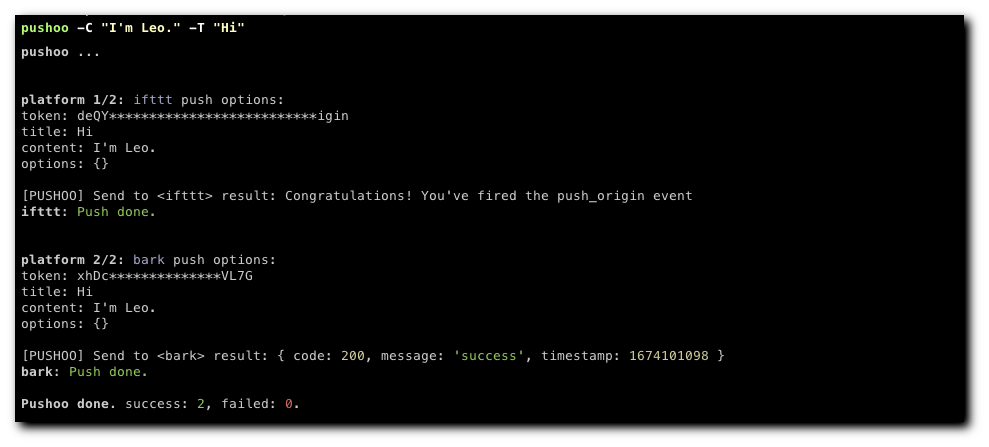
## Preview
## Configuration
Create default configuration file, run:
```sh
pushoo config
```
or you can create a configuration file yourself, the configuration file is a yaml file, the configuration file is as follows:
```yaml
platforms: ifttt, bark
tokens: hello-QUp#push_origin,3TuQzNFJVL7G
title: ""
content: ""
```
## Reference
- [Pushoo.js](https://github.com/imaegoo/pushoo) is a push library with multiple platforms.
- [Pushoo GitHub Action](https://github.com/funnyzak/pushoo-action) is a github action with pushoo.js pushes multiple platform messages.
## Contribution
If you have any questions or suggestions, please feel free to open an issue or pull request.
<a href="https://github.com/funnyzak/pushoo-cli/graphs/contributors">
<img src="https://contrib.rocks/image?repo=funnyzak/pushoo-cli" />
</a>
MIT License © 2022 [funnyzak](https://github.com/funnyzak)