prisma-supabase
Version:
Prisma generator for creating types for supabase-js/postgrest-js, without requiring a database, for faster generation times. Ideal for PostgREST-only projects.
139 lines (94 loc) • 3.77 kB
Markdown
A Prisma generator that creates types for the [@supabase/supabase-js](https://github.com/supabase/supabase-js) or [@supabase/postgrest-js](https://github.com/supabase/postgrest-js) client without the need for an online or dockerized database, resulting in faster generation times. This is particularly useful for projects that only use PostgREST.
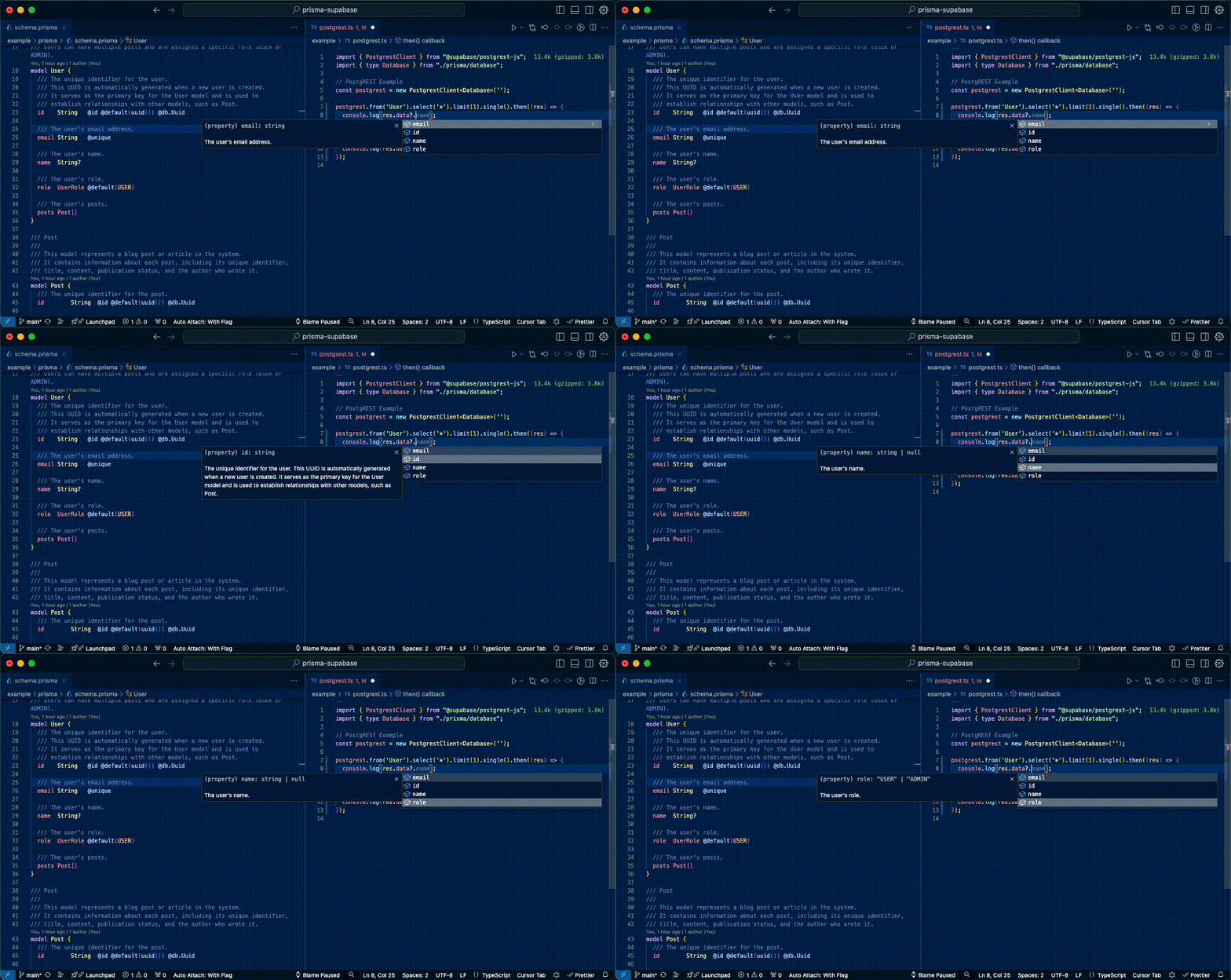
To use this generator, add it to your Prisma project. First, install the package:
NPM
```sh
npm i -D prisma-supabase
```
Yarn
```sh
yarn add -D prisma-supabase
```
PNPM
```sh
pnpm add -D prisma-supabase
```
Deno 2.x
```sh
deno add -D prisma-supabase
```
Bun
```sh
bun add -D prisma-supabase
```
1. Add the generator to your `schema.prisma` file:
```prisma
generator supabase {
provider = "prisma-supabase"
output = "./database.ts" // Optional: Defaults to ./database.ts which would store in ./prisma/database.ts
enableDocumentation = true // Optional: Defaults to true
}
```
2. Run Prisma generate to create the Supabase types:
```bash
npx prisma generate
```
This will generate a `database.ts` file (or whatever you specified in the `output` option) in your Prisma output directory (usually `prisma/`).
### Configuration Options
- `output`: Specifies the output file for the generated types. Defaults to `./prisma/database.ts`.
- `enableDocumentation`: Enables or disables the generation of JSDoc comments from Prisma schema comments. Defaults to `true`.
## Example Usage
Here's an example of how to use the generated types with Supabase:
```typescript
import { createClient } from "@supabase/supabase-js";
import { type Database } from "./prisma/database";
// Supabase Example
const supabase = createClient<Database>('', '');
supabase.from('User').select('*').limit(1).single().then((res) => {
console.log(res.data?.id);
});
supabase.from('User').select('*, Post(*)').limit(1).single().then((res) => {
console.log(res.data?.Post[0].content);
});
```
Or using [PostgREST](https://postgrest.org/):
```typescript
import { PostgrestClient } from "@supabase/postgrest-js";
import { type Database } from "./prisma/database";
// PostgREST Example
const postgrest = new PostgrestClient<Database>('');
postgrest.from('User').select('*').limit(1).single().then((res) => {
console.log(res.data?.id);
});
postgrest.from('User').select('*, Post(*)').limit(1).single().then((res) => {
console.log(res.data?.Post[0].content);
});
```
In these examples, the `Database` type is imported from the generated `database.ts` file, providing type safety for your Supabase or PostgREST queries based on your Prisma schema.
**Schema**: [example/prisma/schema.prisma](./example/prisma/schema.prisma)
**Output**: [example/prisma/database.ts](./example/prisma/database.ts)
- [x] Table Types
- [x] Table Relationships
- [x] Enum Types
- [x] JSDoc from Prisma schema comments
- [x] View Types (included within Table Types)
- [ ] Multiple Schemas (in progress)
- [ ] Composite Types (not supported by Prisma yet)
- [ ] Function Types (not supported by Prisma yet)
## Benefits
- Generate [Supabase](https://supabase.com/) types from your [Prisma](https://www.prisma.io/) schema without an online or dockerized database
- Useful for projects that only use [PostgREST](https://postgrest.org/)
- Faster type generation process
- Optional JSDoc comments for better code documentation
## Requirements
- Prisma 2.x or higher
## Contributing
Contributions are welcome! Please feel free to submit a Pull Request or open an Issue.
## License
This project is licensed under the MIT License.