polygonjs-engine
Version:
node-based webgl 3D engine https://polygonjs.com
80 lines (58 loc) • 3.73 kB
Markdown
# Polygonjs
[![NPM package][npm]][npm-url]
[![Dependencies][dependencies]][dependencies-url]
[![Dev Dependencies][dev-dependencies]][dev-dependencies-url]
[![Language Grade][lgtm]][lgtm-url]
[![Twitter][twitter-img]][twitter-url]
Polygonjs is a node-based 3D Webgl engine. [Try our examples](https://polygonjs.com/).
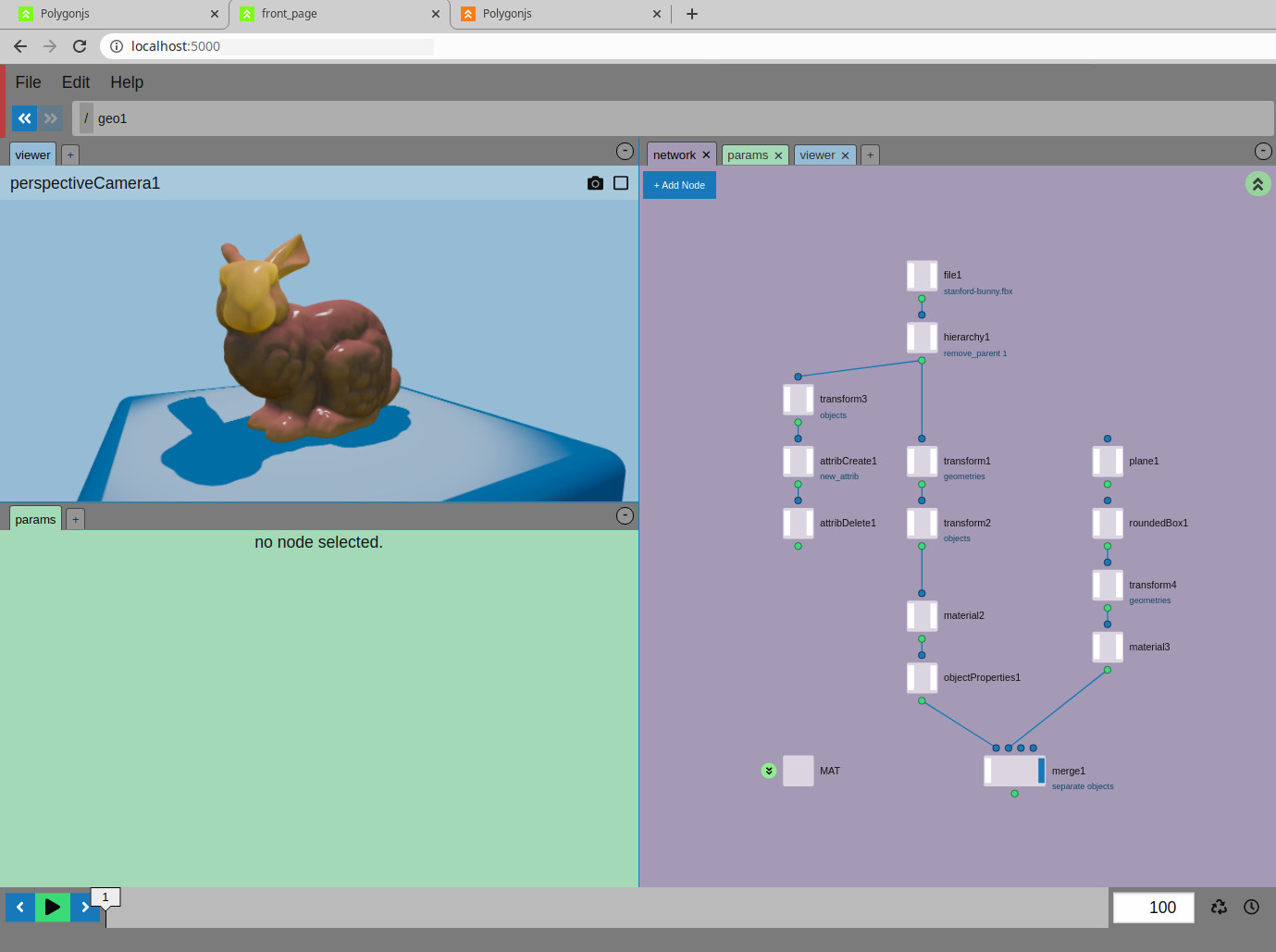
Install: `npm install polygonjs-engine` or `yarn add polygonjs-engine`.
Or use from the CDN: `https://unpkg.com/polygonjs-engine@latest/dist/all.js`.
The API is designed to be very simple. Here is how you create a minimal scene with a box:
```javascript
import {PolyScene} from 'polygonjs-engine/dist/src/engine/scene/PolyScene';
// create a scene
const scene = new PolyScene();
// create a box
const geo = scene.root.createNode('geo');
const box = geo.createNode('box');
// add a light
scene.root.createNode('hemisphereLight');
// create a camera
const perspectiveCamera1 = scene.root.createNode('perspectiveCamera');
perspectiveCamera1.p.t.set([5, 5, 5]);
// add OrbitControls
const events1 = perspectiveCamera1.createNode('events');
const orbitsControls = events1.createNode('cameraOrbitControls');
perspectiveCamera1.p.controls.setNode(orbitsControls);
perspectiveCamera1.createViewer(document.getElementById('app'));
```
## Node-based
The nodes are grouped in contexts, each for a specific type of task:
- [ANIM](https://polygonjs.com/docs/nodes/anim) nodes are to create animations.
- [COP](https://polygonjs.com/docs/nodes/cop) nodes can import and update textures.
- [EVENT](https://polygonjs.com/docs/nodes/event) nodes are to trigger or react to events.
- [GL](https://polygonjs.com/docs/nodes/gl) nodes help you create GLSL shaders.
- [MAT](https://polygonjs.com/docs/nodes/mat) nodes are to create materials.
- [OBJ](https://polygonjs.com/docs/nodes/obj) are to add objects to your scene.
- [POST](https://polygonjs.com/docs/nodes/post) nodes are to set up post processing.
- [ROP](https://polygonjs.com/docs/nodes/rop) nodes allow you to set up the renderers.
- [SOP](https://polygonjs.com/docs/nodes/sop) nodes are to manipulate geometries.
## Plugins
Polygonjs is designed to be extensible. You can create your own plugins to add custom nodes. There are currently 3 official plugins:
- [Mapbox](https://github.com/polygonjs/polygonjs-plugin-mapbox) to allow to add 3D elements to Mapbox maps.
- [Occlusion](https://github.com/polygonjs/polygonjs-plugin-occlusion) to calculate occlusion on a geometry and get a nicer lighting.
- [Physics](https://github.com/polygonjs/polygonjs-plugin-physics) to create rigid bodies.
[npm]: https://img.shields.io/npm/v/polygonjs-engine.svg
[npm-url]: https://www.npmjs.com/package/polygonjs-engine
[dependencies]: https://img.shields.io/david/polygonjs/polygonjs-engine.svg
[dependencies-url]: https://david-dm.org/polygonjs/polygonjs-engine
[dev-dependencies]: https://img.shields.io/david/dev/polygonjs/polygonjs-engine.svg
[dev-dependencies-url]: https://david-dm.org/polygonjs/polygonjs-engine#info=devDependencies
[lgtm]: https://img.shields.io/lgtm/grade/javascript/g/polygonjs/polygonjs-engine.svg?label=code%20quality
[lgtm-url]: https://lgtm.com/projects/g/polygonjs/polygonjs-engine/
[twitter-img]: https://img.shields.io/twitter/follow/polygonjs.svg?style=social&label=Follow
[twitter-url]: https://twitter.com/intent/follow?screen_name=polygonjs
## View the examples
Make sure to have node and yarn installed, then run `yarn install` and `yarn start`.
Once the dev server has compiled the files, you can open `http://localhost:8080/example` and see the various examples.