plyr-vue
Version:
A simple, accessible and customizable HTML5, YouTube and Vimeo media player for Vue
286 lines (224 loc) • 7.05 kB
Markdown
## Introduction
<p align="center">
<img width="300px" src="https://raw.githubusercontent.com/cothvbdnnn/plyr-vue/master/src/assets/logo.png">
</p>
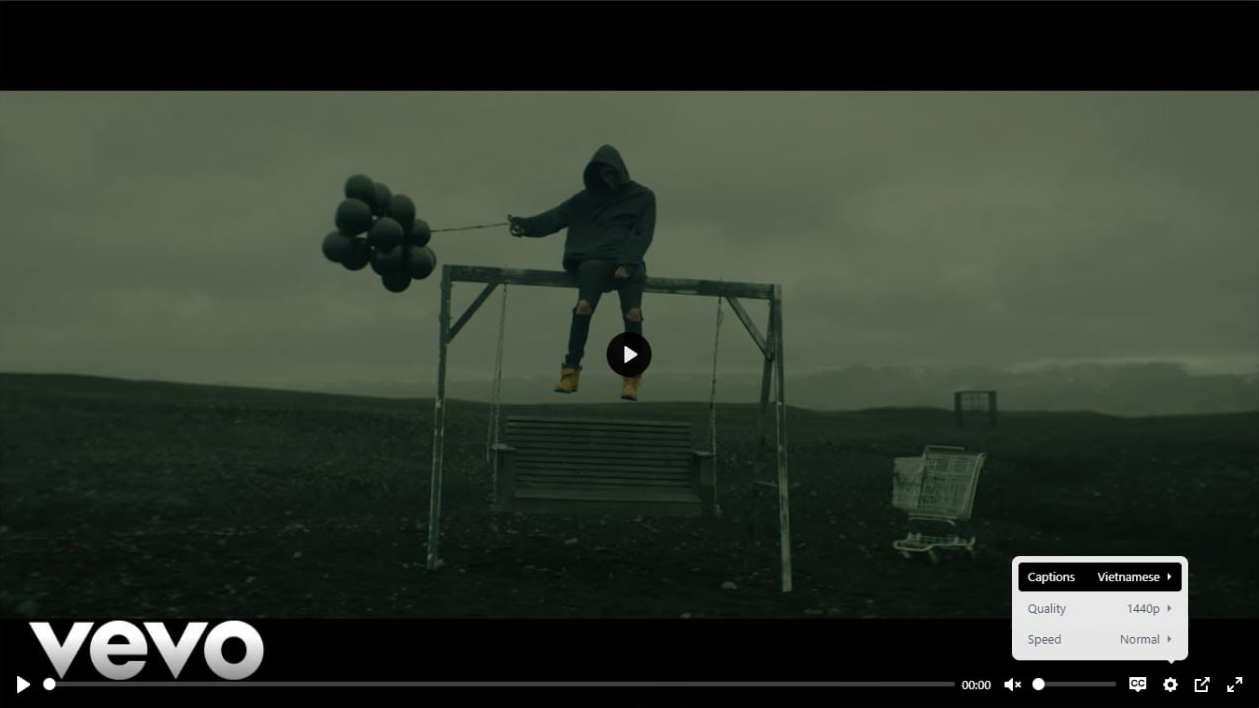
Plyr Vue is a flexible and customizable Vue component designed to seamlessly integrate Plyr's features into your Vue applications. With Plyr Vue, you can effortlessly manage and enhance the playback experience of videos, audios, and iframes.
## Installation
To start using Plyr Vue, you need to install the package via your preferred package manager:
```bash
npm install plyr-vue
# or
yarn add plyr-vue
# or
pnpm add plyr-vue
```
Or as a script tag:
```html
<script src="https://unpkg.com/plyr-vue/dist/plyr-vue.js"></script>
<script src="https://unpkg.com/plyr-vue/dist/plyr-vue.css"></script>
```
## Getting Started
To begin using Plyr Vue, follow these steps:
### Importing
First, import the necessary components and types from the Plyr Vue library:
```js
import { usePlyrVue, PlyrVue } from "plyr-vue";
import type { PlyrVueOptions, PlyrVueInstance } from "plyr-vue";
import "plyr-vue/dist/plyr-vue.css";
```
### Initialization
Use the usePlyrVue hook to initialize a Plyr player instance. This hook returns a registration function and a reference to the Plyr player instance:
```ts
const [registerFunction, playerInstance] = usePlyrVue(options: PlyrVueOptions);
```
### Integration
Integrate the Plyr Vue component into your Vue template:
```html
<template>
<plyr-vue @register="registerFunction">
<!-- Your media element (video, audio, iframe) goes here -->
</plyr-vue>
</template>
```
You can see more about [PlyrVueOptions](https://github.com/sampotts/plyr#initializing) and [PlyrVueInstance](https://github.com/sampotts/plyr#methods)
## Usage
### Video
Plyr Vue allows you to create interactive video players effortlessly. Customize the playback experience by specifying various options.
#### Instance
This example shows how to use the usePlyrVue hook to create a video player instance.
You can read more about [.source](https://github.com/sampotts/plyr#the-source-setter)
```ts
<script setup lang="ts">
const [registerVideoPlayer, videoPlayerInstance] = usePlyrVue({
loop: { active: true },
});
onMounted(() => {
initVideoPlayer();
});
const initVideoPlayer = () => {
videoPlayerInstance.value.source = {
type: "video",
title: "Example title",
sources: [
{
src: "https://cdn.plyr.io/static/demo/View_From_A_Blue_Moon_Trailer-576p.mp4",
type: "video/mp4",
size: 576,
},
],
poster:
"https://cdn.plyr.io/static/demo/View_From_A_Blue_Moon_Trailer-HD.jpg",
tracks: [
{
kind: "captions",
label: "English",
srcLang: "en",
src: "",
default: true,
},
{
kind: "captions",
label: "Vietnamese",
srcLang: "vi",
src: "",
},
],
};
videoPlayerInstance.value.play();
};
</script>
<template>
<plyr-vue @register="registerVideoPlayer" />
</template>
```
#### Template
This example demonstrates how to create a video player using the HTML5 media element.
You can read more about [HTML5 media element](https://developer.mozilla.org/en-US/docs/Web/API/HTMLMediaElement)
```ts
<script setup lang="ts">
const [registerVideoPlayer] = usePlyrVue({
loop: { active: true },
});
</script>
<template>
<plyr-vue @register="registerVideoPlayer">
<video
controls
playsinline
poster="https://cdn.plyr.io/static/demo/View_From_A_Blue_Moon_Trailer-HD.jpg"
>
<source
src="https://cdn.plyr.io/static/demo/View_From_A_Blue_Moon_Trailer-576p.mp4"
type="video/mp4"
size="576"
/>
<track
kind="captions"
label="English"
srcLang="en"
src=""
default
/>
<track
kind="captions"
label="Vietnamese"
srcLang="vi"
src=""
/>
</video>
</plyr-vue>
</template>
```
### Iframe
Integrate responsive iframes with customized settings using Plyr Vue's iframe component. Control embedded content seamlessly.
#### Instance
This example shows how to create an iframe player instance.
```ts
<script setup lang="ts">
const [registerIframePlayer, iframePlayerInstance] = usePlyrVue();
onMounted(() => {
initIframePlayer();
});
const initIframePlayer = () => {
iframePlayerInstance.value.source = {
type: "video",
sources: [
{
src: "https://www.youtube.com/embed/bTqVqk7FSmY?origin=https://plyr.io&iv_load_policy=3&modestbranding=1&playsinline=1&showinfo=0&rel=0&enablejsapi=1",
provider: "youtube",
},
],
};
};
<template>
<plyr-vue @register="registerIframePlayer" />
</template>
```
#### Template
This example demonstrates how to create an iframe player within a div.
```ts
<script setup lang="ts">
const [registerIframePlayer] = usePlyrVue();
</script>
<template>
<plyr-vue @register="registerIframePlayer">
<!-- We have to wrap a div to use with an iframe -->
<div>
<iframe
src="https://www.youtube.com/embed/bTqVqk7FSmY?origin=https://plyr.io&iv_load_policy=3&modestbranding=1&playsinline=1&showinfo=0&rel=0&enablejsapi=1"
allowfullscreen
allowtransparency
allow="autoplay"
/>
</div>
</plyr-vue>
</template>
```
### Audio
Enhance audio playback in your Vue applications with Plyr Vue's audio component. Configure audio-specific options to suit your needs.
#### Instance
This example shows how to create an audio player instance.
```ts
<script setup lang="ts">
const [registerAudioPlayer, iframeAudioInstance] = usePlyrVue();
onMounted(() => {
initAudioPlayer();
});
const initAudioPlayer = () => {
iframeAudioInstance.value.source = {
type: "audio",
title: "Example title",
sources: [
{
src: "/path/to/audio.mp3",
type: "audio/mp3",
},
{
src: "/path/to/audio.ogg",
type: "audio/ogg",
},
],
};
};
<template>
<plyr-vue @register="registerAudioPlayer" />
</template>
```
#### Template
This example demonstrates how to create an audio player using the HTML5 audio element.
```ts
<script setup lang="ts">
const [registerAudioPlayer] = usePlyrVue();
</script>
<template>
<plyr-vue @register="registerAudioPlayer">
<audio>
<source src="/path/to/audio.mp3" type="audio/mp3" />
<source src="/path/to/audio.ogg" type="audio/ogg" />
</audio>
</plyr-vue>
</template>
```
## Plyr related options
See plyr [documentation](https://github.com/sampotts/plyr#initializing) for all possible options & methods.