playcanvas
Version:
Open-source WebGL/WebGPU 3D engine for the web
142 lines (102 loc) • 7.2 kB
Markdown
# PlayCanvas Engine
[](https://www.npmjs.com/package/playcanvas)
[](https://npmtrends.com/playcanvas)
[](https://github.com/playcanvas/engine/blob/main/LICENSE)
[](https://discord.gg/RSaMRzg)
[](https://www.reddit.com/r/PlayCanvas)
[](https://x.com/intent/follow?screen_name=playcanvas)
| [User Manual](https://developer.playcanvas.com/user-manual/engine/) | [API Reference](https://api.playcanvas.com/engine/) | [Examples](https://playcanvas.github.io) | [Blog](https://blog.playcanvas.com) | [Forum](https://forum.playcanvas.com) |
PlayCanvas is an open-source game engine built on WebGL2 and WebGPU. Use it to create interactive 3D apps, games and visualizations that run in any browser on any device.
[English](https://github.com/playcanvas/engine/blob/dev/README.md)
[中文](https://github.com/playcanvas/engine/blob/dev/README-zh.md)
[日本語](https://github.com/playcanvas/engine/blob/dev/README-ja.md)
[한글](https://github.com/playcanvas/engine/blob/dev/README-kr.md)
## Install
```sh
npm install playcanvas
```
Or scaffold a full project in seconds with [`create-playcanvas`](https://github.com/playcanvas/create-playcanvas):
```sh
npm create playcanvas@latest
```
## Usage
Here's a super-simple Hello World example - a spinning cube!
```js
import {
Application,
Color,
Entity,
FILLMODE_FILL_WINDOW,
RESOLUTION_AUTO
} from 'playcanvas';
const canvas = document.createElement('canvas');
document.body.appendChild(canvas);
const app = new Application(canvas);
// fill the available space at full resolution
app.setCanvasFillMode(FILLMODE_FILL_WINDOW);
app.setCanvasResolution(RESOLUTION_AUTO);
// ensure canvas is resized when window changes size
window.addEventListener('resize', () => app.resizeCanvas());
// create box entity
const box = new Entity('cube');
box.addComponent('render', {
type: 'box'
});
app.root.addChild(box);
// create camera entity
const camera = new Entity('camera');
camera.addComponent('camera', {
clearColor: new Color(0.1, 0.2, 0.3)
});
app.root.addChild(camera);
camera.setPosition(0, 0, 3);
// create directional light entity
const light = new Entity('light');
light.addComponent('light');
app.root.addChild(light);
light.setEulerAngles(45, 0, 0);
// rotate the box according to the delta time since the last frame
app.on('update', dt => box.rotate(10 * dt, 20 * dt, 30 * dt));
app.start();
```
Want to play with the code yourself? Edit it on [CodePen](https://codepen.io/playcanvas/pen/NPbxMj).
A full guide to setting up a local development environment based on the PlayCanvas Engine can be found [here](https://developer.playcanvas.com/user-manual/engine/standalone/).
## Features
PlayCanvas is a fully-featured game engine.
* 🧊 **Graphics** - Advanced 2D + 3D graphics engine built on WebGL2 & WebGPU
* 💠 **Gaussian Splatting** - First-class support for loading and rendering [3D Gaussian Splats](https://developer.playcanvas.com/user-manual/graphics/gaussian-splatting/)
* 🥽 **XR** - Built-in support for immersive AR and VR experiences via [WebXR](https://developer.playcanvas.com/user-manual/xr/)
* ⚛️ **Physics** - Full integration with 3D rigid-body physics engine [ammo.js](https://github.com/kripken/ammo.js)
* 🏃 **Animation** - Powerful state-based animations for characters and arbitrary scene properties
* 🎮 **Input** - Mouse, keyboard, touch and gamepad APIs
* 🔊 **Sound** - 3D positional sounds built on the Web Audio API
* 📦 **Assets** - Asynchronous streaming system built on [glTF 2.0](https://www.khronos.org/gltf/), [Draco](https://google.github.io/draco/) and [Basis](https://github.com/BinomialLLC/basis_universal) compression
* 📜 **Scripts** - Write game behaviors in TypeScript or JavaScript
## Ecosystem
Build with PlayCanvas your way:
| Package | Description |
| ------- | ----------- |
| [`playcanvas`](https://www.npmjs.com/package/playcanvas) | Core engine (you are here) |
| [`@playcanvas/react`](https://www.npmjs.com/package/@playcanvas/react) | React renderer for PlayCanvas |
| [`@playcanvas/web-components`](https://www.npmjs.com/package/@playcanvas/web-components) | Declarative 3D via Custom Elements |
| [`create-playcanvas`](https://www.npmjs.com/package/create-playcanvas) | Project scaffolding CLI |
| [PlayCanvas Editor](https://github.com/playcanvas/editor) | Browser-based visual editor |
## Project Showcase
[Many games and apps](https://github.com/playcanvas/awesome-playcanvas) have been published using the PlayCanvas engine. Here is a small selection:
[](https://playcanv.as/p/MflWvdTW/) [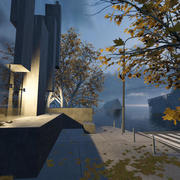](https://playcanv.as/p/44MRmJRU/) [](https://playcanv.as/p/LpmXGUe6/)
[](https://playcanv.as/p/JtL2iqIH/) [](https://playcanv.as/p/JERg21J8/) [](https://playcanv.as/p/cLkf99ZV/)
[](https://playcanv.as/p/RqJJ9oU9/) [](https://playcanv.as/p/SA7hVBLt/) [](https://playcanv.as/p/ZV4PW6wr/ )
You can see more games on the [PlayCanvas website](https://playcanvas.com/explore).
## Users
PlayCanvas is used by leading companies in video games, advertising and visualization such as:
**Animech, Arm, BMW, Disney, Facebook, Famobi, Funday Factory, IGT, King, Miniclip, Leapfrog, Mojiworks, Mozilla, Nickelodeon, Nordeus, NOWWA, PikPok, PlaySide Studios, Polaris, Product Madness, Samsung, Snap, Spry Fox, Zeptolab, Zynga**
## How to build
Ensure you have [Node.js 18+](https://nodejs.org) installed. Then, install all of the required Node.js dependencies:
```sh
npm install
```
Now you can run various build options:
| Command | Description | Outputs To |
| ------- | ----------- | ---------- |
| `npm run build` | Build all engine flavors and type declarations | `build` |
| `npm run docs` | Build engine [API reference docs](https://api.playcanvas.com/engine/) | `docs` |