pixi-stats
Version:
WebGL stats for pixi.js or/and three.js
101 lines (68 loc) • 2.38 kB
Markdown
[<img src="https://img.shields.io/npm/v/pixi-stats?style=for-the-badge&color=success" alt="npm version" />](https://www.npmjs.com/package/pixi-stats?activeTab=versions)
[<img src="https://img.shields.io/npm/dw/pixi-stats.svg?style=for-the-badge&color=success" alt="npm downloads per week" />](https://www.npmjs.com/package/pixi-stats)
This library provides an info box that will help you monitor your code performance.
- **FPS** Frames rendered in the last second. The higher the number the better.
- **MS** Milliseconds needed to render a frame. The lower the number the better.
- **MB** MBytes of allocated memory. (Run Chrome with `--enable-precise-memory-info`)
- **DC** Draw Calls made within one frame.
- **TC** Texture Count used within one frame.
- **CUSTOM** User-defined panel support.
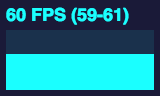
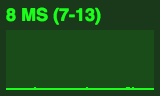
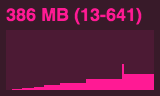
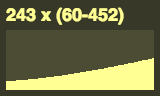
- https://nenjack.github.io/make2d/demo/?fps (pixi.js)
- https://nenjack.github.io/make3d/demo/?fps (three.js)
```ts
import { Application } from 'pixi.js'
import { Stats } from 'pixi-stats'
const { renderer } = new Application()
const stats = new Stats(renderer)
```
```ts
const element = document.querySelector('#your_container')
const ticker = PIXI.ticker
new Stats(renderer, ticker, element)
```
### three.js
#### Live demo
https://legacyofpain.app/?fps
#### Usage
```ts
import { Renderer } from 'three'
import { Stats } from 'pixi-stats'
const renderer = new Renderer()
const stats = new Stats(renderer)
```
```bash
npm install pixi-stats --save
```
```css
position: fixed;
top: 0;
left: 0;
z-index: 1000;
}
width: max(100px, 10vw, 10vh);
height: max(60px, 6vh, 6vw);
user-select: none;
}
```
The credit goes to:
- https://github.com/mrdoob/stats.js/ - FPS, MS, MB counters
- https://github.com/eXponenta/gstatsjs/ - DC, TC counters
- https://github.com/nenjack/ - maintainer, fixes, updates
MIT