periodicjs
Version:
Periodic is a rapid enterprise application framework for data driven web and mobile applications.
88 lines (68 loc) • 2.86 kB
Markdown
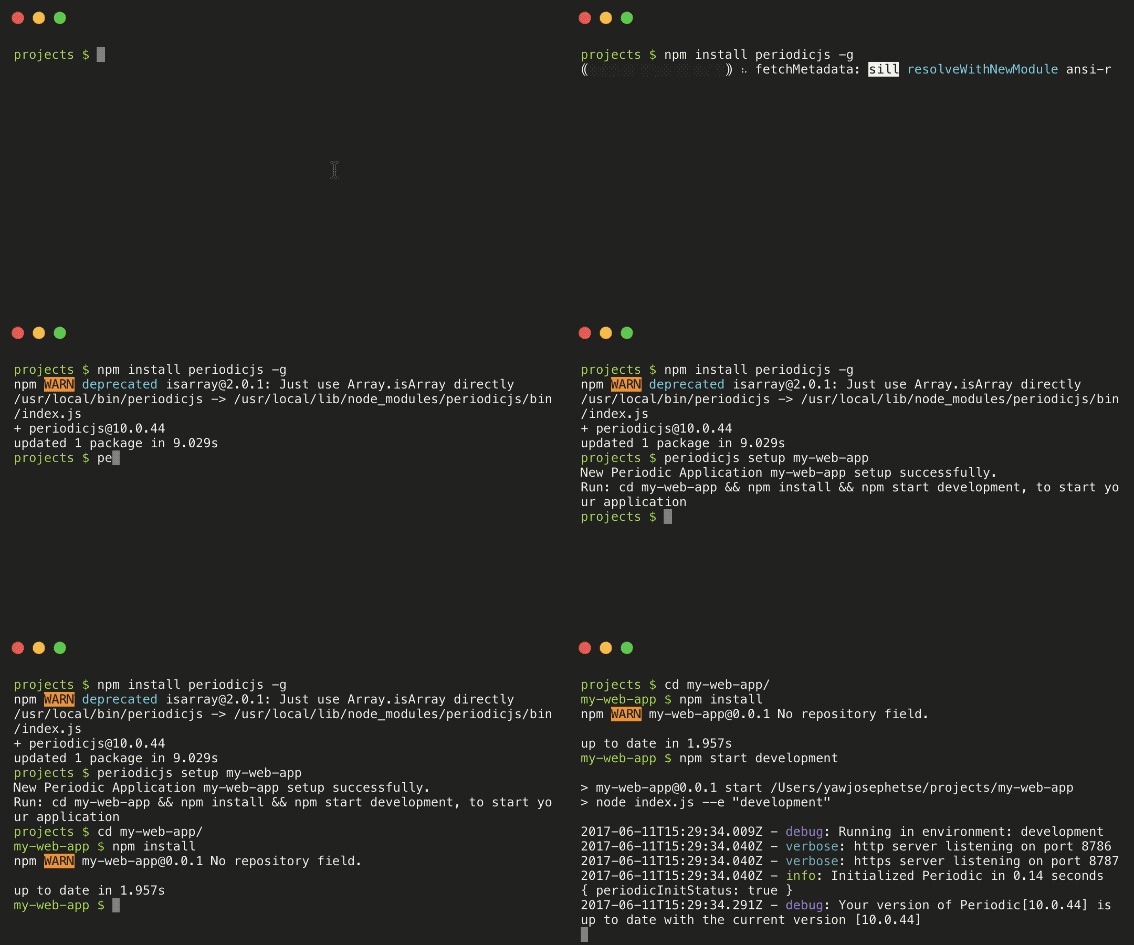
With Periodic 10, you can get up and running with periodic with zero configuration. It takes 30 seconds to create your first application server with periodic.
```console
$ npm install periodicjs -g
$ periodicjs setup [name-of-application]
$ cd [name-of-application]
$ npm install
$ npm start [name of environment]
```
1. Install periodic globally to use the Command Line Interface (CLI)
2. Create a new application
3. Change directory to your new **application root** and Install periodic's dependencies
4. Start your application
### 1. Install periodic globally to use the CLI (optional)
```
$ npm install periodicjs -g
```
Periodic comes with a built in CLI, REPL and other tools to fast track development. Using the CLI is completely optional.
### 2. Create a new node application with the CLI (optional)
```
$ periodicjs setup [name-of-application]
```
The `setup` command will create a zero-configuration scaffolded node.js web application.
* The `setup` command create's a new directory for your application, this directory is what is referred to as the `app_root` or your **application root**.
* After your `app_root` directory is created, two scaffolded `package.json` and `index.js` files are created
#### index.js
```javascript
//example ES6 import periodic from 'periodic'; //periodic singleton
//example index.js - ES5
'use strict';
const periodic = require('periodicjs'); //periodic singleton
periodic.init()
.then(console.log.bind(console)) //log startup status
.catch(console.error.bind(console)) //log any errors
```
```json
{
"name": "[name-of-application]",
"description": "Simple app server.",
"version": "0.0.1",
"main": "index.js",
"engines": {
"node": "^6.x"
},
"scripts": {
"start": "node index.js --e",
"test": "mocha -R spec --recursive"
},
"dependencies": {
"periodicjs": "^10.0.0"
}
}
```
```
$ cd [name-of-application]
$ npm install
```
The scaffolded `package.json` file only has one dependency **periodicjs**. In order to use multiple databases you may need to install other dependencies (read more about configuring periodic).
### 4. Start your application
```
$ npm start [name of environment]
```
Periodic requires a runtime environment to be defined when your application starts. Your periodic application can have an unlimited number of environments all with different configuration settings.
NEXT: [ How Periodic works ](https://github.com/repetere/periodicjs/blob/master/doc/README.md)