payload-plugin-scheduler
Version:
Scheduled posts plugin for PayloadCMS
201 lines (145 loc) • 6.25 kB
Markdown
# payload-plugin-scheduler
Plugin that adds an imperative field-based scheduling flow on top of Payload's native functionality, with at-a-glance schedule status in the admin UI.
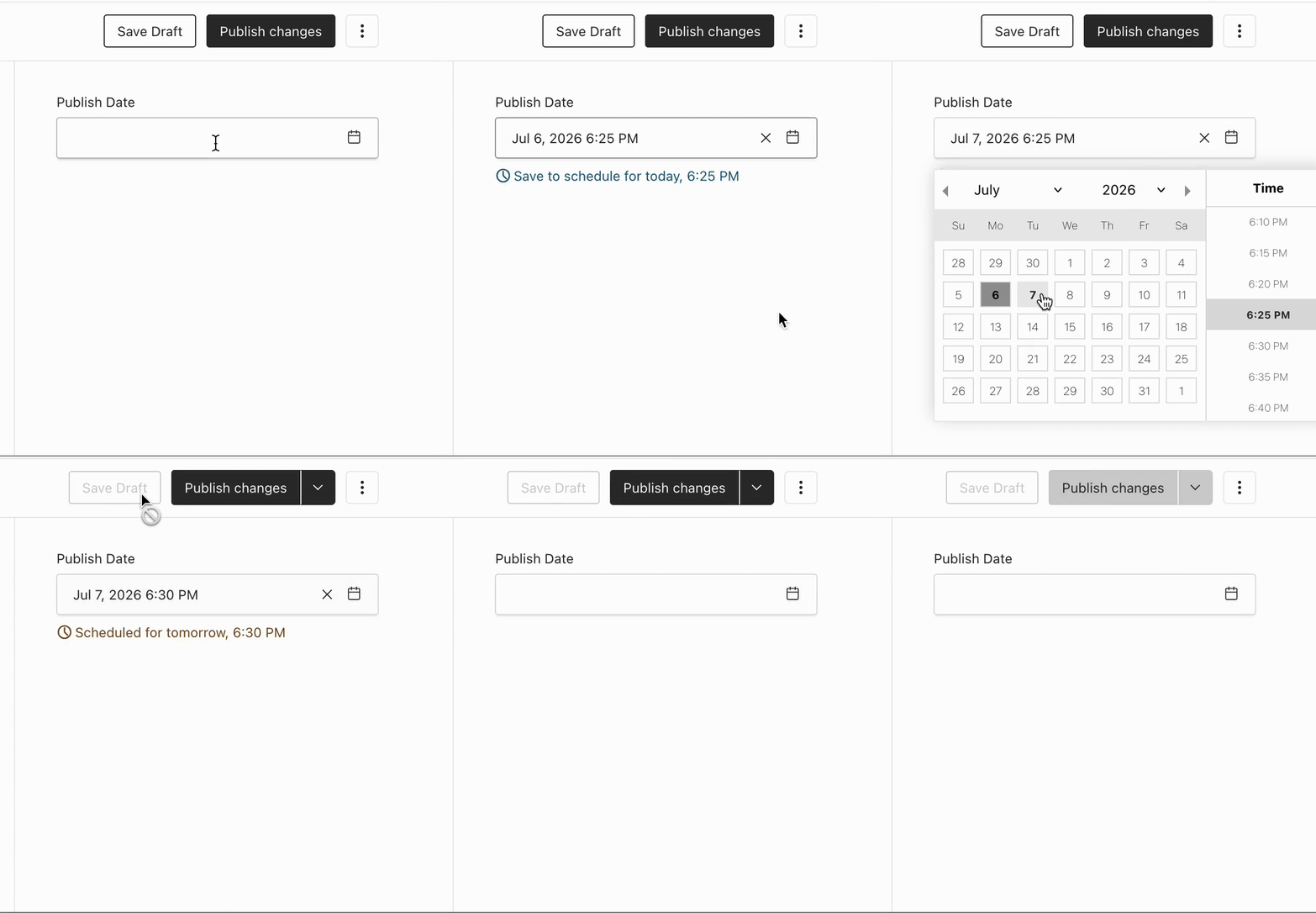
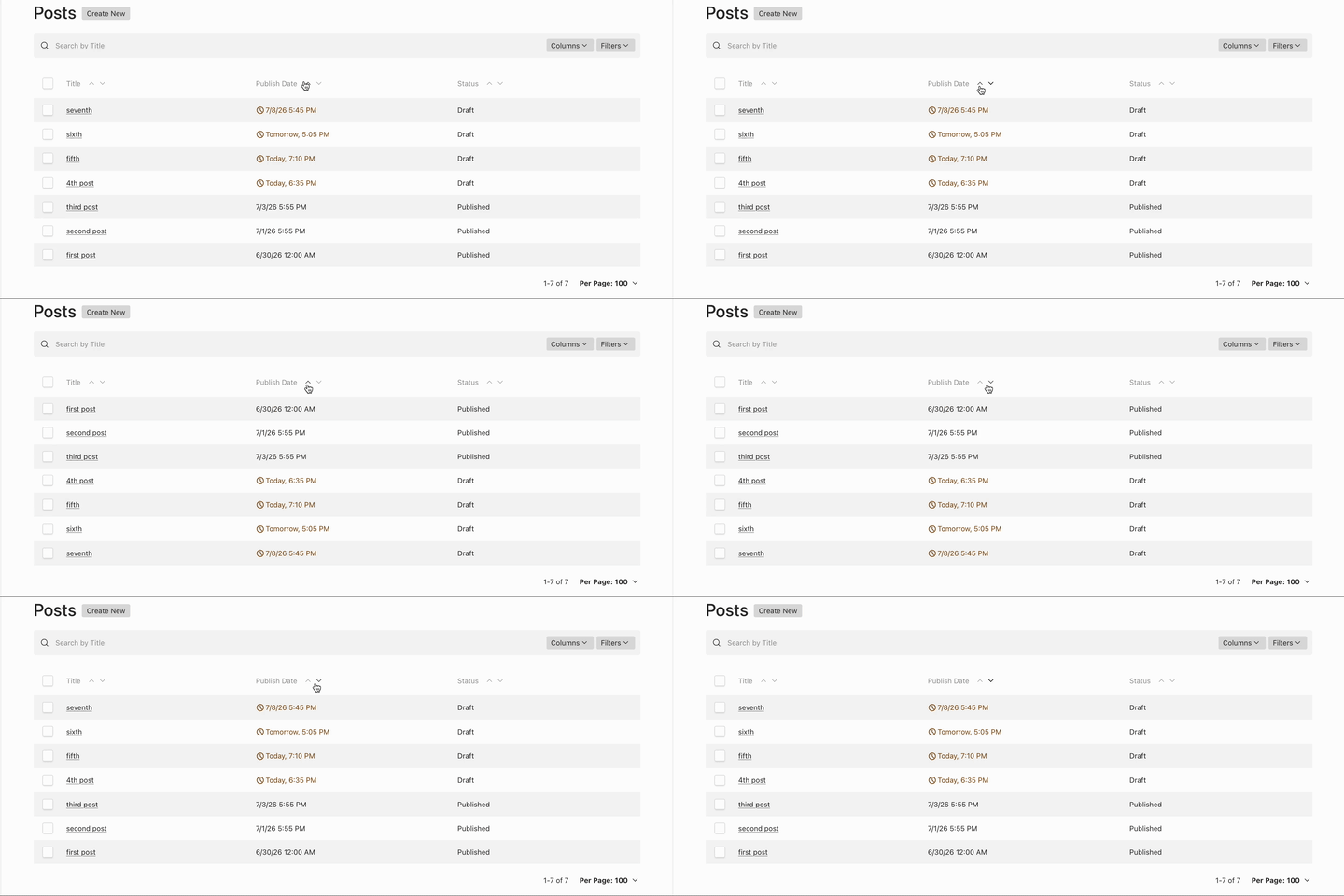
Starting in v3, Payload has a built-in workflow for scheduling posts via the job queue and "Schedule Publish" drawer. This plugin adds a configurable Date field to opted-in collections and globals that, when set to a future date, automatically queues a `schedulePublish` job in the background with `waitUntil` set to that date. This results in a more ergonomic workflow for editors where they can view the schedule status at a glance in the document editor, and sort/filter by publish time in the list view.
This plugin was originally written for Payload v2, and included a background scheduler that's since been superseded by v3's native queue. For Payload v2, use version [`<=0.1.3`](https://github.com/wkentdag/payload-plugin-scheduler/releases/tag/0.1.3).

## UI Demo
## Requirements
- Payload v3
## Installation
```sh
npm add payload-plugin-scheduler
```
## Usage
After configuring the plugin, ensure that you've regenerated payload's import map, otherwise the custom components won't display.
```ts
// payload.config.ts
import { buildConfig } from 'payload'
import { ScheduledPostPlugin } from 'payload-plugin-scheduler'
import Pages from './collections/Pages'
import Posts from './collections/Posts'
import Home from './globals/Home'
export default buildConfig({
collections: [Pages, Posts, Users],
globals: [Home],
plugins: [
ScheduledPostPlugin({
collections: ['pages', 'posts'],
globals: ['home'],
interval: 10,
}),
],
})
```
## Running Jobs
This plugin creates Payload Jobs; it does not run the job worker for you. Your host app is responsible for running Payload's Jobs Queue.
See Payload's docs for current deployment guidance:
- [Jobs Queue](https://payloadcms.com/docs/jobs-queue/overview)
- [Scheduled Publish](https://payloadcms.com/docs/versions/drafts#scheduled-publish)
## Options
Enabled collections and globals must support drafts. The plugin merges the required scheduled-publish draft config into `versions.drafts.schedulePublish` and preserves existing version/draft settings.
### `collections?: string[]`
```ts
ScheduledPostPlugin({
collections: ['pages', 'posts'],
})
```
### `globals?: string[]`
```ts
ScheduledPostPlugin({
globals: ['home'],
})
```
### `interval?: number`
Time interval, in minutes, passed to the Date field's time picker and Payload's scheduled-publish draft config. Defaults to `5`.
```ts
ScheduledPostPlugin({
collections: ['posts'],
interval: 15,
})
```
Your job queue cron interval should match this value, eg `autoRun: [{ cron: '*/5 * * * *' }]`.
### `publishDate?: object`
Configure the generated publish-date field.
```ts
ScheduledPostPlugin({
collections: ['posts'],
// these are the default values
publishDate: {
name: 'publish_date',
label: 'Publish Date',
index: true,
admin: {
position: 'sidebar',
},
},
})
```
All properties are configurable except `type`, `timezone`, `admin.date.pickerAppearance`, `admin.date.timeIntervals`, `admin.components.afterInput`, and `admin.components.Cell`.
## Manual Field Placement
By default, the plugin injects the publish-date field into every opted-in collection and global. If you need to place the field manually, use the exported `publishDate()` helper.
```ts
import type { CollectionConfig } from 'payload'
import { publishDate } from 'payload-plugin-scheduler'
export const Posts: CollectionConfig = {
slug: 'posts',
versions: {
drafts: true,
},
fields: [
{
type: 'tabs',
tabs: [
{
label: 'Content',
fields: [
{
name: 'title',
type: 'text',
},
],
},
{
label: 'Publishing',
fields: [publishDate()],
},
],
},
],
}
```
Manual placement is only valid inside collections or globals that are opted in through `ScheduledPostPlugin({ collections, globals })`.
You can also pass arguments to `publishDate` to override the global `publishDate` options, eg to override the admin display properties on a one-off basis. Overrides are merged with the top-level `publishDate` config, with `name` being the only field that's only configurable at the global level.
```ts
publishDate({
admin: {
width: '50%',
description: 'Custom description for this collection only'
}
})
```
## SafeRelationship
A drop-in replacement for Payload's `relationship` field, this is a helper field that throws an error if a user attempts to publish a document with relationships to unpublished documents.
```ts
import type { Field } from 'payload'
import { SafeRelationship } from 'payload-plugin-scheduler'
export const featuredContent: Field = SafeRelationship({
name: 'featured_content',
relationTo: ['posts', 'pages'],
hasMany: true,
})
```
## Debugging
Set `DEBUG=payload-plugin-scheduler` in your runtime env to enable debug logging.
## Contributing
After cloning the repo and installing dependencies, run `pnpm exec simple-git-hooks` to setup automatic pre-commit linting.
## Migration From v2
The v3 plugin no longer creates or writes to a plugin-owned `scheduled_posts` collection, and it no longer uses `node-schedule`. Scheduled publishes are represented as native Payload `schedulePublish` jobs in Payload's jobs collection.
To upgrade:
- Remove any application code that reads from or customizes `scheduled_posts`.
- Configure and run Payload Jobs in the host app. Dedicated servers and serverless deployments need different worker/cron strategies.
- If you use Payload `admin.timezones`, verify the resulting `<fieldName>_tz` values in your own scheduling flow.
- Generate and run a new database migration.
- Rebuild payload's import map.