npm-analyze
Version:
CLI tool to analyze the dependencies of your project. Size, count, and overhead in modules
43 lines (26 loc) • 1.17 kB
Markdown
# npm-analyze
CLI tool to analyze the content, or the dependencies of your project. Can show you the files that would clutter your npm package with unused files, or you can use it to take a look in your dependencies, and see how much extra space they use of similar files.
## Installation
```
npm install -g npm-analyze
```
## Usage
**For your own package**
Just run the command in the folder you wish to check:
```
$ npm-analyze
```
This will analyze your project for files not explicitly related to the functionality for your package and show you everything that should not be part of an npm package.

**Information about other deps, in your project**
```
$ npm-analyze --deps
```
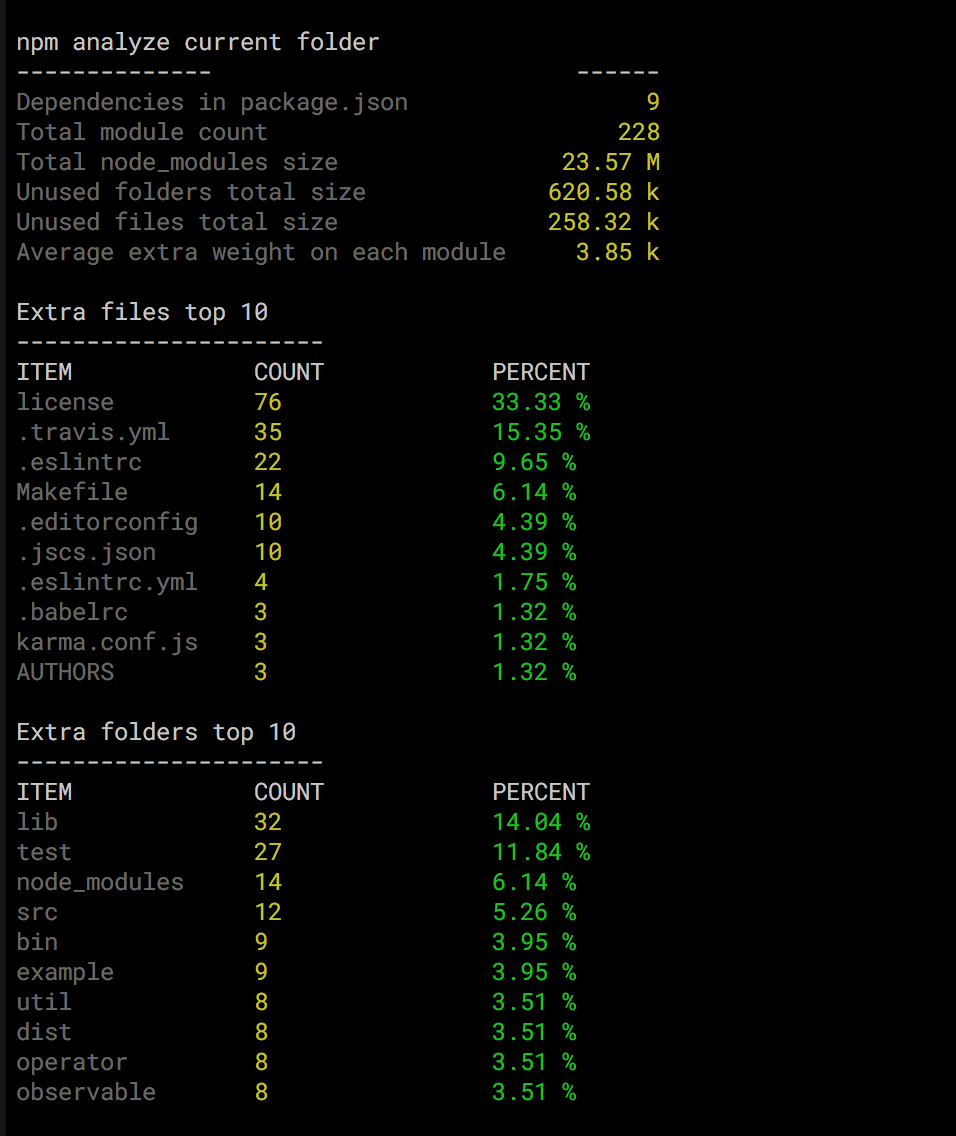
Depending on the size of the project this may take a while, but it will show you some stats like this:
### JSON output
To get the raw data in JSON, just add the `--json` switch to the command;
```
$ npm-analyze --json
$ npm-analyze --json --deps
```