nodefony
Version:
Nodefony Framework Core
779 lines (608 loc) • 23.4 kB
Markdown
<p align="center">
<img src="https://github.com/nodefony/nodefony/raw/master/src/nodefony/bundles/framework-bundle/Resources/public/images/nodefony-logo.png"><br>
</p>
<h1 align="center">NODEFONY V7</h1>
[](https://nodei.co/npm/nodefony)
[](https://github.com/nodefony/nodefony/issues) [](https://github.com/nodefony/nodefony/actions) [](https://bestpractices.coreinfrastructure.org/projects/495)
Nodefony is Node.js full-stack web framework.
Nodefony can be used to develop a complete solution to create a Fullstack Web Application, Secure Api, or Microservices.
## Note on Migration to TypeScript
> **Important:** This repository is undergoing a migration to TypeScript. You can follow the progress and contribute at [nodefony-core](https://github.com/nodefony/nodefony-core). During this period, this repository will receive only security updates for its packages.
## Table of content
- [Features](#features)
- [Requirements](#requirements)
- [Linux OSX Installation](#install)
- [Windows Installation ](#installwin32)
- [Build Nodefony Project with CLI (Command Line Interface)](#buildcli)
- [Build Nodefony Project with STARTER](#buildstarter)
- [Start Development Mode](#start)
- [Start Production Mode](#start_prod)
- [Configurations](#configurations)
- [Quick Start](#bundles)
- [HTTPS Access](#https)
- [References / Thanks](#references--thanks)
- [Authors](#authors)
- [License](#license)
- [Demo](#demo)
## <a name="features"></a>Nodefony features :
- Servers ([http(s)](https://nodejs.org/dist/latest-v8.x/docs/api/https.html), [websocket(s)](https://github.com/theturtle32/WebSocket-Node), statics, sockjs)
- [HTTP2](https://nodejs.org/api/http2.html) ready node module provides an implementation of the HTTP/2 (push server ready).
- Dynamics routing
- ORM [Sequelize](http://docs.sequelizejs.com)
- ORM [mongoose](http://mongoosejs.com/index.html)
- Simple Databases Services connections (Redis, Mongo, Elasticsearch, mysql, sqlite ...).
- MVC Templating Server Side ([Twig](https://github.com/twigjs/twig.js))
- Notion of real-time context in Action Controller (websocket).
- Notion of synchronous or asynchronous execution in Action Controller (Promise, Async, Await).
- Services Containers, Dependency Injection (Design Patterns)
- Sessions Manager (ORM, Memcached)
- Authentication Manager (Digest, Basic, oAuth, Local, ldap, jwt, openid, passportjs)
- WAF ( Web application firewall )
- Cross-Origin Resource Sharing ([CORS](https://www.w3.org/TR/cors/))
- Production Management ([PM2](https://github.com/Unitech/pm2/))
- RealTime API ([Bayeux Protocol](http://autogrowsystems.github.io/faye-go/))
- Webpack Assets management (Like WDS with HMR hot module Replacement)
- C++ Addons (Binding in Bundle)
- Translations
- CLI (Command Line Interface)
- Monitororing , Debug Bar
- Unit Test Api in framework context ([MOCHA](https://mochajs.org/))
**Nodefony assimilates into the ecosystem of node.js with services like** :
- [WEBPACK](https://webpack.js.org/) Module bundler for assets management of application .
- [SockJS](https://github.com/sockjs) Server ( Like WDS 'Webpack Dev Server' and HMR management )
- [WATCHER](https://nodejs.org/docs/latest/api/fs.html#fs_fs_watch_filename_options_listener) node.js for auto reload-files in developement mode .
- [PM2](http://pm2.keymetrics.io/) Production Process Manager for Node.js .
- [Passport](http://passportjs.org/) Simple, unobtrusive authentication for Node.js .
- ~~[Angular](https://github.com/angular/angular-cli) Experimental Bundle Generator ( Angular cli no longer allows the ejection of a webpack config)~~
**Nodefony 7 adds the following features** :
- [React](https://github.com/facebookincubator/create-react-app) Experimental Bundle Generator ( Now an React Project can be merge into a Nodefony Bundle )
- [Vue.js](https://vuejs.org) Experimental Bundle Generator ( Now an Vue.js Project can be merge into a Nodefony Bundle )
- [Api swagger-ui](https://swagger.io/) ( Documentation Api with swagger and openapi AOS3)
- [Api graphql](https://graphql.org/) ( Documentation Api with graphiql)
Evolution priorities for the next version will focus on robustness, unit testing, documentation and security.
You can follow Nodefony build with github actions at **<https://github.com/nodefony/nodefony/actions>**
## Nodefony Module Implementation
Nodefony implements modules with CommonJS and ECMAScript 6 (Class, Inheritance). The development framework has now decided to migrate to TypeScript to leverage its type-checking capabilities and improve code quality and maintainability. [nodefony-core](https://github.com/nodefony/nodefony-core).
For more information on TypeScript, see the [TypeScript documentation](https://www.typescriptlang.org/).
The proposal for type annotations in ECMAScript is still relevant and can be followed here: [proposal-type-annotations](https://github.com/tc39/proposal-type-annotations).
## **Resources for Newcomers**
#### - **[Nodefony Starter Demo](https://nodefony.net)**
#### - **[Nodefony Github](https://github.com/nodefony/nodefony)**
#### - **[Nodefony Documentation](https://nodefony.net/documentation/nodefony)**
#### Documentation in progress !!
## <a name="requirements"></a>Requirements
#### On your system _you must have Installed_ :
- **[GIT](http://git-scm.com/)** is Distributed version control system
- **[Node.js](https://nodejs.org/)** ® is a Platform built on Chrome's JavaScript runtime ( >= 8 )
- **[npm](https://www.npmjs.com/)** or **[yarn](https://yarnpkg.com/lang/en/)** or **[pnpm](https://pnpm.io/cli/install)** Packages Manager for javascript application
- **[nvm](https://github.com/nvm-sh/nvm/)** Node Version Manager - POSIX-compliant bash script to manage multiple active node.js versions
- **[OpenSSL](https://www.openssl.org/)** Toolkit for the Transport Layer Security (TLS) and Secure Sockets Layer (SSL) protocols
- **[GNU Bash](https://www.gnu.org/software/bash/)** Bash is the GNU Project's shell
#### Operating Systems :
- LINUX
- Debian, Ubuntu (Checked, Tested)
- RASPBIAN Raspberry Pi (Checked)
- MACOS (Checked, Tested)
- WINDOWS (Checked)
- FreeBSD (Checked)
- pkg install bash gmake gcc6
- setenv CC "/usr/local/bin/gcc"
- setenv CXX "/usr/local/bin/g++"
- cd /usr/local/bin/ ;ln -s pythonx.x python
- ~~OpenBSD (Not Checked yet )~~
- ~~[ELECTRON](https://github.com/nodefony/nodefony-electron) Experimental Nodefony Electron ( Now an Electron Context can be use in Nodefony Project )~~
- EMBEDDED SYSTEM ( Very difficult : large memory footprint )
## <a name="install"></a> Linux or OSX Installation
**[NVM](https://github.com/nvm-sh/nvm#installation-and-update) Installation (Node Version Manager )** :
- [NVM](https://github.com/creationix/nvm) Node Version Manager - Simple bash script to manage multiple active node.js versions
To install or update nvm, you can use the install script:
```sh
curl -o- https://raw.githubusercontent.com/nvm-sh/nvm/v0.39.1/install.sh | bash
# or
wget -qO- https://raw.githubusercontent.com/nvm-sh/nvm/v0.39.1/install.sh | bash
$ source ~/.bashrc # or source ~/.bash_profile
$ nvm ls-remote # show all remote versions
$ nvm ls # show local versions
```
**[Node.js](https://nodejs.org/) Installation with [NVM](https://github.com/creationix/nvm)** :
```sh
nvm install node # "node" is an alias for the latest version
```
**[Nodefony](https://nodefony.net) Excutable Installation (Globally)** :
```bash
npm -g install nodefony
# or with yarn
yarn global add nodefony
```
**Error that you can usually find** :
- EACCES error [See Global install How to Prevent Permissions Errors](https://docs.npmjs.com/getting-started/fixing-npm-permissions) (Reinstall npm with a Node Version Manager)
- Different Node.js version (NODE_MODULE_VERSION XX) use 'nodefony rebuild'
## <a name="installwin32"></a> Windows Installation
**[Node.js](https://nodejs.org/en/) Installation** :
[nvm-windows](https://github.com/coreybutler/nvm-windows#node-version-manager-nvm-for-windows)
to easily switch Node versions between different projects.
or To install or update Node.js, you can download installer here [Node.js](https://nodejs.org/en/)
**[Nodefony](https://nodefony.net) Installation** :
Launch a CMD terminal
```bash
npm -g install nodefony
# or with yarn
yarn global add nodefony
```
**Add NPM global bin in $Path windows** :
On the Windows System Property Menu, configure *Path* environment variable by adding :
```bash
C:\Users\myuser\AppData\Roaming\npm
or
C:\Users\myuser\AppData\Roaming\npm\bin
```
## <a name="usecli"></a> Use nodefony cli:
**Cli command when use Global installation**
```bash
$ nodefony -v
7.0.0
```
**Cli command when By using yarn or npm in trunk**
```bash
#Or by using yarn
yarn run nodefony
#Or by using npm
npm run nodefony
```
**By using npx**
***note: npx is included with npm > v5.2 or can be installed separately.***
```bash
npx nodefony -v
7.0.0-beta.10
```
**The long way with the full path**
```bash
./node_modules/.bin/nodefony
#Or with the shortcut using npm bin
$(npm bin)/nodefony
```
## <a name="buildcli"></a> Build Project with nodefony cli (recommended):
**Cli Usage INTERACTIVE MODE** :
YOU CAN USE CLI INTERACTIVE MODE (nodefony without args) :
```bash
$ nodefony
? Nodefony CLI : (Use arrow keys)
❯ Create Nodefony Web Project
Create Micro Service Project
PM2 Tools
--------
Help
Quit
```
**Cli Usage NO INTERRATIVE** :
YOU CAN USE CLI NO INTERACTIVE (nodefony with args) :
```bash
# CLI generate project name : myproject
$ npx nodefony create myproject
$ cd myproject
```
**Cli Help** :
```bash
$ npx nodefony -h
nodefony
create [-i] name [path] Create New Nodefony Project
```
## <a name="buildstarter"></a> Build Project with Github Starter :
**CLI** :
Clone nodefony starter
```bash
$ git clone https://github.com/nodefony/nodefony-starter.git
$ cd nodefony
$ npx nodefony build
...
...
$ npm start
```
**CLI INTERATIVE** :
YOU CAN USE CLI INTERACTIVE MODE TO BUILD PROJECT (nodefony without args)
```bash
$ git clone https://github.com/nodefony/nodefony-starter.git
$ cd nodefony
$ ls -l
-rw-r--r-- 1 cci staff 21306 27 mar 19:22 README.md
drwxr-xr-x 12 cci staff 384 27 mar 19:25 app
drwxr-xr-x 3 cci staff 96 27 mar 19:22 bin
drwxr-xr-x 7 cci staff 224 27 mar 19:26 config
drwxr-xr-x 3 cci staff 96 27 mar 19:22 doc
drwxr-xr-x 1342 cci staff 42944 27 mar 19:24 node_modules
-rw-r--r-- 1 cci staff 997 27 mar 19:22 package.json
drwxr-xr-x 3 cci staff 96 27 mar 19:22 src
drwxr-xr-x 4 cci staff 128 29 mar 11:13 tmp
drwxr-xr-x 12 cci staff 384 29 mar 11:01 web
-rw-r--r-- 1 cci staff 542660 27 mar 19:24 yarn.lock
$ npx nodefony
? Nodefony CLI : (Use arrow keys)
❯ Build Project
Generater
Tools
PM2 Tools
--------
Help
Quit
```
## <a name="start"></a>Serving a Nodefony project via an development server
**Starting Development Servers** :
```bash
$ npx nodefony dev
# TO STOP
$ <ctrl-c>
```
**Starting Development Servers in Debug Mode (-d)** :
```bash
$ npx nodefony -d dev
# TO STOP
$ <ctrl-c>
```
OR YOU CAN USE CLI INTERACTIVE MODE (nodefony without args)
```bash
_ _ ___ ____ _____ _____ ___ _ _ __ __
| \ | | / _ \ | _ \ | ____| | ___| / _ \ | \ | | \ \ / /
| \| | | | | | | | | | | _| | |_ | | | | | \| | \ V /
| |\ | | |_| | | |_| | | |___ | _| | |_| | | |\ | | |
|_| \_| \___/ |____/ |_____| |_| \___/ |_| \_| |_|
Version : 4.0.0 Platform : linux Process : nodefony PID : 31635
Fri Jul 27 2018 17:01:11 INFO nodefony : WELCOME PROJECT : myproject 1.0.0
? Nodefony CLI :
❯ Start Servers Development
Start Servers Pre-Production
Start Servers Production
Install Project
Rebuild Project
Generater
Tools
PM2 Tools
Run Test
--------
Help
Quit
```
**Starting Development Servers in Inspector mode (--inspect)** :
[Nodejs Debugging Guide](https://nodejs.org/en/docs/guides/debugging-getting-started)
```bash
$ npm -g install npx
$ npx --node-arg=--inspect nodefony dev
// new version npx > 7
$ npx --node-options=--inspect nodefony dev
# check chrome://inspect in your browser
```
## <a name="start_prod"></a>Serving a Nodefony Project via a Production server :
**Starting a Nodefony project with [PM2](http://pm2.keymetrics.io/)** :
```bash
$ npx nodefony prod
or
$ npx nodefony start
```
Tools PM2 You can see PM2 config : config/pm2.config.js
```bash
# To See log
$ npx nodefony logs
# To List Status of Production projects
$ npx nodefony list
# TO KILL PM2 DEAMON
$ npx nodefony kill
# TO STOP APPLICATION WITHOUT KILL PM2 DEAMON
$ npx nodefony stop
# YOU can use all pm2 command by using
$ yarn pm2 monit
$ yarn pm2 [list|ls|status]
$ yarn pm2 stop all
or
$ npm run pm2 logs --lines 200
```
**Checking a Nodefony Project Pre-Production (Usefull to check Clusters Node)** :
```bash
$ npx nodefony preprod
```
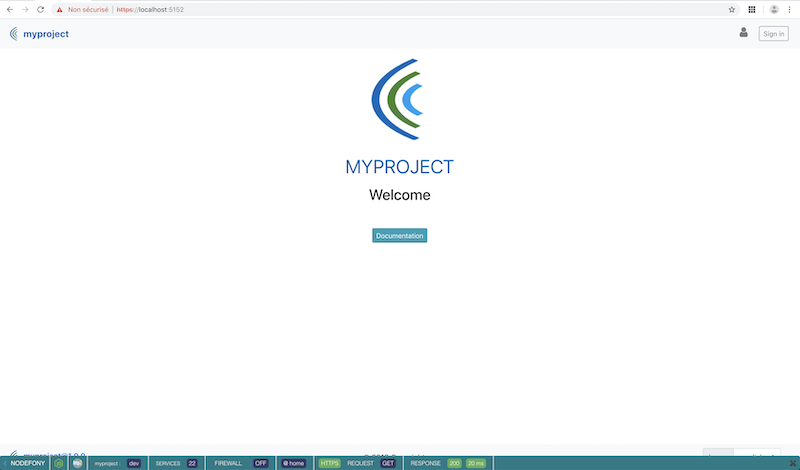
## <a name="https"></a>Serving a Nodefony project with HTTPS or WSS
By default nodefony listen secure port in 5152 @see config/config.js
During the installation process all the openssl parts were generated ( self-signed localhost certificate ).
You can Change default openssl configuration in :
```bash
ls -l config/openssl
├── ca
│ └── openssl.cnf
└── ca_intermediate
└── openssl.cnf
```
You must Add a Trusted CA in your Browser : projectName-root-ca.crt.pem
You can find certificate authority (ca) here:
config/certificates/ca/projectName-root-ca.crt.pem
#### Access to Secure App with URL : <https://localhost:5152>
#### Access to App with URL : <http://localhost:5151>
[](https://nodefony.net)
## <a name="configurations"></a>Framework Configurations
Open **[config/config.js](https://github.com/nodefony/nodefony/blob/master/config/config.js)** if you want change httpPort, domain ,servers, add bundle, locale ...
```js
/**
* NODEFONY FRAMEWORK
*
* KERNEL CONFIG
*
* Domain listen : Nodefony can listen only one domain ( no vhost )
* Example :
* domain : 0.0.0.0 // for all interfaces
* domain : [::1] // for IPV6 only
* domain : 192.168.1.1 // IPV4
* domain : mydomain.com // DNS
*
* Domain Alias : string only "<<regexp>>" use domainCheck : true
* Example :
* domainAlias:[
* "^127.0.0.1$",
* "^localhost$",
* ".*\\.nodefony\\.com",
* "^nodefony\\.eu$",
* "^.*\\.nodefony\\.eu$"
* ]
*/
const path = require("path");
module.exports = {
system: {
domain: "0.0.0.0",
domainAlias: [
"^127.0.0.1$",
"^localhost$"
],
httpPort: 5151,
httpsPort: 5152,
domainCheck: false,
locale: "en_en",
/**
* BUNDLES CORE
*/
security: true,
realtime: true,
monitoring: true,
mail: true,
documentation: false,
unitTest: true,
redis: false,
mongo: false,
elastic: false,
/**
* SERVERS
*/
servers: {
statics: true,
protocol: "2.0", // 2.0 || 1.1
http: true,
https: true,
ws: true,
wss: true,
certificats: {
key: path.resolve("config", "certificates", "server", "privkey.pem"),
cert: path.resolve("config", "certificates", "server", "fullchain.pem"),
ca: path.resolve("config", "certificates", "ca", "nodefony-root-ca.crt.pem"),
options: {
rejectUnauthorized: true
}
}
},
/**
* DEV SERVER
*/
devServer: {
inline: true,
hot: false,
hotOnly: false,
overlay: true,
logLevel: "info", // none, error, warning or info
progress: false,
protocol: "https",
websocket: true
},
/**
* BUNDLES LOCAL REGISTRATION
* Example :
* bundles: {
* hello-bundle : "file:src/bundles/hello-bundle",
* test-bundle : path.resolve("src","bundles","test-bundle")
* }
*/
bundles: {}
...
```
## <a name="bundles"></a>Quick Start
### Install Nodefony :
```
$ npm -g install nodefony
```
[See Global install How to Prevent Permissions Errors](https://docs.npmjs.com/getting-started/fixing-npm-permissions)
### Create Project :
```
$ nodefony create myproject
$ cd myproject
```
### Generating a New Bundle :
CLI Generate new bundle : default path src/bundles
```bash
$ nodefony generate:bundle name [path]
# Or Generate a New Bundle Interactive
$ nodefony
? Nodefony CLI : Generater
? Nodefony CLI : (Use arrow keys)
❯ Generate New Bundle
Generate New Controller
Generate New Service
Generate New Entity
Generate New Nodefony Project
Generate Openssl Certificates
Generate Haproxy Configuration
Generate Nginx Configuration
Generate letsEncrypt Webroot Configuration
--------
Quit
```
### Starting Servers to check new Bundle hello:
```bash
$ npm start
or
$ nodefony dev
```
Access to bundle route with URL : <http://localhost:5151/hello>
Access to bundle route with URL : <https://localhost:5152/hello>
#### Now hello-bundle is auto-insert in framework with watcher active and auto-config Webpack Module bundler
### Example controller : src/bundles/hello-bundle/controller/defaultController.js
```js
/**
* @class defaultController
* @constructor
* @param {class} container
* @param {class} context
* @Route ("/hello")
*/
class defaultController extends nodefony.Controller {
constructor(container, context) {
super(container, context);
// start session
this.startSession();
}
/**
* @Route ("",
* name="hello-route")
*/
indexAction() {
return this.render("hello-bundle::index.html.twig", {
name: this.bundle.name,
description: this.bundle.package.description
});
}
}
module.exports = defaultController;
```
### Example view (twig) : src/bundles/hello-bundle/Resources/views/index.html.twig
```twig
{% extends './base.html.twig' %}
{% set error = getFlashBag("error") %}
{% set info = getFlashBag("info") %}
{% block body %}
<div class="hello">
<img class=displayed src=/framework-bundle/images/nodefony-logo.png>
<h1>{{ name }}</h1>
<h2>{{ description }}</h2>
<img class="displayed" style=" width:10%; height:10%" src="/framework-bundle/images/nodejs/nodejs-new-pantone-black.png">
<img class="displayed" style=" width:15%; height:15%" src="/framework-bundle/images/webpack/webpack.svg">
</div>
{% endblock %}
```
### watchers :
#### The bundle generation engine build bundle config with node.js watcher configuration
#### In developement mode is very usefull to auto-reload files as controllers , views , routing , translations
#### without having to reboot the server.
You can see hello-bundle config : src/bundles/hello-bundle/Resources/config/config.js
```js
module.exports = {
locale : "en_en",
/**
* WATCHERS
*
* watchers Listen to changes, deletion, renaming of files and directories
* of different components
*
* For watch all components
* watch: true
* or
* watch:{
* controller: true,
* config: true, // only routing and services
* views: true,
* translations: true,
* webpack: true
* }
*
*/
watch: true,
/**
* DEV SERVER
*/
devServer: {
hot: false
}
};
```
### Webpack Module bundler :
#### The bundle generation engine build bundle config with a predefined webpack configuration
#### In this way webpack is very usefull to manage all assets of bundle
#### In developement mode watch is very usefull to auto-compile webpack module bundle
#### without having to reboot the server
You can see hello-bundle config webpack : src/bundles/hello-bundle/Resources/config/webpack.config.js
```js
// Default context <bundle base directory>
//const context = path.resolve(__dirname, "..", "public");
const public = path.resolve(__dirname, "..", "public", "assets");
const publicPath = "/hello-bundle/assets/";
let wpconfig = null;
let dev = true;
if (kernel.environment === "dev") {
wpconfig = require("./webpack/webpack.dev.config.js");
} else {
wpconfig = require("./webpack/webpack.prod.config.js");
dev = false;
}
module.exports = webpackMerge(config, {
//context: context,
target: "web",
entry: {
hello:["./Resources/js/hello.js"]
},
output: {
path: public,
publicPath: publicPath,
filename: "./js/[name].js",
library: "[name]",
libraryExport: "default"
},
externals: {...},
resolve: {...},
module: {...},
plugins: [...],
devServer: {
inline: true,
hot: false
}
});
```
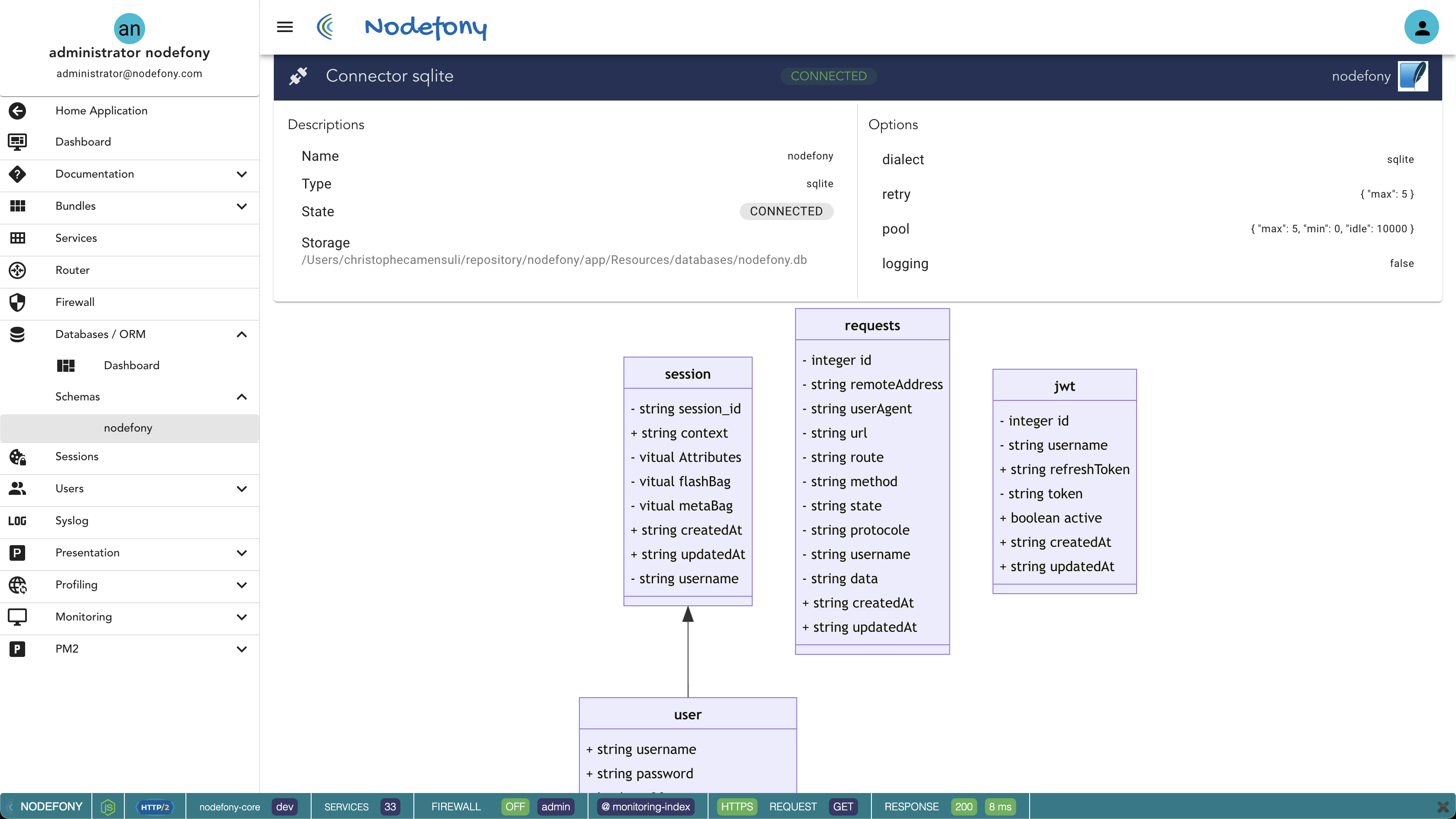
## <a name="monitoring"></a>Monitoring FRAMEWORK
Access to monitoring route with URL : <http://localhost:5151/nodefony>
[](https://nodefony.net/nodefony)
Monitoring in progress !!!
## Who Use Nodefony:
<p float="left">
<a href="https://www.sfr.fr" target="_blank">
<img src="https://raw.githubusercontent.com/nodefony/nodefony/master/tools/images/sfr.jpg"/>
</a>
     
<a href="https://www.sfr.fr" target="_blank">
<img src="https://raw.githubusercontent.com/nodefony/nodefony/master/tools/images/logo.png"/>
</a>
     
<a href="https://www.d-lake.fr" target="_blank">
<img src="https://raw.githubusercontent.com/nodefony/nodefony/dev/tools/images/d-lake.png"/>
</a>
     
<a href="https://emersya.com" target="_blank">
<img src="https://raw.githubusercontent.com/nodefony/nodefony/dev/tools/images/emersya.png"/>
</a>
</p>
## Big thanks:
- [D-Lake](https://www.d-lake.fr/) French specialist in infrastructure and data security.
- [Emersya](https://emersya.com) Emersya has pioneered a unique way of interacting with products online using 3D technology.
## Related Links:
- [Node.js](https://nodejs.org/)
- [npm](https://www.npmjs.com/)
- [Framework Symfony](http://symfony.com/)
- [Twig.js](https://github.com/justjohn/twig.js/wiki)
- [PM2](https://github.com/Unitech/PM2/blob/master/ADVANCED_README.md)
- [WEBPACK](https://webpack.js.org/)
More informations **[Nodefony Documentation](https://nodefony.net/documentation)**
## <a name="authors"></a>Authors
- Christophe CAMENSULI [github/ccamensuli](https://github.com/ccamensuli)
## <a name="license"></a>License
[CeCILL-B](https://github.com/nodefony/nodefony/blob/master/LICENSE)
## <a name="demo"></a>Demo
[Demo](https://nodefony.net)