node-red-node-ui-vega
Version:
Node-RED UI widget node for Vega visualization grammar
35 lines (20 loc) • 1.45 kB
Markdown
node-red-node-ui-vega
=====================
A Node-RED Dashboard widget node for declarative data visualization using [Vega visualization grammar](https://vega.github.io/vega/). It also support the Vega-lite specification.
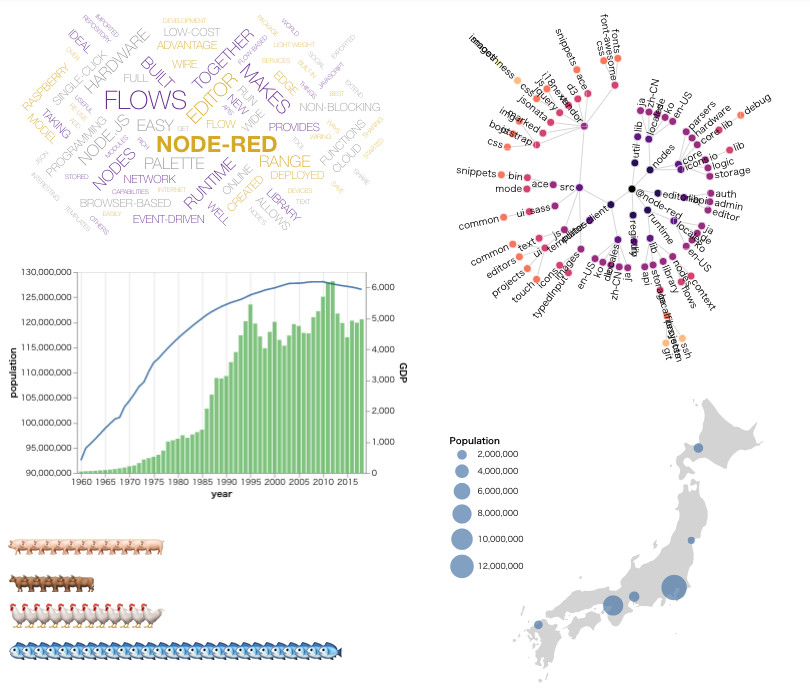
**Note**: This node requires a live internet connection in order to load the required libraries via CDN.
Install
-------
Either use the Editor - Menu - Manage Palette - Install option, or run the following command in your Node-RED user directory (typically `~/.node-red`) after installing Node-RED-dashboard.
npm install node-red-node-ui-vega
**Note**: This node uses APIs that require at least Node-RED 0.19 and Node-RED Dashboard 2.10.
Usage
-----
Vega is a visualization grammar and framework for visualizing data
developed by University of Washington Interactive Data Lab.
`ui_vega` node accepts [Vega](https://vega.github.io/vega/) and [Vega-Lite](https://vega.github.io/vega-lite/) data visualization specification in JSON format.
Vega/Vega-Lite specification in JSON format can be specified on node settings menu or `payload` property of input message. If both parameters are set, `payload` property takes precedence.
Example
-------
There are several examples that you can import from the Node-RED editor menu:
**Import > Examples > node-red-node-ui-vega**